
Top 10 Headless Commerce Development Agencies in USA for Scalable Ecommerce Growth (2026)

The ecommerce landscape is continuously evolving as companies seek agility, scalability, and a seamless shopping experience for customers. Traditional ecommerce platforms pose constraints for organizations that require fast site performance, customized storefronts, omnichannel selling, and enhanced frontend customizations. For these reasons, many businesses are exploring headless ecommerce solutions in USA to develop digital commerce ecosystems that are ready for the future.

Headless commerce firms in USA assist businesses to decouple their frontend and backend systems, providing more freedom to develop sites, integration, customer experiences, and digital scalability. Contemporary headless commerce technology enables sites, mobile applications, social commerce, marketplaces, and other digital channels to be developed without any impact on backend systems.

At present, many expanding brands and enterprise companies are in search of headless ecommerce development services in USA to enhance website performance and ecommerce success in the long term. In this blog post, we have mentioned some of the best headless commerce development agencies in USA to help businesses develop scalable ecommerce ecosystems by 2026.

Why Businesses Are Choosing Headless Commerce Solutions in USA

The expectations of today’s ecommerce shoppers include fast loading websites, flawless mobile experiences, personalization, and more flexible digital interactions. Traditional ecommerce platforms are not always capable of delivering such experiences effectively.

By using modern headless commerce platforms in USA, businesses can:

  • Increase website speed and performance
  • Develop flexible frontend experiences
  • Enable omnichannel sales
  • Enable better mobile commerce
  • Accelerate ecommerce scaling
  • Simplify integration of third-party applications
  • Increase customer engagement
  • Optimize SEO and Core Web Vitals

That’s why more and more businesses are opting to work with professional headless commerce software development firms in USA.

1. DIT Interactive

Overview

DIT Interactive is among the emerging headless ecommerce development service providers in USA that assists enterprises in developing scalable and advanced ecommerce platforms. The firm has expertise in designing an API-driven commerce platform, optimizing the front-end, and creating conversion-oriented ecommerce platforms aimed at sustainable business growth.

As a renowned headless commerce agency in USA, DIT Interactive works with enterprises to develop flexible store fronts through the use of advanced technologies such as React.js, Next.js, Vue.js, Shopify, BigCommerce, WooCommerce, Magento, and custom-built ecommerce platforms. They follow a development methodology that centers on performance, scalability, responsiveness, and customer experience.

In addition, DIT Interactive offers expert ecommerce website design services in USA with special emphasis on mobile optimization, UI/UX strategy, search engine friendly architecture, and front end optimization for ecommerce enterprises.

Services

  • Headless ecommerce development
  • Frontend UI/UX development
  • Shopify headless solutions
  • BigCommerce development
  • WooCommerce development
  • API integrations
  • Ecommerce website design
  • Mobile commerce optimization

Service Areas

  • Fashion ecommerce
  • Healthcare brands
  • Retail businesses
  • B2B ecommerce
  • D2C brands
  • Electronics businesses

Why Choose DIT Interactive

DIT Interactive specializes in developing scalable and future-proof e-commerce solutions using advanced front-end technologies and commerce architecture. Their expertise lies in creating responsive designs, engaging customers, improving front-end performance, and ensuring scalability in e-commerce for companies seeking headless commerce solutions in the USA.

2. WeFrameTech

Overview

WeFrameTech provides scalable ecommerce development services for businesses that want to enhance their digital capabilities. The firm concentrates on frontend development, ecommerce platforms, and web technologies that will facilitate their clients’ continued success in the digital environment.

The ecommerce development process at WeFrameTech highlights user interface/user experience (UI/UX), responsive storefronts, performance optimization, and scalable frontend.

Services

  • Ecommerce development
  • Frontend optimization
  • UI/UX design
  • API integrations
  • Responsive web development

Service Areas

  • Ecommerce brands
  • Startups
  • Retail businesses
  • Online stores

Why Choose WeFrameTech

WeFrameTech focuses on modern web technologies, responsive development practices, and scalable ecommerce solutions that help businesses improve digital performance and customer engagement.

3. Bounteous

Overview

Bounteous is an organization that provides services aimed at enabling companies to transform their operations through digitization and improving the performance of digital commerce. The company works with enterprise clients from various industries in order to build ecommerce ecosystems.

The organization’s core competencies include commerce optimization, customer engagement, front end experience, and digital transformation.

Services

  • Ecommerce consulting
  • Commerce optimization
  • Frontend development
  • Omnichannel solutions
  • Digital transformation

Service Areas

  • Enterprise businesses
  • Ecommerce brands
  • Retail companies
  • Digital businesses

Why Choose Bounteous

Bounteous brings together technology, strategic planning, and customer experience management to deliver scalable digital commerce platforms.

4. Absolute Web

Overview

Absolute Web delivers ecommerce development and digital commerce services to brands wishing to enhance their website performance and customer experience. Absolute Web is known for its development of responsive storefronts, scalable ecommerce platforms, and frontend optimization.

The main focus of its development services is usability, engagement, and responsiveness.

Services

  • Ecommerce development
  • UI/UX design
  • Ecommerce migration
  • Platform integrations
  • Website optimization

Service Areas

  • Fashion brands
  • Beauty businesses
  • Retail ecommerce
  • Lifestyle brands

Why Choose Absolute Web

Absolute Web is an organization that provides scalable ecommerce development as well as customer-focused experiences to help companies grow digitally.

5. Anatta

Overview

Anatta is an ecommerce-oriented organization that uses commerce strategy along with customer experience optimization to enable brands to enhance their digital growth and customer engagement. Their main focus is on making ecommerce experiences user-friendly and scalable for digital commerce.

This methodology caters to organizations that want to improve their online customer journey and ecommerce experience.

Services

  • Ecommerce consulting
  • Conversion optimization
  • UX strategy
  • Customer journey optimization
  • Commerce growth solutions

Service Areas

  • Ecommerce businesses
  • D2C brands
  • Retail companies
  • Lifestyle businesses

Why Choose Anatta

Anatta specializes in providing customer-oriented ecommerce experiences, responsive digital solutions, and scalable commerce strategies for growing companies.

6. Vaimo

Overview

Vaimo is an international firm providing ecommerce development services for enterprises and expanding ecommerce companies. Their areas of expertise include ecommerce agility, digital transformation, and omnichannel experiences. 

They assist firms in enhancing their ecommerce capabilities, front-end performance, and scalability capabilities.

Services

  • Ecommerce development
  • Omnichannel commerce
  • Ecommerce consulting
  • Frontend optimization
  • Digital transformation

Service Areas

  • Enterprise ecommerce
  • Retail businesses
  • Global brands
  • Ecommerce companies

Why Choose Vaimo

Vaimo provides scalable ecommerce ecosystems and performance-oriented commerce solutions to help firms grow digitally in the future.

7. Div Technosoft

Overview

Div Technosoft offers ecommerce solutions as well as web development services for companies interested in enhancing their online operations. The company specializes in responsive development, scalable web platforms, and ecommerce technologies.

The company’s offerings cater to firms that need flexible and easy-to-use digital platforms.

Services

  • Ecommerce development
  • Web application development
  • UI/UX design
  • CMS solutions
  • Mobile-responsive development

Service Areas

  • Startups
  • Ecommerce businesses
  • Service providers
  • Small businesses

Why Choose Div Technosoft

Div Technosoft specializes in responsive web design, usability, and scalable web development solutions for businesses operating online.

8. Evince Development

Overview

Evidently, Evince Development offers scalable ecommerce technology services to companies in need of improving their frontend agility and performance in digital commerce. Evince Development concentrates on the development of responsive ecommerce systems and frontend optimization techniques.

Services

  • Ecommerce application development
  • Frontend optimization
  • API integrations
  • Commerce support
  • Cloud-based solutions

Service Areas

  • Ecommerce companies
  • Retail businesses
  • Startups
  • Online brands

Why Choose Evince Development

Evidently, Evince Development concentrates on scalable ecommerce architecture and frontend optimization.

9. Wildnet Edge

Overview

Wildnet Edge specializes in ecommerce and digital development services for companies wishing to enhance their online performance and customer experience. Wildnet Edge specializes in ecommerce platforms, frontend development, and web technologies that can help businesses grow online.

The development process used by Wildnet Edge stresses responsiveness, efficiency, and ecommerce websites that help businesses scale up.

Services

  • Ecommerce development
  • UI/UX design
  • Web development
  • Performance optimization
  • Digital solutions

Service Areas

  • Ecommerce businesses
  • Retail brands
  • Startups
  • Enterprise companies

Why Choose Wildnet Edge

Wildnet Edge specializes in scalable ecommerce development, web technologies, and digital experiences centered on customers.

10. BrainSpate

Overview

BrainSpate is an ecommerce software development firm that specializes in developing scalable digital commerce solutions for companies that want to enhance their performance online. BrainSpate works with startups, ecommerce firms, and growing businesses to develop responsive and contemporary ecommerce sites using cutting-edge technology.

The strategy at BrainSpate emphasizes front-end usability, scalable design, ecommerce capabilities, and responsive customer experiences for sustained digital growth. BrainSpate assists organizations in enhancing ecommerce flexibility, website performance, and customer engagement via bespoke development services and web technologies.

Services

  • Ecommerce development
  • Custom web development
  • UI/UX design
  • Frontend optimization
  • Ecommerce consulting

Service Areas

  • Ecommerce brands
  • Retail businesses
  • Startups
  • Online stores

Why Choose BrainSpate

BrainSpate specializes in ecommerce development with a focus on responsiveness, scalability, and digital customer experience that enables businesses to enhance usability and ecommerce growth.

Comparison Table of Top Headless Commerce Development Agencies in USA


Company Core Expertise Best For Key Services Industry Focus
DIT Interactive Headless commerce development, frontend UI/UX, scalable ecommerce solutions Startups, D2C brands, enterprise ecommerce businesses Headless ecommerce development, Shopify, BigCommerce, ecommerce website design services in USA Retail, healthcare, fashion, B2B
WeFrameTech Responsive ecommerce development and frontend optimization Growing ecommerce businesses Ecommerce development, API integrations, UI/UX design Ecommerce, startups, retail
Bounteous Enterprise digital commerce and transformation Large enterprise brands Commerce consulting, omnichannel solutions, frontend experiences Enterprise commerce, retail
Absolute Web Ecommerce website development and optimization Fashion and lifestyle brands Ecommerce migration, UI/UX, platform integrations Fashion, beauty, lifestyle
Anatta Ecommerce strategy and customer experience D2C and customer-focused brands Conversion optimization, UX strategy, commerce consulting Retail, ecommerce
Vaimo Enterprise ecommerce and scalable commerce ecosystems Global ecommerce businesses Omnichannel commerce, ecommerce consulting Enterprise, global brands
Div Technosoft Custom ecommerce and responsive web development Small businesses and startups Ecommerce development, CMS solutions, UI/UX Ecommerce, startups
Evince Development Frontend optimization and ecommerce technology Growing online businesses API integrations, cloud solutions, ecommerce applications Ecommerce, retail
Wildnet Technologies Digital commerce and scalable web solutions Businesses seeking digital transformation Ecommerce development, UI/UX, optimization Ecommerce, enterprise
BrainSpate Ecommerce development and frontend optimization Startups and growing ecommerce brands Ecommerce development, UI/UX, frontend solutions Ecommerce, retail


How to Choose the Right Headless Commerce Company in USA

Selecting the best headless commerce development company in USA is essential for scalability and improving customer experience through ecommerce.

Technical Expertise

Businesses should choose companies experienced with APIs, frontend frameworks, ecommerce integrations, and scalable commerce architecture.

Ecommerce Experience

Look for agencies with experience in ecommerce-focused development across multiple industries.

UI/UX Capabilities

Frontend experiences directly impact customer engagement and ecommerce conversions.

Scalability

Reliable companies should build flexible systems that support future business growth and omnichannel commerce.

Integration Support

Experienced headless commerce developers in USA should support CRM systems, ERP integrations, payment gateways, and third-party ecommerce tools.

Conclusion

The need for more flexible and scalable ecommerce platforms will increase as companies strive to enhance their digital experience and customer engagements in 2026. Advanced headless commerce services from USA allow brands to build customizable, efficient, and scalable ecommerce platforms that will last into the future.

After our extensive analysis, we have found that DIT Interactive is the best Headless Commerce Development Companies in USA due to its exceptional frontend development capabilities, scalable ecommerce platform, responsive UI/UX strategy, and advanced technology. The company’s capability to provide customized headless ecommerce solutions in USA makes it a dependable technology partner.

Custom WooCommerce Plugin Development Services for USA Businesses

If you’ve been running a WooCommerce store for a while, you’ve probably hit that wall. You know the one. The moment when no plugin in the WordPress repository does exactly what you need, or you’re stitching together four different tools that half-work together and hope nothing breaks during checkout.

That’s a real problem, and it’s one of the biggest reasons businesses start looking into WooCommerce development services in the USA to get something built specifically for them.

This article is going to walk you through what custom WooCommerce plugin development actually means, when it makes sense, what to look for in a development partner, and how the whole process typically works. No fluff, just honest information.

What Is Custom WooCommerce Plugin Development, Really?

Short answer: It’s building a plugin from scratch (or heavily modifying an existing one) to do something specific that your store needs, which off-the-shelf solutions can’t quite handle.

But let’s go a bit deeper. WooCommerce is incredibly flexible out of the box. It runs on WordPress and has thousands of plugins that extend its functionality. But businesses that grow beyond a certain point often find that generic plugins create friction. Things like:

  • A custom pricing model that doesn’t fit standard quantity discounts
  • Integration with an internal CRM or ERP that has no existing connector
  • A product configurator with logic only your business understands
  • Booking or rental workflows that don’t match standard e-commerce patterns

When you’re dealing with stuff like that, you’re not going to find a $49/year plugin that handles it cleanly. That’s where custom development comes in.

When Does It Make Sense to Go Custom?

Honestly, not every business needs a custom plugin. If you’re just starting out or your store has basic needs, a combination of trusted premium plugins works fine. But there are clear signs that custom development is the right move.

You’ve outgrown what’s available. You’ve tried three or four plugins for the same functionality, and none of them quite do the job. You’re using workarounds, and those workarounds are becoming a headache to maintain.

You have unique business logic. Your pricing, your shipping rules, your membership tiers, your checkout flow, and your product options don’t match what standard tools expect. Forcing your business into a plugin’s limitations instead of the other way around is always going to cost you in the long run.

Performance is suffering. Loading fifteen different plugins, each with its own scripts and database queries, adds up. A single well-built custom plugin that does exactly what you need is almost always lighter and faster.

You’re building something scalable. If you’re planning to grow, you want infrastructure that grows with you. Custom plugins can be written to your specifications and updated on your schedule, not a third-party developer’s.

How to Hire WooCommerce Developers Who Actually Know What They’re Doing

This is where a lot of businesses make mistakes. The WooCommerce ecosystem is huge, which means there’s a wide range of developer quality out there. Knowing how to hire WooCommerce developers who are genuinely skilled takes a little bit of work upfront.

Look at Their WooCommerce-Specific Experience

General WordPress developers are not the same as WooCommerce specialists. WooCommerce has its own hooks, filters, data structures, and conventions. Someone who’s built ten marketing sites might struggle with a complex e-commerce build. Ask specifically about WooCommerce projects they’ve handled.

Ask About Their Development Process

A serious WooCommerce development agency in the USA will have a clear process: discovery, planning, staging builds, QA testing, and a rollout plan. If someone just says “Send me your requirements, and I’ll start coding,” that’s a yellow flag. Good developers ask a lot of questions before writing a line of code.

Check How They Handle Testing and Code Quality

Custom plugins need to be thoroughly tested, especially if they’re touching checkout, payments, or inventory. Ask about their testing process. Do they use staging environments? Do they do code reviews? Do they write documentation so your team can understand what was built?

Get Clarity on Post-Launch Support

Plugins need maintenance. WordPress updates, WooCommerce updates, PHP version changes can break things. A reliable WooCommerce website development company will offer some form of ongoing support and communicate clearly about what’s included.

What the Custom WooCommerce Development Process Looks Like

Every agency does things a bit differently, but in most cases, the process follows a similar arc. Here’s a realistic picture of what to expect.

Discovery and Requirements

This is where good agencies spend serious time. They’ll want to understand your business, your current tech stack, what’s working, what isn’t, and what the end goal looks like. Don’t rush this phase. The clearer the requirements going in, the fewer surprises during development.

Technical Planning

Before any code is written, your WooCommerce website developers should map out the architecture. Which WooCommerce hooks will be used? How will data be stored? What happens when the plugin interacts with other plugins or themes? These questions need answers before development starts.

Development in a Staging Environment

Never let anyone build directly on your live store. All custom WooCommerce development should happen in a staging environment that mirrors your production setup. This is non-negotiable.

Testing

Good testing covers functional testing (does it do what it’s supposed to do?), edge case testing (what happens if someone does something unexpected?), compatibility testing (does it work with your other plugins and theme?), and performance testing (does it slow anything down?).

Launch and Handoff

A proper handoff includes documentation, a walkthrough of how to use or configure the plugin, and a clear plan for what happens if something breaks after launch.

What Makes a Good WooCommerce Web Design Agency Different

You’ll notice a real difference between agencies that treat WooCommerce as just another project and those that specialize in it. A strong Woocommerce web design agency understands that design and development in e-commerce are tightly connected.

The thing is, a plugin might work perfectly under the hood but create a terrible user experience in the frontend. Or a design decision might look beautiful but create checkout friction that kills conversions. The best teams think about both sides at once.

They’ll also understand WooCommerce’s template system, its cart and checkout hooks, and how custom functionality integrates with the storefront without creating visual or functional conflicts.

Red Flags to Watch Out For

Let’s be real for a second. Not every developer or agency that claims WooCommerce expertise actually has it. Here are some things to watch out for when evaluating options.

Vague or non-existent proposals. If you describe a complex requirement and get back a one-paragraph response with a price, that’s not a real proposal. Good developers ask follow-up questions.

No portfolio or case studies. Anyone serious about WooCommerce development should be able to show you past work. If they can’t (or won’t), that’s worth questioning.

Lowest bid wins mentality. Custom development done right isn’t cheap. If a quote is dramatically lower than others, it usually means corners are being cut somewhere, whether in testing, architecture, or support.

No mention of WooCommerce-specific considerations. A generic web developer might not even know what WooCommerce hooks are. If they don’t naturally bring up WooCommerce-specific technical details during the conversation, be cautious.

Questions to Ask Before Signing a Contract

Before you commit to any WooCommerce development services in USA, here are some direct questions worth asking:

  • How many WooCommerce-specific plugins have you built from scratch?
  • Can I see examples of custom WooCommerce work similar to what I need?
  • What’s your process for handling conflicts with other plugins?
  • Who will own the code after the project is complete?
  • What does post-launch support look like, and what does it cost?
  • How do you handle changes in scope during the project?

The answers to these questions will tell you a lot about whether you’re dealing with a real specialist or someone who’s generalized their way into WooCommerce work.

Cost Expectations for Custom WooCommerce Plugin Development

This is a question everyone asks and nobody likes giving vague answers to, so let’s talk about it plainly.

Simple custom plugins, something with limited scope and clear requirements, might run anywhere from $1,500 to $5,000. More complex builds, think full CRM integrations, complex product configurators, or multi-vendor functionality, can run $10,000 to $50,000 or more. Ongoing maintenance is typically billed separately, either hourly or as a monthly retainer.

What drives cost up? Complexity of the business logic, number of integrations required, size of the development team, timeline pressure, and the level of testing and documentation expected. A good agency will break down where the time and cost is going, not just give you a flat number.

Wrapping Up

If you’re at the point where your WooCommerce store needs something that simply doesn’t exist yet, custom plugin development is a legitimate path forward. It’s not always the first choice and it’s not always the cheapest, but for businesses with specific needs and plans to scale, it’s often the right one.

The key is finding the right partner. Whether you’re looking at a woocommerce development agency in USA or evaluating individual developers, take the time to vet them properly. Ask the hard questions, look at their past work, and make sure they understand WooCommerce at a technical level, not just a surface level.

Good custom development built on a solid foundation saves you from rebuilding things later. And in ecommerce, where your store is literally your business, that matters a lot.

Agentic AI Development Services: Everything Businesses Need to Know

Artificial intelligence is no longer just about chatbots answering customer questions or tools generating content. Businesses are now moving toward systems that can actually think through tasks, make decisions, complete actions, and improve workflows with very little human input.

That shift is exactly why agentic ai development services are getting so much attention right now.

If you’ve been hearing terms like AI agents, autonomous workflows, or intelligent automation and wondering what they actually mean for businesses, you’re not alone. Honestly, many companies are still trying to figure out where AI agents fit into their operations and whether the investment makes sense.

The short answer? In most cases, it does.

From customer support automation to sales operations and internal task management, AI agents are starting to handle work that previously needed full teams. And businesses that adopt this early are already seeing faster execution, lower operational costs, and better productivity.

Let’s break it down properly.

What Are Agentic AI Development Services?

Agentic AI refers to AI systems that can independently perform tasks, make decisions, and interact with tools or software to achieve a goal.

Traditional AI usually responds to prompts. Agentic AI goes a step further. It can:

  • Analyze situations
  • Plan actions
  • Execute tasks
  • Learn from outcomes
  • Adapt over time

That’s where agentic AI development services come in. These services help businesses build AI agents designed around their workflows, operations, and goals.

For example, an AI agent can:

  • Handle customer support tickets
  • Qualify leads automatically
  • Manage appointment scheduling
  • Monitor inventory levels
  • Generate reports
  • Send follow-ups
  • Coordinate between multiple software tools

And the thing is, these systems don’t just follow static rules. They’re built to reason through tasks dynamically.

That’s where things change compared to older automation systems.

How Agentic AI Differs From Traditional Automation

A lot of businesses already use automation tools. Zapier workflows, email triggers, CRM automations, and chatbot flows are pretty common now.

But those systems only work when conditions are predefined.

Agentic AI works differently.

Traditional Automation Agentic AI
Rule-based Goal-oriented
Requires fixed workflows Adapts dynamically
Limited decision-making Autonomous reasoning
Needs manual updates Learns from interactions
Simple task execution Multi-step problem solving

For example:

A traditional automation may send an email after form submission.

An AI agent can:

  • Analyze the lead quality
  • Search CRM history
  • Draft a personalized reply
  • Schedule a meeting
  • Notify the sales team
  • Update the pipeline automatically

Without constant human involvement.

You’ll notice businesses are now prioritizing AI systems that actually reduce operational dependency instead of just speeding up small tasks.

Why Businesses Are Investing in Agentic AI

The demand for agentic ai services in usa has grown rapidly because companies are under pressure to do more with fewer resources.

Hiring costs are rising. Teams are overloaded. Customers expect faster responses.

AI agents help close that gap.

1. Faster Operations

AI agents can perform repetitive operational tasks 24/7 without delays.

This includes:

  • Data entry
  • Customer communication
  • Ticket routing
  • Lead qualification
  • Reporting
  • Scheduling

Teams spend less time on admin work and more time on actual decision-making.

2. Lower Operational Costs

Businesses don’t necessarily replace employees with AI. Most companies use AI agents to reduce manual workload.

That means:

  • Smaller support overhead
  • Reduced repetitive staffing
  • Fewer workflow bottlenecks
  • Faster task completion

Over time, the cost savings become significant.

3. Better Customer Experience

Customers hate waiting.

AI agents can provide:

  • Instant responses
  • Personalized recommendations
  • Faster issue resolution
  • Consistent communication

And unlike old-school bots, modern AI agents can actually understand context much better.

4. Scalability Without Massive Hiring

Growing companies often struggle to scale operations.

Agentic AI helps businesses expand workflows without constantly increasing headcount.

That’s one major reason why many companies are now partnering with an ai AI automation agency in usa to build custom solutions.

What Does a Custom AI Agent Actually Do?

This depends entirely on the business model.

That’s why custom ai agent development is becoming more valuable than generic AI tools.

Generic software works for basic use cases. Custom AI agents are built around specific workflows.

Here are some real-world examples.

Customer Support AI Agents

These agents can:

  • Answer customer queries
  • Escalate urgent issues
  • Access order details
  • Process refunds
  • Update tickets
  • Learn from past conversations

And they can operate across websites, WhatsApp, email, Slack, and CRM systems.

Sales AI Agents

Sales teams are using AI agents to:

  • Qualify inbound leads
  • Send follow-ups
  • Research prospects
  • Schedule meetings
  • Update CRM pipelines
  • Generate sales summaries

Honestly, this alone saves hours every week.

Ecommerce AI Agents

For ecommerce businesses, AI agents can:

  • Recommend products
  • Recover abandoned carts
  • Track inventory
  • Manage customer inquiries
  • Analyze buying patterns

You’ll notice this becomes especially useful during high-volume sales periods.

Internal Workflow AI Agents

Businesses also use AI internally for:

  • HR onboarding
  • Employee support
  • Meeting summaries
  • Knowledge management
  • Document analysis
  • Workflow approvals

These use cases are growing very fast right now.

Key Features Businesses Should Look For

Not every AI solution is worth investing in.

If you’re considering an agentic ai development company, there are a few things you should pay attention to.

Workflow Integration

The AI system should connect with:

  • CRM platforms
  • ERP software
  • Email tools
  • Slack
  • APIs
  • Databases

Without integration, AI becomes isolated and less useful.

Context Awareness

Modern AI agents should remember conversations, user actions, and workflow history.

Otherwise, the experience feels robotic very quickly.

Multi-Step Reasoning

Good AI agents don’t just answer questions.

They should:

  • Analyze goals
  • Break tasks into steps
  • Execute actions logically

This is one of the biggest differences between basic AI tools and advanced agentic systems.

Human Escalation

AI should know when to hand tasks to humans.

That balance matters a lot in customer-facing environments.

Security and Compliance

Businesses handling sensitive data need secure AI deployment.

This includes:

  • Access controls
  • Data encryption
  • Audit logs
  • Compliance support

Especially for healthcare, finance, and enterprise operations.

Industries Using Agentic AI Right Now

Almost every industry is exploring AI agents, but some sectors are moving much faster than others.

Healthcare

Healthcare providers are using AI agents for:

  • Appointment coordination
  • Patient communication
  • Medical documentation
  • Insurance verification

Finance

Financial businesses use AI for:

  • Fraud monitoring
  • Customer onboarding
  • Reporting
  • Compliance workflows

Ecommerce

Ecommerce brands rely heavily on AI agents for:

  • Customer support
  • Product recommendations
  • Order tracking
  • Inventory forecasting

SaaS Companies

SaaS businesses use AI agents internally and externally:

  • Technical support
  • Lead qualification
  • Knowledge base assistance
  • Workflow automation

Real Estate

AI agents help manage:

  • Lead follow-ups
  • Property recommendations
  • Scheduling
  • Client communication

And honestly, this is still just the beginning.

How the Development Process Usually Works

Businesses often assume AI development is extremely complicated. In reality, experienced teams simplify the process quite a bit.

A typical custom ai agent development workflow usually looks like this:

Step 1: Workflow Analysis

The development team studies:

  • Business operations
  • Repetitive tasks
  • Existing software
  • Pain points
  • Automation opportunities

This stage is critical because bad AI implementation usually starts with unclear workflows.

Step 2: AI Strategy Planning

The company decides:

  • Which tasks AI should handle
  • Where humans stay involved
  • Which integrations are needed
  • Performance expectations

Step 3: Agent Development

The AI agent is built using:

  • Large language models
  • APIs
  • Automation frameworks
  • Internal databases
  • Workflow logic

Step 4: Testing and Training

Before deployment, AI agents are tested for:

  • Accuracy
  • Context handling
  • Workflow reliability
  • Security

This stage often takes longer than businesses expect.

Step 5: Deployment and Monitoring

After launch, teams continue improving the AI system based on:

  • User interactions
  • Workflow results
  • Error analysis
  • Business feedback

AI systems improve continuously over time.

Challenges Businesses Should Expect

Agentic AI is powerful, but it’s not magic.

There are still real challenges businesses need to understand.

Poor Workflow Planning

If processes are messy before AI, automation usually creates bigger confusion.

AI works best when workflows are already somewhat organized.

Unrealistic Expectations

Some businesses expect AI to replace entire teams instantly.

That rarely happens.

In most cases, AI works best as a productivity multiplier.

Data Quality Problems

AI agents rely heavily on clean, structured information.

Bad data often leads to inaccurate outputs.

Integration Complexity

Older systems sometimes make AI integration difficult.

Especially in enterprise environments with legacy software.

Still, businesses that approach implementation properly usually see strong long-term value.

Choosing the Right AI Development Partner

There are many companies entering the AI market right now. Not all of them actually understand business automation deeply.

When selecting an ai agent development company in USA, look beyond flashy demos.

Pay attention to:

  • Real workflow understanding
  • Integration experience
  • Industry expertise
  • Security knowledge
  • Long-term support
  • Scalability planning

The thing is, building an AI demo is easy.

Building AI systems that work reliably inside real businesses is much harder.

That’s why choosing the right partner matters so much.

The Future of Agentic AI in Business

We’re still early in this shift.

Right now, many businesses use AI agents for support tasks and operational assistance. Over the next few years, AI agents will likely become central to everyday business workflows.

You’ll probably see:

  • AI-managed departments
  • Autonomous business operations
  • Multi-agent collaboration systems
  • AI-driven decision support
  • Real-time workflow orchestration

And honestly, businesses waiting too long may struggle to catch up later.

This feels similar to the early cloud software transition years ago. Companies that adapted early gained a major operational advantage.

Final Thoughts on Agentic AI Development Services

Businesses are moving beyond simple automation now. They want systems that can think, execute, adapt, and improve workflows intelligently.

That’s exactly why demand for agentic ai development services keeps growing across industries.

Whether it’s customer support, ecommerce operations, sales management, or internal workflow automation, AI agents are starting to reshape how companies operate day to day.

And in most cases, businesses don’t need generic AI tools anymore. They need specialized systems built around their actual workflows.

That’s where custom ai agent development becomes valuable.

The companies adopting these systems early are already reducing operational friction, improving productivity, and creating faster customer experiences. Over the next few years, that gap between AI-enabled businesses and traditional operations will probably grow even wider.

10 Powerful Workflow Automation Tools Every Enterprise Needs in 2026

Every growing business reaches a point where manual work starts slowing everything down. Teams spend hours updating spreadsheets, forwarding emails, assigning tasks, replying to customers, or moving data between platforms. At first, it seems manageable. Then suddenly, operations become messy, deadlines slip, and employees spend more time handling repetitive tasks than actual business growth.

That’s exactly why workflow automation is becoming a major priority in 2026.

The thing is, automation today is not limited to simple triggers or scheduled emails anymore. Modern enterprises are now using AI-powered systems that can analyze requests, make decisions, generate responses, and even manage internal operations with very little human involvement.

You’ll notice that companies working with an AI automation agency in the USA are moving much faster than competitors still relying on manual processes. And honestly, the gap is getting bigger every year.

In this blog, we’ll go through 10 powerful workflow automation tools enterprises are actively using in 2026, along with where they fit best and why businesses are investing heavily in AI-driven operations.

Why Workflow Automation Matters More in 2026

Workflow automation is no longer just about saving time. It’s now directly connected to productivity, customer experience, operational cost, and scalability.

In most cases, enterprises are dealing with:

  • Too many disconnected tools
  • Slow approvals
  • Manual reporting
  • Customer support overload
  • Repetitive internal tasks
  • Data syncing issues
  • Delayed communication between departments

That’s where things change with AI automation.

Modern automation tools can now:

  • Understand natural language
  • Trigger actions automatically
  • Generate reports
  • Route requests intelligently
  • Assist customer support teams
  • Automate onboarding
  • Predict next actions using AI

Many businesses are also partnering with teams offering custom AI agent development services to build tailored AI workflows instead of relying only on ready-made automation tools.

Because honestly, every enterprise workflow is different.

1. Zapier Enterprise

Best for: Cross-platform workflow automation

Zapier has been around for years, but its enterprise automation capabilities in 2026 are much more advanced than what people remember from earlier versions.

Businesses now use Zapier to automate:

  • CRM updates
  • Lead routing
  • Slack notifications
  • Invoice generation
  • Marketing workflows
  • AI-assisted task handling

The interesting part is how AI integration changed the platform. Instead of building long logic chains manually, users can now describe workflows in plain English.

For example:
“When a customer submits a support request, analyze urgency using AI and assign it to the right department.”

That workflow can now be created in minutes.

Large organizations often combine Zapier with services from an AI agent development company in the USA to create customized enterprise-level automations.

2. UiPath

Best for: Robotic Process Automation (RPA)


UiPath is still one of the strongest enterprise automation platforms for repetitive business processes.

It’s heavily used in:

  • Banking
  • Healthcare
  • Insurance
  • Manufacturing
  • Enterprise finance teams

What makes UiPath powerful is its ability to mimic human actions across systems. It can log into applications, move data, generate reports, and complete tasks automatically.

In 2026, AI-powered document understanding has made UiPath even smarter. It can now interpret invoices, contracts, emails, and forms with much better accuracy.

That’s why enterprises investing in agentic Ai development services often integrate UiPath into larger AI ecosystems.

3. Microsoft Power Automate

Best for: Microsoft ecosystem automation

If a business already uses Microsoft 365, Power Automate becomes a natural fit.

It connects smoothly with:

  • Teams
  • Outlook
  • SharePoint
  • Excel
  • Dynamics 365
  • Azure AI tools

One thing enterprises like about Power Automate is accessibility. Teams without deep technical knowledge can still automate daily workflows fairly quickly.

You’ll see companies using it for:

  • Approval systems
  • Employee onboarding
  • Automated reporting
  • HR workflows
  • IT ticket routing

And now with Copilot AI integration, workflows can be generated through conversational prompts instead of manual configuration.

That saves a surprising amount of time.

4. Make (Formerly Integromat)

Best for: Visual workflow building

Make has become popular among enterprises that want more flexibility and visual control over automation.

Its interface feels less rigid than some traditional enterprise tools.

Teams use Make for:

  • Multi-step automations
  • Data processing
  • Ecommerce workflows
  • AI content operations
  • Internal business logic

The visual workflow builder is especially useful when workflows become complicated.

Honestly, many operations teams prefer it because debugging workflows feels easier compared to traditional automation systems.

5. ServiceNow

Best for: Enterprise IT workflow automation

ServiceNow has evolved far beyond IT ticket management.

In 2026, enterprises use it for:

  • HR operations
  • Employee service management
  • Compliance workflows
  • Security operations
  • Internal AI assistants
  • Asset management

The platform now integrates heavily with AI agents that can handle requests automatically before human teams even get involved.

For example:
An employee requests software access. AI validates permissions, checks compliance, gets approvals, and completes provisioning automatically.

That level of automation is why many organizations are investing in agentic AI services alongside enterprise workflow platforms.

6. Monday.com Work OS

Best for: Team collaboration automation

Monday.com started as a project management platform, but it’s now becoming a full operational workflow system.

Enterprises use it to automate:

  • Task assignments
  • Status updates
  • Team notifications
  • Project approvals
  • CRM pipelines
  • Sales follow-ups

The AI features introduced recently are making the platform more proactive.

Instead of simply tracking work, the system can now identify delays, suggest priorities, and automate recurring project actions.

That’s a big shift from traditional task management.

7. Automation Anywhere

Best for: Enterprise-scale AI automation

Automation Anywhere focuses heavily on AI-driven process automation for large organizations.

It works particularly well for:

  • Finance automation
  • Customer operations
  • Supply chain workflows
  • Data extraction
  • Compliance-heavy industries

One thing enterprises appreciate is governance and scalability.

When workflows expand across departments, maintaining security and consistency becomes difficult. Automation Anywhere handles that better than many smaller platforms.

Businesses working with an agentic AI development company often integrate AI agents into Automation Anywhere to create intelligent decision-making workflows.

8. Asana AI Workflows

Best for: Project and operational workflow automation

Asana is no longer just a project management tool.

Its AI workflow capabilities now help enterprises automate:

  • Project planning
  • Deadline management
  • Team coordination
  • Workload balancing
  • Progress summaries

The AI-generated reporting features are especially useful for managers who don’t want to spend hours reviewing updates manually.

You’ll notice many marketing and product teams using Asana AI because it reduces operational clutter without making workflows overly technical.

And honestly, that balance matters.

9. HubSpot Operations Hub

Best for: Sales and marketing workflow automation

For enterprises managing large customer pipelines, HubSpot Operations Hub has become extremely valuable.

It automates:

  • Lead scoring
  • Customer segmentation
  • Email workflows
  • CRM data syncing
  • Sales handoffs
  • Marketing operations

AI-driven lead prioritization is probably one of its strongest features right now.

Instead of sales teams manually filtering prospects, the system predicts which leads are more likely to convert.

That saves both time and budget.

10. Custom AI Agent Platforms

Best for: Tailored enterprise automation

This is where enterprise automation is heading fastest.

Instead of relying only on traditional automation software, companies are now building custom AI agents designed around their exact business operations.

These AI agents can:

  • Handle customer conversations
  • Manage support tickets
  • Analyze internal documents
  • Automate onboarding
  • Coordinate workflows
  • Trigger actions across departments
  • Generate business insights

And unlike simple automation bots, modern AI agents can reason through tasks and adapt based on context.

That’s why demand for custom AI agent development services is growing rapidly across industries.

Businesses want automation systems built specifically for their operations instead of generic templates.

How Enterprises Choose the Right Automation Tool

Choosing automation software depends on workflow complexity, team size, existing systems, and AI readiness.

In most cases:

  • Smaller teams prefer flexible tools like Make or Zapier
  • Microsoft-focused enterprises choose Power Automate
  • Large corporations lean toward UiPath or Automation Anywhere
  • Fast-growing businesses invest in custom AI agents

The important thing is understanding that automation is no longer just an IT project.

It’s becoming part of business strategy itself.

And companies working with an AI automation agency are usually able to implement automation much faster because they avoid trial-and-error setups.

Final Thoughts on Workflow Automation in 2026

Workflow automation in 2026 is moving far beyond basic task automation.

Enterprises now want intelligent systems that can make decisions, manage workflows, assist employees, and improve operations without constant human input.

That’s why AI-driven platforms are growing so quickly.

Some businesses will still rely on traditional automation tools, and honestly, that’s completely fine for certain workflows. But many enterprises are now shifting toward AI agents and adaptive automation systems because they offer more flexibility and long-term scalability.

If there’s one thing becoming clear, it’s this:

Businesses investing early in AI automation are building operational advantages that will be difficult to catch later.

Especially when supported by the right AI automation agency USA partner and a strong AI workflow strategy.


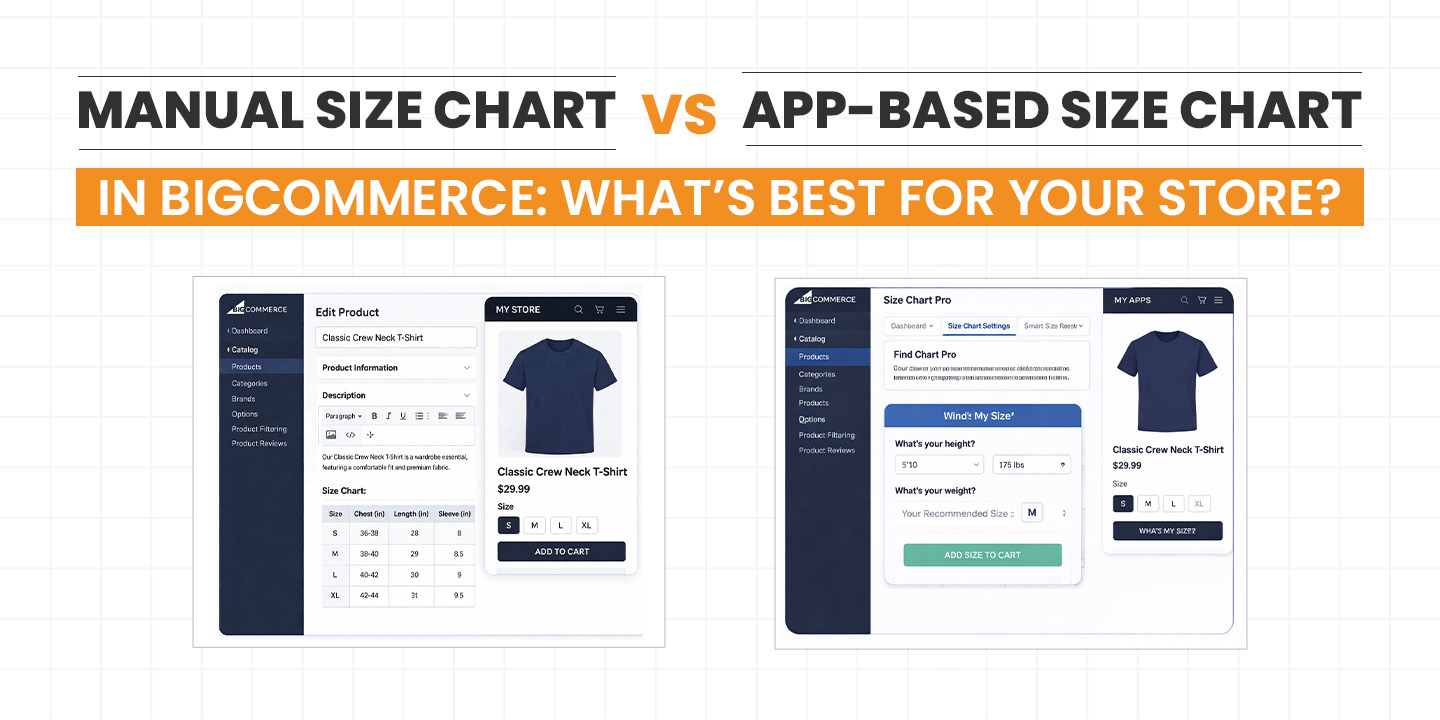
Manual Size Chart vs App-Based Size Chart in BigCommerce: What’s Best for Your Store?

If you’re running an apparel or product-based store on BigCommerce, you already know one thing for sure: sizing can make or break your conversions. Customers hesitate when they’re unsure, and hesitation often leads to abandoned carts.

So the big question is not whether you need a size chart. You definitely do. The real question is how you should implement it.

Should you go with a simple manual size chart added directly to your product pages? Or should you invest in a BigCommerce Size Chart App that automates and improves the experience?

Let’s break this down in a way that actually helps you decide what’s right for your store, not just what sounds good in theory.

Why Size Charts Matter More Than You Think

Before we compare anything, let’s quickly talk about why size charts are such a big deal.

When customers shop online, they don’t have the luxury of trying things on. That means they rely entirely on the information you provide. If your sizing information is unclear, missing, or hard to find, you’re basically asking them to take a risk.

And most people don’t like taking risks with their money.

A clear and easy-to-access size chart helps you:

  • Reduce return rates
  • Increase customer confidence
  • Improve conversion rates
  • Build trust with first-time buyers

So yes, adding a size chart is not optional anymore. It’s a necessity.

What is a Manual Size Chart in BigCommerce?

A manual size chart is exactly what it sounds like. You create and add the size chart yourself using product descriptions, custom fields, images, or HTML tables.

Most store owners use one of these methods:

  • Adding a table directly in the product description
  • Uploading a size chart image
  • Creating a separate size guide page and linking it

This is the traditional way to Add Size Chart to BigCommerce Product Page, and it’s still widely used.

Pros of Manual Size Charts

1. Full Control Over Content

You can design your size chart exactly how you want. No restrictions, no templates, no limitations.

2. No Extra Cost

You don’t need to pay for any app subscription. This is especially helpful if you’re just starting out or working with a tight budget.

3. Simple Setup

If you have basic knowledge of BigCommerce, you can set it up quickly without relying on external tools.

Cons of Manual Size Charts

Now here’s where things start getting tricky.

1. Not User-Friendly

Most manual charts sit inside the product description. Customers have to scroll, search, and sometimes zoom in to read them. That’s not a great experience.

2. No Popup Option

You can’t easily create a Size chart popup BigCommerce experience without custom coding. And let’s be honest, not everyone wants to get into that.

3. Hard to Manage at Scale

If you have 50 or 100 products, updating size charts manually becomes a headache. One small change means editing multiple pages.

4. Not Mobile Optimized

Tables and images don’t always look good on mobile devices. And a large chunk of your traffic is probably coming from mobile.

What is a BigCommerce Size Chart App?

A BigCommerce Size Chart App is a tool that lets you create, manage, and display size charts in a much smarter way.

Instead of manually adding charts to each product, you can:

  • Create reusable size chart templates
  • Assign them to multiple products
  • Display them as popups or tabs
  • Customize the look and feel

Some apps are built specifically for clothing stores, often referred to as a BigCommerce Apparel Size Chart App, but they can also be used for other product categories.

Pros of Using a Size Chart App

1. Better User Experience

This is probably the biggest advantage.

Instead of cluttering your product page, you can show a clean button like “View Size Chart.” When clicked, it opens a Size chart popup BigCommerce style window.

It feels smooth, modern, and easy to use.

2. Easy to Manage Multiple Products

Let’s say you sell t-shirts, jeans, and jackets. With an app, you can create different charts and assign them to product categories.

No need to manually update each product.

3. Mobile-Friendly Design

Most apps are built with mobile users in mind. The charts adjust automatically to different screen sizes.

That means better readability and fewer frustrated customers.

4. Saves Time in the Long Run

Yes, it might take a little time to set up initially. But once done, managing size charts becomes effortless.

5. Advanced Features

Many apps come with features like:

  • Measurement unit switching
  • Custom styling
  • Conditional display
  • Integration with product variants

These are things you simply can’t achieve easily with manual methods.

Cons of Using a Size Chart App

Let’s keep it real. Apps are not perfect.

1. Additional Cost

Most apps come with a monthly fee. It may not be huge, but it’s still an extra expense.

2. Learning Curve

You’ll need to spend some time understanding how the app works. It’s not difficult, but it’s not instant either.

3. Dependency on Third-Party Tools

You’re relying on an external app. If the app has issues or gets discontinued, you may need to find an alternative.

Manual vs App-Based Size Chart: A Side-by-Side Comparison

Let’s simplify things.

Manual Size Chart works best if:

  • You have a small product catalog
  • You don’t update size charts frequently
  • You want a zero-cost solution
  • You’re okay with a basic user experience

App-Based Size Chart works best if:

  • You have multiple products or categories
  • You want a clean and modern UI
  • You care about mobile experience
  • You want to reduce manual work
  • You’re serious about scaling your store

Real Talk: What Actually Works Better?

If you’re just testing your store or selling a handful of products, a manual size chart is fine. No need to overcomplicate things.

But if you’re running a serious ecommerce business, especially in fashion or apparel, manual methods start to feel outdated very quickly.

Customers today expect a smooth experience. They don’t want to scroll through long descriptions or struggle with poorly formatted tables.

This is where a BigCommerce Apparel Size Chart App really shines.

It doesn’t just show information. It improves how customers interact with your store.

How Size Charts Impact Conversions

Let’s connect this to business outcomes.

When customers clearly understand sizing:

  • They are more likely to buy
  • They feel more confident
  • They trust your brand more

On the flip side, unclear sizing leads to:

  • Cart abandonment
  • Higher return rates
  • Negative reviews

A well-placed Size chart popup BigCommerce setup removes friction from the buying process. And less friction usually means more sales.

When Should You Upgrade to an App?

Here are some clear signs that it’s time to move from manual to app-based size charts:

  • You’re adding new products regularly
  • Customers are asking about sizing
  • You’re getting returns due to wrong sizes
  • Your product pages feel cluttered
  • You want to improve mobile experience

If you’re ticking even two or three of these, it’s worth considering a BigCommerce Size Chart App.

Tips to Get the Most Out of Your Size Chart

Whether you go manual or app-based, these tips will help you do it right:

Keep It Simple

Avoid overloading your chart with too much data. Focus on what customers actually need.

Be Consistent

Use the same format across all products. Consistency builds trust.

Add Measurement Instructions

Tell customers how to measure themselves. A simple guide can make a big difference.

Use Clear Labels

Avoid confusing terms. Keep everything easy to understand.

Test on Mobile

Always check how your size chart looks on mobile devices.

Final Verdict: Which One Should You Choose?

If we’re being honest, both options have their place.

Manual size charts are great for simplicity and cost-saving. But they come with limitations that become more obvious as your store grows.

On the other hand, a BigCommerce Size Chart App gives you flexibility, scalability, and a much better user experience. It’s not just a feature upgrade, it’s a usability upgrade.

So here’s the straightforward answer:

  • Go manual if you’re just starting out
  • Go with an app if you’re planning to grow

Closing Thoughts

At the end of the day, your goal is to make shopping as easy as possible for your customers.

If they can quickly find the right size, they’re more likely to buy. It’s that simple.

So don’t treat size charts as a small detail. It’s one of those things that quietly impacts your sales more than you realize.

Whether you choose to Add Size Chart to BigCommerce Product Page manually or through a BigCommerce Apparel Size Chart App, just make sure it’s clear, accessible, and user-friendly.

Because in ecommerce, even small improvements can lead to big results.

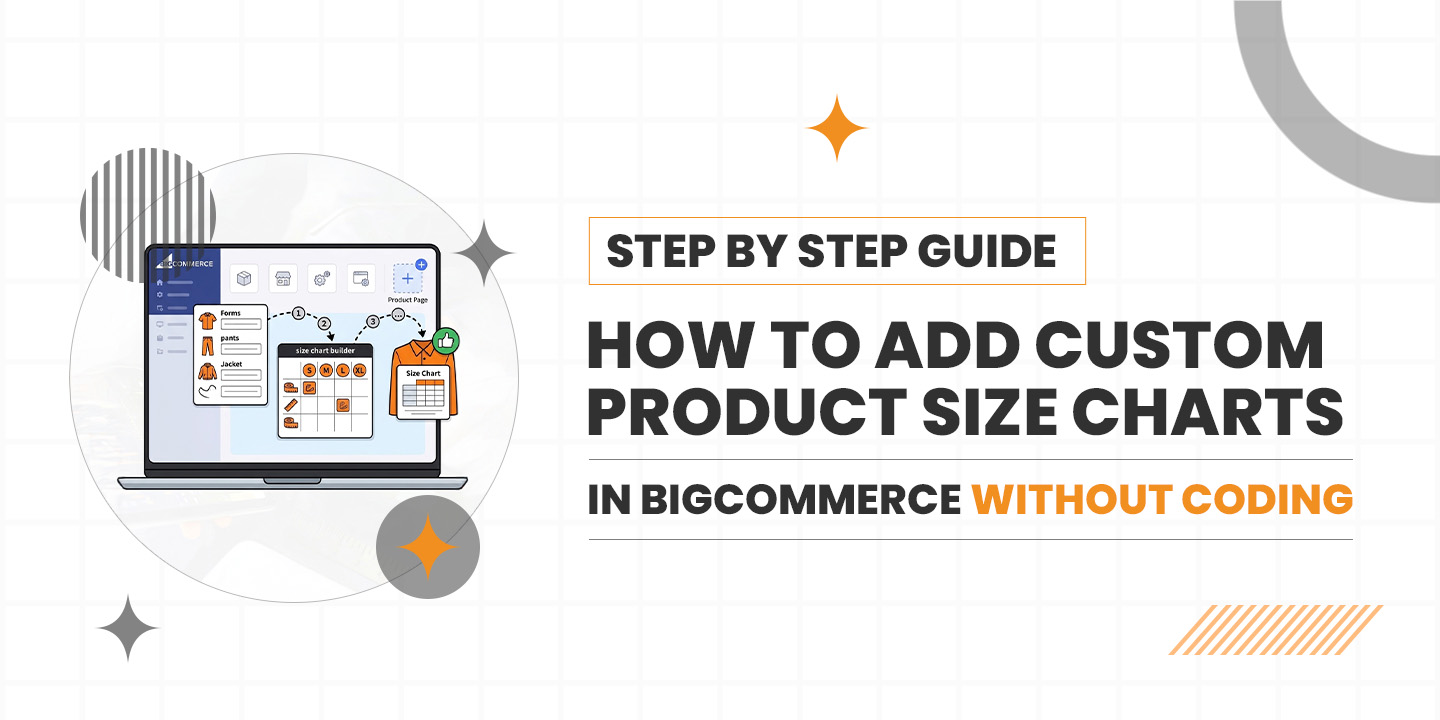
How to Add Custom Product Size Charts in BigCommerce Without Coding

Imagine this: You’ve spent weeks perfecting your apparel line. The fabric is right, the photography is stunning, and the marketing is finally bringing people to your BigCommerce store. A customer finds a jacket they love, they hover over the “Add to Cart” button, but then they pause.

“Is a Medium going to fit me, or should I go Large?”

Without a clear answer, they close the tab. That’s a lost sale, and in the competitive world of e-commerce in 2026, those lost moments add up fast. Most store owners think they need to be a coding wizard or pay a developer hundreds of dollars to fix this. Good news: you don’t. You can actually add a size chart to the BigCommerce product page without touching a single line of CSS or HTML.

Let’s walk through how to get this done so your customers can shop with total confidence.

Why Size Charts Are Your Best Salesperson

In the fashion and gear world, a size chart isn’t just a utility; it’s a trust builder. When you provide a Custom size chart BigCommerce users can rely on, you’re doing two things:

  1. Reducing the “will it fit?” anxiety.
  2. Slashing your return rates (which kills your margins).

Google’s SGE (Search Generative Experience) now looks for “helpful content” that solves user problems directly. By having a clear, accessible size guide, you’re telling search engines that your store provides a great user experience.

The Secret Sauce: Using a BigCommerce Size Chart App

While you could try to build a table in the product description editor, it usually ends up looking messy on mobile. The easiest way to get a professional look is to use a dedicated BigCommerce Size Chart App.

These apps act like a “plug and play” system. You install it, pick a design, and it handles the heavy lifting. Here is the step-by-step roadmap to getting your charts live today.

Step 1: Choosing the Right Tool

Head over to the BigCommerce App Marketplace. You’ll find several options, but you want to look for a BigCommerce apparel size chart app that specifically mentions “no-code” and “mobile responsive.”

A good BigCommerce size guide app should allow you to:

  • Create different charts for different categories (Men’s, Women’s, Accessories).
  • Use a size chart pop-up BigCommerce feature so it doesn’t clutter the page.
  • Handle the bulk size chart assignment for BigCommerce so you don’t have to manually add it to 500 different shirts.

Step 2: Creating Your First Chart

Once you’ve picked your BigCommerce clothing size chart app, open the dashboard. Usually, you’ll start by creating a “Template.”

Instead of starting from zero, most apps give you presets. If you’re selling t-shirts, pick the t-shirt preset. You can then edit the measurements to match your specific brand. This is where you create that Custom size guide BigCommerce shoppers appreciate. Pro tip: Include both inches and centimeters to help your international buyers.

Step 3: Design for the Eyes (and Fingers)

In 2026, almost everyone is shopping on their phone while waiting for coffee. If your chart is a giant, unreadable image, people will leave.

This is why a responsive size chart, the BigCommerce tool, is vital. It adjusts the table to fit the screen. When designing, keep the colors simple and make sure the “Size Guide” link is placed right next to the size selection dropdown. Using a size chart plugin, BigCommerce makes this placement automatic.

Step 4: The Magic of Bulk Assignment

Imagine having to click every single product to attach a chart. Nobody has time for that. Look for the bulk size chart assignment BigCommerce feature within your app.

You can usually set “Rules.” For example: “Apply the ‘Summer Dress’ size chart to every product in the ‘Dresses’ category.” Just like that, your whole store is updated in seconds. This is the most efficient way to add a size chart to a BigCommerce store without losing your mind.

Step 5: Testing the “Size Chart Popup BigCommerce” Experience

Before you go live, check a product page. Click the link. Does the size chart pop-up BigCommerce load quickly? Is it easy to close?

The popup style is usually better than an inline table because it keeps the product page clean and focused on the “Buy” button. If it looks good, you’re ready to start converting those hesitant browsers into buyers.

Leveling Up Your Store Strategy

Using a BigCommerce product size chart tool is a small change that yields big results. But don’t stop there.

Why SGE Cares About Your Size Guide

Search engines are getting smarter. When someone searches for “best fitting yoga pants,” Google wants to recommend stores that actually help the user find their fit. By using a BigCommerce size chart integration, you are adding structured data to your site. This helps AI-driven search results understand that you are a high-quality, reliable merchant.

Beyond the Basics: BigCommerce Clothing Size Chart Tool

If you sell more than just clothes, like hats, shoes, or even pet gear, your BigCommerce clothing size chart tool can usually be adapted. A Custom size chart, BigCommerce isn’t restricted to “Small, Medium, Large.” You can create charts for “Neck Circumference” or “Insole Length.” The more specific you are, the more your customers will trust you.

Conclusion: Stop Coding, Start Selling

The era of needing a developer for every small change is over. By leveraging a BigCommerce size chart app, you give your customers the tools they need to make a fast decision.

It keeps your site looking professional, helps your SEO rankings in an SGE world, and most importantly, it makes life easier for your shoppers. So, head to the marketplace, find a BigCommerce size guide app that fits your vibe, and get those charts live. Your return folder (and your customers) will thank you.

Why Your Shopify Store is Not Getting Sales in 2026

Honestly, 2026 feels very different. Not just a small shift, it’s a proper change from what things looked like even two years ago. If you’re opening your Shopify dashboard and seeing a flat sales graph, you’re not alone in this. A lot of store owners are dealing with the same thing right now.

There was a time when you could build a store, do some basic setup, and expect traffic to come in. That approach doesn’t really work anymore. Today, everything is faster, more personalized, and users don’t wait around. If your store doesn’t click instantly, they just move on. It sounds harsh, but that’s how it is now.

The Reality Check: Selling in the Age of SGE

Things have changed a lot with Google’s SGE. Earlier, users would search, browse results, and visit websites. Now, many times they get answers directly on the search page. So if your store is just listing products, it’s probably not enough anymore.

You need to feel like a trusted source, not just a seller. And if your conversion rate is low, it’s usually not one big issue. It’s a mix of smaller problems that slowly build up. Design, speed, content, trust factors. Everything plays a role.

1. Your “Vibe” is Outdated (Design Matters)

In the USA market, people judge quickly. If your website looks even slightly outdated, they won’t spend time exploring it. It doesn’t matter how good your product is.

Right now, users expect a clean design, simple layout, and fast experience. That premium but minimal look works well. If your store still feels like an old template, it might be time to rethink it. Working with a Shopify web design company can help you fix this faster instead of guessing what works.

2. The “Need for Speed” is Non-Negotiable

Speed matters more than most people think. Even a few seconds’ delay can cost you a sale. Especially on mobile, people don’t wait.

Heavy images, too many apps, extra scripts, all of this slows things down. Sometimes you don’t even notice it until you test properly. A Shopify website development company can help clean things up and improve performance where it actually matters.

3. Your Product Descriptions Lack “Main Character” Energy

A lot of product descriptions feel too technical. Listing features is fine, but it’s not enough.

People don’t really care if something is 5mm thick. They care about how it helps them. Will it solve a problem? Will it make their life easier?

When your content feels more relatable and less robotic, users connect better. That connection is what drives decisions.

4. Neglecting the Post-Cookie World

This is something many brands still ignore. With privacy rules getting stricter in the USA, third-party data is not reliable anymore.

If you’re not collecting your own data, like emails or preferences, you’re depending on platforms like Meta and Google. That’s risky. Many brands are now using Shopify web development services to build tools like quizzes and forms to collect first-party data directly.

5. Lack of “Social Proof 2.0.”

Basic reviews don’t work like they used to. A simple “Great product” doesn’t build much trust now.

People want to see real experiences. Videos, images, verified badges. If your store feels empty or generic, users hesitate. And once they hesitate, chances are they won’t buy.

6. The Mobile Checkout is a Mess

Most users are shopping from their phones. So your checkout needs to be smooth and simple.

If there are too many steps or missing quick payment options like Apple Pay or Shop Pay, users drop off. It’s that simple. A Shopify web design services provider usually focuses a lot on making checkout easy and fast.

7. You’re Not Optimized for Voice or Visual Search

Search behavior is changing. People don’t always type now. They use voice or even images.

If your SEO strategy doesn’t match how people actually search, you’re missing out. Content needs to feel natural and conversational so it aligns with how users ask questions today.

8. Misaligned Ad Targeting

Running ads without clear targeting can waste a lot of budget. If your ad promises one thing and your landing page shows something else, users leave quickly.

That mismatch affects trust and performance. Being more specific with your targeting usually gives better results.

9. Your Shipping Policy is Scaring People Off

Shipping clarity matters a lot. When users see “shipping calculated at checkout”, it creates doubt.

People prefer knowing the cost upfront. Even a simple flat rate or free shipping above a certain amount works better. Unexpected costs are still one of the main reasons people abandon carts in the USA.

10. SEO is an Afterthought

SEO is not just about blogs. It includes site structure, schema, and technical setup.

Many store owners focus only on content and ignore the backend part. That’s where things break. This is why many brands choose to hire shopify developers who understand how everything works behind the scenes.

11. Over-Reliance on Apps

Apps are useful, but too many of them create problems. Every app adds extra load to your site.

Sometimes they even conflict with each other. A shopify web development agency can simplify this by replacing multiple apps with cleaner solutions.

12. No Clear Value Proposition

If a user lands on your homepage and can’t understand why they should buy from you, they won’t stay.

Your value should be clear from the start. Whether it’s pricing, quality, or brand story, it needs to stand out immediately.

13. Poor Navigation (The “Where Am I?” Problem)

If users can’t find what they’re looking for easily, they leave. No one wants to click around too much.

Simple menus, filters, and structure make a big difference. If your current setup is confusing, improving it through Shopify web development services can help a lot.

14. Ignoring the “Boring” Pages

Pages like “About Us” and “Contact” might seem basic, but they build trust.

People check these pages to see if your business is real. Adding details like a phone number, address, or team info helps more than you think.

15. Your Personalization is Creepy (or Non-Existent)

Personalization works only when it makes sense. If you show random products, users ignore it.

If it feels too aggressive, it becomes uncomfortable. The goal is to make it feel natural. Using tools that actually understand user behavior helps create that balance.

The Path Forward

Fixing low sales is not about luck. It’s about identifying what’s not working and improving step by step.

Start with speed, then mobile experience, then your content. Small improvements add up over time. And if the technical side feels too much, working with a Shopify website development company in the USA is often worth it.

At the end of the day, brands that win in 2026 are the ones that focus on real people, not just algorithms.

How a Custom Size Chart App Can Boost Conversions in BigCommerce Stores

Let’s be honest: nothing kills a shopping high faster than a “Return Started” email. If you run an online clothing or footwear store, you know the drill. A customer finds a killer outfit, hits buy, and waits by the door—only to find out that “Medium” fits like a “Small,” or those shoes are narrower than a toothpick.

When customers are unsure about fit, they do one of two things: they leave without buying, or they buy three different sizes and return two. Neither is great for your bottom line.

This is exactly why a BigCommerce Size Chart App is a game-changer. It’s not just a technical add-on; it’s a tool that builds trust and stops the guesswork. If you want to add a size chart to BigCommerce Product Page layouts effectively, you’re looking at a massive shift in how people interact with your brand.

Why Standard Size Charts Usually Fail

Most default themes offer a basic link or a static image. Here is the problem with that:

  1. They aren’t mobile-friendly: A tiny JPEG of a table is impossible to read on a smartphone.
  2. They are hard to find: If a user has to hunt for a link near the footer, they’ll just close the tab.
  3. They are generic: A brand selling Italian-cut suits shouldn’t use the same chart as a brand selling oversized hoodies.

Using a dedicated BigCommerce clothing size chart app allows you to move past these hurdles. You can create a Responsive size chart that BigCommerce shoppers can actually read on any device, making the path to purchase much smoother.

How Size Charts Drive Conversions

1. Eliminating “Size Anxiety.”

The biggest barrier to online fashion sales is the physical distance between the customer and the product. A Custom size chart, BigCommerce setup bridges that gap. When you add a size chart to BigCommerce store pages, you provide the data points (inches, centimeters, etc.) that give a buyer the “green light” to check out.

2. Reducing Return Rates

Returns are expensive. Between shipping costs and restocking labor, a high return rate can eat your margins alive. By using a BigCommerce apparel size chart app, you help customers get it right the first time. This is the most direct way to reduce returns due to wrong sizing.

3. Improving the User Experience (UX)

Instead of a clunky PDF, imagine a Size chart popup BigCommerce users can trigger with one click. It stays on the page, doesn’t interrupt the flow, and gives them exactly what they need. This is the best way to display size chart on product page areas because it keeps the customer focused on the “Add to Cart” button.

Key Features to Look for in a BigCommerce Size Guide App

If you are going to Add Size Chart to BigCommerce Product Page sections, you don’t want to do it manually for every single item. That is a nightmare for anyone with more than ten products. Here is what you should look for in a BigCommerce size guide app:

Bulk Assignments

You shouldn’t have to copy-paste code 500 times. A good BigCommerce product size chart tool allows for Bulk size chart assignment BigCommerce style. This means you can create one “Men’s T-Shirt” chart and apply it to every product in that category instantly.

Customization and Branding

Your store has a specific look. A Size chart plugin BigCommerce users love is one that lets you change colors, fonts, and layouts. You want a Custom size guide BigCommerce shoppers recognize as part of your brand, not a weird third-party pop-up.

Clean Integration

You don’t want a tool that slows down your site. Look for a BigCommerce size chart integration that is lightweight. Whether it’s a BigCommerce clothing size chart tool or a simple Size chart plugin BigCommerce developers recommend, it needs to be fast.

Step-by-Step: How to Add a Size Chart in BigCommerce

If you are wondering how to add a size chart in BigCommerce, the process is usually pretty straightforward when using an app.

  1. Install the App: Head to the marketplace and find a BigCommerce apparel size chart app.
  2. Create Your Template: Input your measurements. You can usually choose between tables, images, or even video guides.
  3. Design the Trigger: Decide if you want a link, a button, or a Size chart popup BigCommerce style.
  4. Assign to Products: Use the Bulk size chart assignment BigCommerce feature to link the chart to specific categories or brands.
  5. Test on Mobile: Always check how the Responsive size chart BigCommerce looks on a phone.

Moving Beyond Just “A Table”

The modern shopper wants more than a grid of numbers. If you want to truly Add size chart to BigCommerce store pages that convert, consider adding:

  • International Conversions: Automatically show UK/US/EU sizing.
  • Measurement Tips: A small graphic showing exactly where the “bust” or “waist” line is.
  • Customer Reviews Integration: Sometimes seeing “Runs small, order a size up” next to your BigCommerce clothing size chart app data is the final nudge a buyer needs.

When you Add Size Chart to BigCommerce Product Page designs, you are essentially acting as a virtual fitting room assistant. You are answering the question “Will this fit me?” before they even have to ask.

Why a Popup is Better than a Static Page

Many stores make the mistake of sending users to a separate “Sizing” page. This is a conversion killer. When a user leaves the product page, there is a 50% chance they won’t come back.

A Size chart popup BigCommerce feature keeps them right where the “Buy” button is. They click, they check their measurements, they close the popup, and they hit purchase. That is the best way to display size chart on product page content without losing momentum.

Final Thoughts on Growing Your Store

Investing in a BigCommerce size chart integration is one of those small changes that yields big results. It makes your store look professional, reduces the headache of customer service inquiries about fit, and most importantly, it gives people the confidence to spend their money.

By choosing a high-quality BigCommerce product size chart tool, you aren’t just adding a feature—you are fixing a friction point in the buyer’s journey.

Frequently Asked Questions

1. How to add a size chart in BigCommerce without coding?

The easiest way is to use a BigCommerce size guide app from the marketplace. These apps allow you to add a size chart to BigCommerce store pages using a simple dashboard where you just type in your numbers, and the app handles the placement on the product page.

2. How to assign a size chart to multiple products in BigCommerce?

Look for an app that supports Bulk size chart assignment in BigCommerce. This feature lets you select a whole category (like “Jeans”) and apply the same size chart to every item in that group at once.

3. How to reduce returns due to wrong sizing?

Providing clear, accurate measurements via a BigCommerce clothing size chart app is the most effective way. When customers can compare their own body measurements to the product specs, they are much less likely to order the wrong size.

4. What is the best way to display a size chart on a product page?

A Size chart pop-up is generally considered the best method. It allows the customer to see the info without navigating away from the product they are interested in, keeping the conversion path intact.

5. Can I have different size charts for different brands?

Yes. Using a Custom size chart BigCommerce tool, you can create unique charts for every brand or category you carry. This is vital if you sell multiple brands that all have slightly different fits.

6. Is it important to have a responsive size chart for BigCommerce?

Absolutely. Most shoppers use mobile devices. A Responsive size chart, BigCommerce ensures that the table scales down and remains readable on a small screen without the user having to zoom in and out.

7. Does adding a size chart help with SEO?

Yes! When you add a size chart to a BigCommerce product page, you are adding relevant text and data that search engines can crawl. It also improves “on-page time” and reduces “bounce rates,” which are positive signals for Google.

8. What features should a BigCommerce clothing size chart tool have?

It should offer easy customization, the ability to add a size chart to BigCommerce Product Page locations automatically, support for images/icons, and, most importantly, it should be easy to manage via a central dashboard.


How Fashion Brands on BigCommerce Can Reduce Return Rates Using a Size Chart App

The online fashion industry continues to grow rapidly, but with that growth comes a persistent challenge high return rates. Unlike many other product categories, clothing purchases rely heavily on fit and comfort. When customers cannot physically try on an item, they depend entirely on the information provided on the product page. If that information is unclear or incomplete, sizing mistakes become common.

Incorrect sizing does more than inconvenience shoppers. It directly affects profitability, operational efficiency, and brand reputation. For fashion brands selling on BigCommerce, adopting smarter tools like a BigCommerce Size Chart App can significantly reduce return rates and improve the overall shopping experience.

Why Return Rates Are High in Online Fashion Stores

Sizing confusion remains the biggest reason for fashion returns. Inconsistent standards, unclear measurement charts, and customer assumptions lead to wrong purchases, higher refunds, operational stress, and declining customer trust.

Sizing Inconsistencies Across Brands

One of the biggest reasons for returns in fashion e-commerce is the lack of universal sizing standards. A “Medium” in one brand may fit like a “Small” or “Large” in another. Even within the same brand, sizing can vary depending on the collection, fabric type, or manufacturing batch.

Different fits such as slim, regular, relaxed, and oversized add another layer of complexity. Customers may assume their usual size will work, but the actual fit often tells a different story. Without clear guidance, they make purchasing decisions based on guesswork.

Lack of Clear Product Measurements

Many online stores rely on generic size guides that apply to all products. These static charts often lack specific garment measurements such as chest width, sleeve length, shoulder width, or inseam details. When detailed body measurement references are missing, customers cannot confidently compare the product with their own measurements.

A BigCommerce clothing size chart tool allows brands to move beyond one-size-fits-all charts and provide detailed, product-level sizing information that reduces confusion.

Customer Guesswork & Assumptions

In the absence of precise measurement details, customers fall back on assumptions. They order their “usual size” without verifying whether the product runs small or large. This behavior increases the likelihood of returns.

Additionally, many product pages do not include visual measurement guidance. Without illustrations showing how to measure bust, waist, hips, or inseam correctly, even well-intentioned customers may measure incorrectly. Clear, visual guidance is essential to reduce sizing-related errors.

The Cost of Returns for BigCommerce Fashion Brands

Returns impact profitability, operations, and brand image. From reverse shipping to refund management, high return rates reduce margins and create avoidable stress for growing fashion businesses.

Financial Losses

Returns are expensive. Reverse logistics alone can significantly reduce profit margins. Shipping costs, return handling, quality checks, repackaging, and restocking all add up quickly.

When items cannot be resold as new due to damage or wear, brands face additional losses. Over time, high return rates erode profitability and make scaling more difficult. By implementing a Responsive size chart BigCommerce solution, brands can prevent many of these unnecessary costs before they occur.

Operational Challenges

Returns also create operational strain. Inventory management becomes complicated when returned products are reintroduced into stock. Miscounts and delays can disrupt order fulfillment processes.

Customer support teams must handle return requests, size exchange queries, and refund follow-ups. This increases workload and diverts attention from growth-focused tasks. Reducing size-related returns helps streamline operations and improve efficiency.

Impact on Customer Experience

Beyond financial and operational costs, returns impact customer perception. Refund delays and exchange complications can frustrate buyers. Negative reviews often mention poor fit or unclear sizing information.

When customers lose trust in sizing accuracy, they hesitate to reorder. A seamless and informative sizing experience builds confidence and strengthens long-term relationships.

What Is an Easy Size Chart App?

An easy size chart app is a smart solution that helps fashion brands display accurate and organized sizing information directly on their product pages. Instead of adding static tables manually inside descriptions, merchants can manage dynamic, structured charts from a single dashboard. The main purpose of a BigCommerce Size Chart App is to remove sizing confusion and help customers confidently select the right fit before completing their purchase.

Advanced Functionalities

  • Responsive design – A Responsive size chart BigCommerce layout ensures charts display perfectly on mobile, tablet, and desktop devices.

  • Auto unit conversion – Automatically switch between centimeters and inches to support both domestic and international shoppers.

  • Clean popup display – Size charts open in a sleek, mobile-friendly popup on the product page, keeping customers engaged without page redirection.

  • Bulk assignment options – Assign one chart to multiple products, categories, or brands to maintain consistency and save time.

  • Smart exclusion control – Exclude specific products from category-based charts to avoid incorrect sizing information.

  • Fully customizable design – Create structured tables, add text, and insert images to build a Custom size chart BigCommerce layout that matches your brand identity.

  • User-friendly dashboard – Easily Add size chart to BigCommerce store products, update measurements, and manage charts without any coding knowledge.

How a Size Chart App Reduces Return Rates

Accurate sizing tools eliminate guesswork. When customers understand measurements clearly, they select correct sizes initially, reducing exchanges and improving overall purchasing confidence.

Provides Product-Level Accuracy

Different categories require different measurement details. For example, a slim-fit shirt needs detailed chest and shoulder measurements, while trousers require waist, hip, and inseam information.

A BigCommerce Size Chart App allows brands to provide accurate, product-level data instead of relying on generalized guides. Fabric stretch, fit type, and cut variations can be addressed within each chart.

This level of specificity reduces uncertainty and minimizes incorrect orders.

Builds Customer Confidence

When customers see a clear measurement breakdown, they feel more confident in their selection. Detailed charts communicate professionalism and transparency.

Reduced sizing confusion directly lowers the likelihood of returns. Shoppers who trust your sizing information are more likely to complete their purchase without hesitation.

Improves Purchase Decisions

Including size recommendations, fit notes, and model references further enhances clarity. For example, stating that “The model is 5’8” and wearing size Small” provides context.

When customers understand how a product fits relative to body type, they make more informed decisions. A reliable BigCommerce clothing size chart tool turns sizing from a risk into a reassurance.

Why BigCommerce Is Ideal for Size Chart Integration

BigCommerce offers flexible app integrations, making it simple for fashion brands to implement advanced sizing tools without technical complexity.

Easy App Integration

BigCommerce offers a flexible app ecosystem that allows seamless integration of specialized tools. Adding a size chart solution typically requires no coding expertise.

With a few simple steps, merchants can Add size chart to BigCommerce store and start assigning charts to products. Quick product mapping ensures that each item displays the correct sizing information.

Customization Flexibility

Brand identity matters in fashion. Size charts should align with the store’s visual style. BigCommerce supports design customization, allowing merchants to adjust fonts, colors, and placement.

A Custom size chart BigCommerce tool enables brands to display charts as popups, tabs, or inline sections. This flexibility ensures a clean user experience without cluttering product pages.

Scalable for Growing Fashion Brands

As product catalogs expand, managing sizing information manually becomes inefficient. BigCommerce supports large inventories, and integrated size chart apps can scale accordingly.

Whether a brand sells 50 products or 5,000, a Responsive size chart BigCommerce solution ensures consistent, accurate information across all categories.

Best Practices for Using a Size Chart App Effectively

Simply installing a size chart is not enough. Strategic usage ensures maximum accuracy, improved conversions, and reduced return rates.

Use Category-Specific Charts

Avoid using the same chart for every product. Separate charts for men’s, women’s, and kids’ collections improve accuracy. Within these groups, further segmentation by product type enhances clarity.

For example:

  • T-shirts and shirts

  • Dresses and skirts

  • Jeans and trousers

  • Jackets and outerwear

Each category should reflect its unique measurement requirements.

Add Visual Measurement Guides

Text-based tables alone may not be enough. Include diagrams showing how to measure bust, waist, hips, and inseam correctly. Visual instructions reduce measurement errors.

A well-designed BigCommerce clothing size chart tool can include illustrative graphics that improve understanding and reduce ambiguity.

Keep Charts Updated

Sizing may evolve due to supplier changes or seasonal fit adjustments. Regularly review return data to identify patterns. If customers frequently report that an item runs small, update the chart or add a fit note.

Consistent updates ensure that your sizing information remains accurate and trustworthy.

Real Impact: Measurable Benefits for Fashion Stores

Accurate size guidance leads to lower return rates, improved conversions, and stronger customer loyalty, positively impacting long-term brand growth.

Reduced Return Percentage

When customers choose the correct size the first time, size-related returns decrease significantly. Even a modest reduction in returns can result in substantial cost savings over time.

Using a BigCommerce Size Chart App transforms size clarity into a proactive strategy for return prevention.

Higher Conversion Rates

Clear sizing information reduces hesitation at checkout. Shoppers who feel confident are more likely to complete their purchase.

A transparent and accessible Custom size chart BigCommerce solution enhances trust, which positively impacts conversion rates.

Increased Customer Loyalty

Positive sizing experiences encourage repeat purchases. Customers who consistently receive well-fitting products develop brand loyalty.

When brands successfully Add size chart to BigCommerce store and maintain accurate data, they create a reliable shopping experience that customers value.

Conclusion

High return rates remain a major challenge for online fashion brands. Inconsistent sizing, unclear measurement guides, and customer guesswork all contribute to unnecessary exchanges and refunds.

Accurate sizing is more important than ever in 2026 e-commerce. By implementing a reliable and Responsive size chart BigCommerce solution, brands can reduce returns, improve customer satisfaction, and protect profitability.

A well-designed size chart app is not just a helpful feature—it is a strategic investment that supports long-term growth for BigCommerce fashion stores.

Why E-Commerce Stores on BigCommerce Need a Professional Size Chart Solution

Online shopping has grown rapidly, but sizing remains one of the biggest challenges for customers buying clothing, footwear, and apparel online. Without the ability to try products physically, shoppers depend entirely on sizing information provided on product pages. When stores fail to provide clear measurements, customers often feel uncertain and may either abandon their purchase or order the wrong size. This is why many merchants now rely on a BigCommerce Size Chart App to provide accurate sizing details. When businesses Add Size Chart to BigCommerce Product Page, it improves buying confidence, reduces returns, and creates a smoother shopping experience for customers browsing apparel products online.

The Growing Problem of Returns in Online Stores

Online retailers face increasing return rates, especially in fashion. Most returns occur due to incorrect sizing. A BigCommerce Apparel Size Chart App helps reduce size confusion and prevent costly product returns.

Size-Related Returns – The #1 Issue

Product returns are one of the biggest challenges faced by online retailers, especially in fashion and apparel. Studies consistently show that incorrect sizing is the number one reason for returns. When customers order clothing that doesn’t fit properly, they are forced to return the product and order another size.

For businesses selling apparel, footwear, or sportswear, the lack of a BigCommerce Apparel Size Chart App can lead to major operational issues.Customers rely heavily on accurate measurements before making a purchase decision. Without a clear Custom size chart BigCommerce solution, shoppers are simply guessing their size.

Returns also create significant hidden costs for businesses. Reverse logistics involves shipping, inspection, repackaging, and restocking items. These costs quickly add up and can reduce profit margins. By implementing a BigCommerce size chart integration, store owners can help customers choose the correct size before purchasing.

Using a professional Size chart plugin BigCommerce ensures that shoppers see clear measurements, reducing guesswork and minimizing unnecessary returns.

Customer Trust and Brand Reputation

Customer trust plays a critical role in the success of any e-commerce business. When shoppers receive products that don’t fit correctly, they often feel disappointed or misled. This frequently results in negative reviews, refund requests  and poor brand perception.

For apparel businesses, accurate sizing information is just as important as product quality. When a store fails to Add Size Chart to BigCommerce Product Page, customers may feel uncertain about ordering. This hesitation directly affects conversion rates.

Negative experiences caused by poor sizing guidance can also prevent repeat purchases. A shopper who receives the wrong size once may hesitate to buy from the same store again. Implementing a size chart popup BigCommerce feature helps customers quickly view measurements without leaving the product page.

A well-designed BigCommerce Size Chart App builds transparency. Customers feel confident that the brand is providing clear guidance. This trust encourages repeat purchases and strengthens long-term customer relationships.

Why Default Size Charts Are Not Enough

Generic size charts often fail to match brand-specific sizing standards. A Custom size chart BigCommerce solution allows merchants to provide accurate measurements and improve customer confidence before completing purchases.

Generic Templates Don’t Fit Every Brand

Many e-commerce platforms provide basic size chart templates, but these generic charts rarely meet the needs of modern online stores. Every brand has its own sizing standards, especially in fashion and apparel.

For example, one brand’s “Medium” might be another brand’s “Small.” Without a Custom size chart BigCommerce solution, customers cannot accurately determine the correct size. A professional BigCommerce size chart integration allows merchants to create brand-specific sizing guides tailored to their products.

Lack of Customization for Different Product Categories

Different product categories require different measurement guides. For example:

  • T-shirts need chest and shoulder measurements
  • Jeans require waist and inseam measurements
  • Footwear requires foot length and width

Default size charts cannot handle this level of customization. A BigCommerce Apparel Size Chart App allows store owners to create product-specific charts for each category.

When merchants add size chart to BigCommerce Product Page, they can display the most relevant sizing information for that specific product. This reduces confusion and improves customer satisfaction.

Poor Mobile Responsiveness and User Experience

More than half of online shopping now happens on mobile devices. Unfortunately, many default size charts are not optimized for smaller screens.

Customers often struggle to zoom in, scroll through tables, or interpret measurements on mobile devices. A professional size chart popup BigCommerce solution ensures that charts are fully responsive and easy to read on any device.

A modern BigCommerce Size Chart App provides a smooth user experience with clear layouts and interactive charts that work perfectly on smartphones and tablets.

Limited Measurement Formats

Another limitation of default charts is the lack of flexible measurement formats. International customers may prefer different units such as centimeters or inches.

A professional Size chart plugin BigCommerce can include:

  • Unit conversions
  • Measurement diagrams
  • Visual guides for body measurements

These features make it easier for customers to understand sizing instructions. With proper BigCommerce size chart integration, shoppers receive clear information regardless of their location.

What Is an Easy Size Chart Solution?

An easy size chart solution is a tool designed to help online merchants provide clear, accurate, and easy-to-access sizing information for their products. For stores running on BigCommerce, using a BigCommerce Size Chart App can simplify the process of creating and managing size charts across multiple products. Instead of relying on static tables or manually adding sizing details for each product, merchants can use a Size chart plugin BigCommerce solution that integrates directly with their store.

A professional BigCommerce apparel size chart app allows merchants to design size charts that match their products and brand style. Whether a store sells clothing, footwear, or sportswear, merchants can create tailored sizing guides that help customers choose the correct fit. When businesses Add Size Chart to BigCommerce Product Page, customers gain immediate access to sizing information, reducing confusion and improving buying confidence.

Key Features of Easy Size Chart

  • Customizable Size Charts
    Create fully flexible size charts using text, tables, and images to match your product requirements and brand style with a Custom size chart BigCommerce setup. 
  • Product-Specific Charts
    Assign different charts to different products, categories, or brands using a BigCommerce Apparel Size Chart App, ensuring accurate measurements for each product type. 
  • Bulk Assignment for Faster Setup
    Save time by assigning one size chart to multiple products at once through a BigCommerce size chart integration, instead of adding charts manually to every item. 
  • Smart Exclusion Controls
    Easily exclude certain products from a category or brand chart to maintain clean and relevant Size chart plugin BigCommerce management.

  • Popup Display on Product Pages
    Use a size chart popup BigCommerce feature that allows customers to view measurements instantly without leaving the product page.

  • Mobile-Responsive Design
    Ensure size charts are easy to read and navigate on smartphones and tablets using a responsive BigCommerce Size Chart App interface.

  • No Coding Required
    Quickly Add Size Chart to BigCommerce Product Page without any coding or theme modifications using a simple and intuitive dashboard.

  • Seamless Store Integration
    The Size chart plugin BigCommerce integrates smoothly with your store theme, providing a consistent and professional shopping experience.

Benefits of Using an Easy Size Chart on BigCommerce

Using a Size chart plugin BigCommerce helps reduce returns, improve customer confidence, and increase conversions by providing clear measurements directly on product pages.

Reduced Return Rates

One of the biggest advantages of implementing a BigCommerce Apparel Size Chart App is reducing product returns.

When customers clearly understand product measurements, they are less likely to order the wrong size. A well-designed custom size chart BigCommerce solution provides detailed measurements that help shoppers make accurate decisions.

A size chart popup BigCommerce also allows customers to quickly double-check measurements before completing their purchase.

Increased Conversion Rates

Uncertainty is one of the main reasons shoppers abandon their carts. When sizing information is unclear, customers hesitate to complete their purchase.

By using a BigCommerce Size Chart App, store owners eliminate this uncertainty. When merchants Add Size Chart to BigCommerce Product Page, customers feel more confident selecting the correct size.

This leads to faster purchase decisions and higher conversion rates.

Improved Customer Experience

Providing accurate sizing guidance significantly improves the overall shopping experience.

A professional Size chart plugin BigCommerce can include:

  • Visual measurement diagrams
  • Detailed fitting instructions
  • Easy-to-read tables

With proper BigCommerce size chart integration, customers receive all the information they need without leaving the product page.

Stronger Brand Credibility

A professional size chart demonstrates that a brand values transparency and customer satisfaction.

When a store uses a Custom size chart BigCommerce solution, it shows attention to detail and commitment to customer experience.

Shoppers trust stores that provide clear product information. Implementing a BigCommerce Size Chart App helps build credibility and encourages repeat purchases.

Industries That Benefit the Most

Several industries rely heavily on accurate sizing information. Implementing a BigCommerce Apparel Size Chart App is especially beneficial for the following sectors.

Fashion & Apparel

Clothing stores require detailed measurement guides. A Custom size chart BigCommerce helps customers select the correct fit for shirts, dresses, jackets, and more.

Footwear

Foot sizing varies across regions and brands. A size chart popup BigCommerce allows customers to compare their foot measurements with available sizes.

Sportswear

Athletic clothing requires precise measurements for performance and comfort. A BigCommerce Size Chart App helps athletes choose the right fit for sportswear products.

Kidswear

Children’s clothing sizes change frequently as kids grow. A Size chart plugin BigCommerce allows parents to select sizes based on accurate body measurements.

Custom Tailored Products

Stores offering tailored clothing or made-to-order products require detailed measurement guides. A BigCommerce size chart integration ensures customers provide accurate measurements before ordering.

Why BigCommerce Stores Specifically Need Advanced Size Chart Tools

Growing stores with large catalogs need efficient sizing tools. A BigCommerce Size Chart App helps manage multiple charts easily while allowing merchants to Add Size Chart to BigCommerce Product Page seamlessly.

Scaling Product Catalogs

As e-commerce businesses grow, their product catalogs become larger and more complex. Stores may carry multiple brands, collections, and product types.

Managing size information manually becomes difficult. A professional BigCommerce Size Chart App allows merchants to organize charts efficiently.

With a size chart plugin BigCommerce, store owners can create reusable charts and assign them to multiple products. This simplifies management and ensures consistency across the store.

Automated BigCommerce size chart integration also helps merchants update sizing guides quickly when product specifications change.

Customization Flexibility

Brand identity plays a crucial role in e-commerce design. Generic charts often look out of place on modern websites.

A Custom size chart BigCommerce solution allows merchants to fully customize the appearance of size charts. Store owners can match fonts, colors, layouts, and design elements with their brand.

A well-designed size chart popup BigCommerce blends seamlessly with the store interface. This creates a polished and professional shopping experience.

Integration with Product Pages

Another major advantage of advanced tools is seamless integration with product pages.

When merchants Add Size Chart to BigCommerce Product Page, customers can instantly access sizing information without navigating away from the product. This keeps shoppers engaged and focused on completing the purchase.

A modern BigCommerce Apparel Size Chart App loads quickly and does not slow down the website. Fast loading times are essential for maintaining strong user experience and search engine rankings.

With a reliable BigCommerce size chart integration, size guides become an integral part of the shopping journey.

Conclusion

Sizing clarity is essential for any successful online store, especially in fashion and apparel. Without accurate measurements, customers hesitate to buy or frequently return products due to incorrect sizing. Implementing a professional BigCommerce Size Chart App helps merchants provide detailed and reliable size information. When store owners Add Size Chart to BigCommerce Product Page, they improve customer confidence and simplify the buying process. A well-designed Custom size chart BigCommerce solution not only enhances the shopping experience but also reduces return rates and increases conversions. Investing in a proper BigCommerce size chart integration ensures long-term growth, better customer satisfaction, and stronger trust in your brand.