
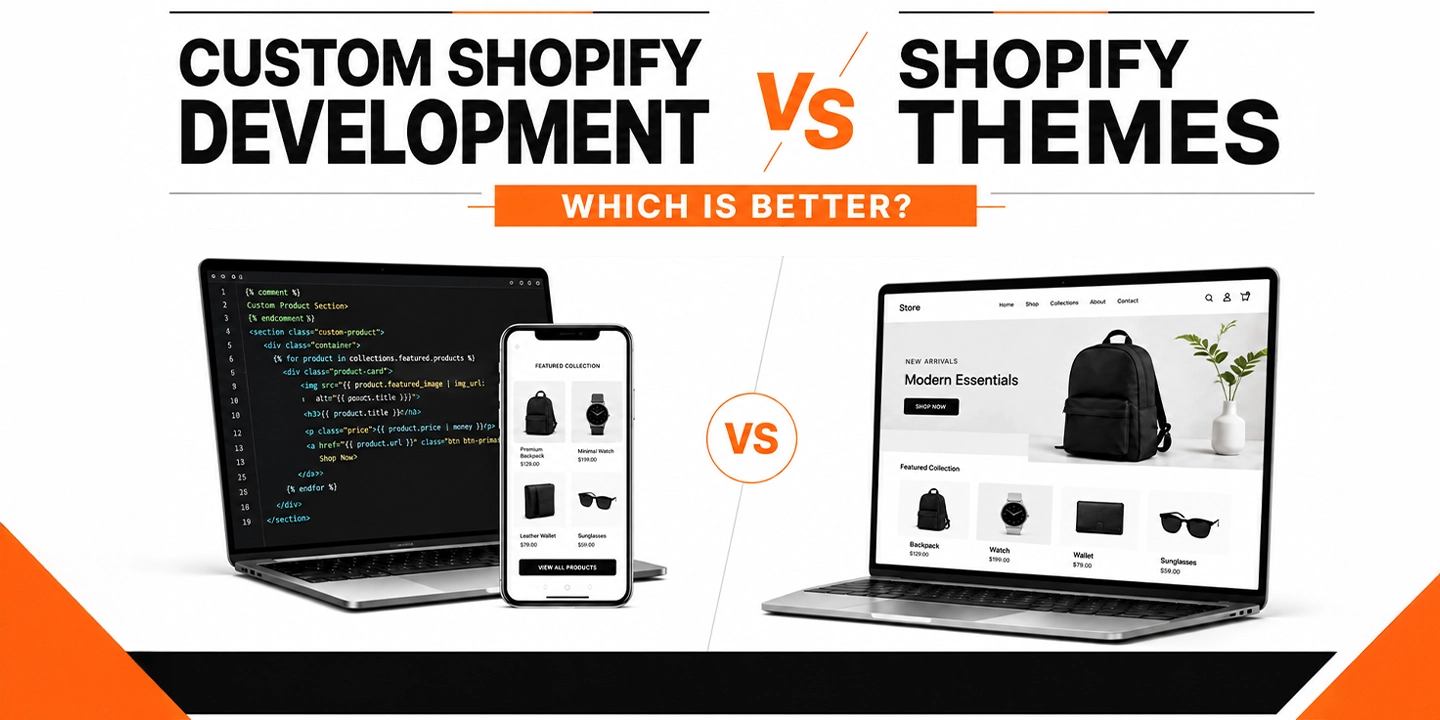
Custom Shopify Development vs Shopify Themes: Which Is Better?

If you’ve spent any time researching Shopify web design services, you’ve probably run into the same fork in the road that almost every merchant hits eventually. Do you buy a theme from the Shopify Theme Store and customize it, or do you bring in a Shopify web development agency and build something from scratch?

Honestly, there’s no single right answer here, and anyone who tells you otherwise is probably trying to sell you something. What I can tell you, from years of watching stores launch, scale, and sometimes stall out, is that the “which is better” question depends almost entirely on where your business is right now and where you’re trying to go in the next 12 to 24 months.

This article breaks down both paths in plain language, backed by real data, so you can make a decision that fits your business instead of someone else’s sales pitch.

Quick Answer: Themes vs Custom Development

A Shopify theme is a pre-built template you install and customize with settings, apps, and minor code tweaks. Custom Shopify development means building a storefront from the ground up (or heavily rebuilding a theme’s foundation) around your specific business logic. Themes suit new or small stores that need to launch fast and affordably. Custom development suits growing brands that need speed, unique functionality, or a shopping experience competitors can’t copy.

What Is a Shopify Theme, Exactly?

A Shopify theme is essentially a pre-coded storefront. You pick one from the Shopify Theme Store (free or paid, usually between $0 and $400), install it, and then adjust colors, fonts, sections, and layout through the theme editor. Popular options like Dawn, Impulse, and Turbo cover the basics well: product pages, collection grids, cart drawers, and blog layouts that already work out of the box.

The thing is, themes are built to be general-purpose. A theme developer has to design something that works reasonably well for a skincare brand, a furniture store, and a pet supply shop all at once. That’s the trade-off. You get speed and affordability, but you also get a store that looks and behaves a lot like thousands of others running the same theme.

From my experience, themes are genuinely the right call for a large share of new merchants. If you’re testing a product idea, running a side business, or bootstrapping your first year, there’s no reason to spend five figures on a build before you’ve proven people want what you’re selling.

What Is Custom Shopify Development?

Custom Shopify development means a developer (or a full Shopify website development company) builds your storefront’s theme code, apps, and sometimes backend integrations specifically for your business. This can mean starting from a blank Shopify theme framework, deeply modifying an existing base, or building on Shopify’s headless architecture using the Storefront API and Hydrogen.

Custom builds typically involve:

  • Custom Liquid, HTML, CSS, and JavaScript written for your exact product experience
  • Unique page layouts (product configurators, size finders, quizzes, subscription flows)
  • Integrations with your ERP, PIM, POS, or fulfillment systems
  • Performance work targeted at your specific catalog size and traffic patterns
  • App consolidation, meaning fewer third-party apps because functionality is built natively

One thing many businesses overlook is that “custom development” doesn’t always mean starting from zero. In most cases, a good agency will take a solid theme foundation like Dawn and rebuild the sections and templates around it, which keeps development time reasonable while still giving you a fully original front end.

Shopify Themes vs Custom Development: Side-by-Side Comparison

Factor Shopify Theme Custom Development
Upfront cost $0 to $400 $5,000 to $150,000+
Timeline to launch 1 to 3 weeks 6 to 20+ weeks
Design uniqueness Shared with other stores Fully original
Performance ceiling Limited by theme code Can be optimized for your catalog
Scalability Works until traffic or catalog outgrows it Built to scale with the business
App dependency High (apps patch missing features) Lower (features built natively)
Ongoing maintenance Minimal Requires a developer relationship
Best for New stores, MVPs, small catalogs Growing brands, high traffic, complex catalogs

The Real Cost Difference (And Why It’s Not as Simple as It Looks)

You’ll notice most articles stop at “themes are cheap, custom is expensive.” That’s technically true but misses the part that actually matters for your decision: total cost of ownership.

A $350 theme plus five or six apps to patch in the features you need can easily run $150 to $400 a month in app subscriptions alone. Over two years, that’s $3,600 to $9,600, on top of the theme’s own limitations and the labor cost every time an app conflict breaks your checkout flow. Custom development front-loads the cost but often reduces app dependency, which lowers your monthly overhead once the site is live.

That said, custom development isn’t the automatic winner on cost. If your store does $15,000 a month in revenue, spending $60,000 on a custom build doesn’t make financial sense yet, no matter how nice it would look. This is where an honest conversation with a Shopify partner matters more than a sales pitch. A good agency will tell you when you’re not ready for custom work, not just quote you a number.

Performance and Conversion: Where the Real Money Is

This is the part that tends to get glossed over, and it shouldn’t, because performance is where design decisions turn into actual revenue.

According to a joint study by Google and Deloitte, a mobile page speed improvement of just 0.1 seconds increased retail conversion rates by 8.4% and average order value by 9.2%. That’s not a typo. A tenth of a second moved the needle that much across 37 brands and roughly 30 million real user sessions. Google’s own research also found that 53% of mobile visitors abandon a page that takes longer than three seconds to load.

That’s where things change for stores that outgrow their theme. Off-the-shelf themes carry code for features you’re not using, sections you never enabled, and app scripts stacking on top of each other, and all of that weight slows the page down. Custom builds strip that out and load only what your specific store needs.

Mobile matters here more than people think. Mobile commerce now accounts for roughly 60% of global ecommerce sales, according to Statista, and mobile traffic makes up an even larger share of visits than that. If your theme (or the ten apps bolted onto it) is slow on a phone, you’re losing a majority-channel’s worth of buyers before they even see your products.

Cart abandonment is another place performance and design intersect. Baymard Institute, which has run large-scale checkout usability research for over a decade, puts the average cart abandonment rate at 70.22% across 50 studies. Nearly half of shoppers who abandon do so because of unexpected costs revealed late in checkout, and Baymard estimates that fixing checkout usability issues alone can lift conversion by an average of 35.26% on large ecommerce sites. A theme’s default checkout flow is fine for most stores, but if your business has a complicated cart (subscriptions, bundles, multi-currency, wholesale tiers), a custom checkout experience built around those specifics can recover a meaningful chunk of that lost revenue.

When a Shopify Theme Is Genuinely the Better Choice

I want to be fair here, because plenty of content in this space treats themes as a lesser option, and that’s not accurate. Themes are the right call when:

  • You’re launching your first store and need to validate demand before investing heavily
  • Your product catalog is small and straightforward (under a few hundred SKUs)
  • You need to be live in under a month
  • Your budget realistically caps out under $10,000 for the whole build
  • Your business model doesn’t require anything outside standard ecommerce flows

Shopify itself reports that the platform now processes over $115 billion in gross merchandise volume per quarter, and a huge share of that volume runs through stores that never touched custom code. A well-chosen theme, set up properly with the right apps, competent copy, and decent product photography, will outperform a poorly executed custom build every time. Execution matters more than the label “custom” or “template.”

When Custom Shopify Development Actually Pays Off

In most cases, the switch to custom development makes sense once one or more of these show up:

Your theme can’t do what your business needs. Configurators, complex bundling logic, B2B pricing tiers, or unique checkout requirements often can’t be solved with apps alone, or can only be solved by stacking five apps that slow the site down and conflict with each other.

You’re bumping into a performance ceiling. If your Core Web Vitals scores are poor despite removing unused apps and compressing images, the theme’s underlying code is likely the bottleneck.

Brand differentiation has become a competitive issue. If your top three competitors are running the same Theme Store templates as you (which happens more than people realize, since Dawn alone powers a huge share of Shopify stores), a custom front end becomes a real differentiator, not just an aesthetic upgrade.

You’re scaling toward Shopify Plus. Businesses moving toward $1M-plus in annual revenue often need custom checkout extensions, script customizations, and integrations that go beyond what a theme was built to handle. Shopify Plus itself now powers tens of thousands of higher-volume stores in the US, and most of them run custom or heavily modified themes rather than stock templates.

App costs are eating into margin. If you’re paying for eight or nine apps a month just to replicate features a custom build could handle natively, the math starts favoring a one-time development investment over recurring subscription costs.

A Real-World Example

I worked through this exact decision with a mid-sized home goods brand a while back. They launched on a $300 theme, which was the right call at the time, since they were testing whether their product line would sell at all. Eighteen months later, they were doing solid six-figure monthly revenue, running 11 apps to handle bundling, loyalty, reviews, and upsells, and their homepage was taking close to 5 seconds to load on mobile.

The apps alone were costing them close to $600 a month, their mobile bounce rate was well above industry benchmarks, and their checkout couldn’t support the subscription model they wanted to add. That’s a textbook signal that a custom rebuild, not another app, was the right next move. After a custom build that consolidated four of those apps into native functionality and rebuilt the product pages around their actual catalog structure, load time dropped under 2 seconds and mobile conversion improved noticeably within the first full quarter.

The point of that example isn’t “custom is always better.” It’s that the theme served its purpose for exactly as long as it should have, and the business outgrew it on schedule, not too early and not too late.

Hybrid Approach: The Middle Ground Most Agencies Won’t Mention

There’s a third option that gets skipped in most “theme vs custom” articles: starting with a strong theme and investing in targeted custom sections rather than a full rebuild. This is often the smartest move for stores in the $20,000 to $80,000 monthly revenue range.

A capable developer can take a theme like Dawn, keep its stable core (cart logic, checkout compatibility, update path), and build fully custom sections for the parts of your site that actually drive conversions, your homepage, your best-selling product templates, or a custom collection filtering system. You get meaningful differentiation and performance gains without paying for a from-scratch build.

How to Decide: A Practical Framework

Ask yourself these questions in order:

  1. Can I validate my product idea with a $300 theme right now? If you haven’t proven demand yet, start there.
  2. Is my current theme actually the bottleneck, or is it my marketing, pricing, or product-market fit? Custom development won’t fix a demand problem.
  3. Am I paying more in app subscriptions than a one-time development cost would return in 12 to 18 months? Run the actual numbers.
  4. Does my business model require something a theme genuinely can’t do? Not “would be nicer,” but genuinely can’t.
  5. Do I have consistent revenue to justify ongoing developer support? Custom sites need maintenance; budget for it before you commit.

If you answer these honestly, the right path usually becomes obvious. It’s rarely a close call once you actually run the numbers instead of guessing.

Why the Agency You Choose Matters More Than the Path You Pick

Whichever direction you go, the team building it matters enormously. A rushed theme customization from an inexperienced freelancer can perform worse than a well-executed template, and a poorly planned custom build can end up slower and buggier than the theme it replaced.

When you’re ready to hire Shopify developers, whether for a theme customization or a full custom build, look for a Shopify website development company that can show you real performance data from past projects, not just portfolio screenshots. Ask about their Core Web Vitals track record, how they handle app consolidation, and whether they’ve built for your specific business model (subscriptions, wholesale, high-SKU catalogs, and so on).

A genuine Shopify web development agency should be willing to tell you when a theme is the smarter, cheaper option for your stage of business. If every conversation ends with “you need a custom build,” that’s a sales conversation, not a consulting one.

Final Take

Neither option is universally better. Themes win on speed, cost, and simplicity. Custom development wins on performance ceiling, differentiation, and long-term scalability. The businesses that get burned are usually the ones that pick based on ego (wanting something “custom” before they need it) or based on fear (avoiding custom development even after outgrowing every workaround their theme allows).

Look at your revenue, your catalog complexity, your app spend, and your actual performance numbers. That data will tell you which path fits, far more reliably than any generic advice, including this article.
Top Signs Your Business Needs Custom Shopify Development

If your Shopify store loads slowly, your checkout feels clunky, or your team spends more time fighting your website than growing sales, you likely need custom development, not another app. Common signs include app conflicts, slow page speed, inflexible checkout, poor mobile experience, and a theme that can’t scale with your catalog or traffic.

Honestly, most Shopify merchants don’t wake up one day and decide they need custom development. It’s usually a slower realization. You add another app to fix a problem, then another, then another, and six months later your store is a patchwork of workarounds held together with duct tape and hope. The thing is, by the time most business owners search for agentic shopify web development services, their store has already been quietly losing them money for months.

I’ve spent over a decade working with Shopify merchants, from small direct-to-consumer brands to multi-million dollar operations, and the pattern is almost always the same. There’s a moment where the free theme and the app-stack approach stop being enough. This article walks through exactly what that moment looks like, why it happens, and what working with a proper Shopify web development company actually looks like in practice.

What Is Custom Shopify Development?

Custom Shopify development means building or modifying your store’s theme, backend logic, checkout, and integrations with original code instead of relying only on pre-built themes and third-party apps. It gives you control over site speed, design, functionality, and how your store connects to inventory, ERP, CRM, and AI-driven shopping tools.

In most cases, this isn’t an all-or-nothing decision. A store might need a custom theme but standard checkout. Another might need a fully custom subscription flow but a mostly default product page. That’s where things change from a template mindset to an engineering mindset. You start asking what your business actually needs instead of what the theme marketplace has available.

Why This Topic Matters Right Now

Ecommerce isn’t optional anymore, and the platform you build on matters more than ever. According to Shopify’s own research, online sales made up roughly 20.5% of worldwide retail sales in 2025, with that share projected to keep climbing toward 22.5% by 2028. That’s not a niche channel. That’s a huge and growing part of how people buy things, period.

Shopify itself has become the backbone for a huge share of that growth. According to industry tracking, there are roughly 5.5 to 5.8 million live Shopify stores worldwide as of 2025, and in the US specifically, Shopify leads the ecommerce platform market with about 29% share, ahead of WooCommerce, Wix, BigCommerce, and Magento.

That scale is exactly why the “default theme plus a dozen apps” approach stops working past a certain size. When you’re competing against thousands of stores using the same three or four popular themes, differentiation and performance become the things that actually separate winners from everyone else scrolling past on page two of Google.

There’s also a newer force reshaping what “good” Shopify development even means: AI-driven shopping. According to Adobe Analytics, AI-referred traffic to U.S. retail sites grew 393% year over year in the first quarter of 2026, and that traffic converted 42% better than traditional search traffic during the same period. Shoppers are increasingly discovering and even completing purchases through AI agents and chat assistants, not just Google search. If your store’s product data, structure, and checkout aren’t built to be read cleanly by both humans and machines, you’re leaving a fast-growing channel on the table.

From my experience, this is the part most merchants haven’t caught up to yet. They’re optimizing for Google rankings from 2019 while an entirely new discovery layer, powered by AI agents, is quietly reshaping how people shop.

The Top Signs Your Business Needs Custom Shopify Development

1. Your Site Is Slow, and It’s Costing You Sales

Speed isn’t a nice-to-have. It’s revenue. A joint Google and Deloitte study found that a mere 0.1-second improvement in mobile load time increased retail conversions by roughly 8.4%, with a similar lift in average order value. On the flip side, a one-second delay in mobile load time can reduce conversions by around 7%.

Here’s the part that stings: if your Shopify store is stacked with a dozen apps, each one injecting its own scripts, tracking pixels, and stylesheets, that bloat is very likely the reason your Lighthouse score looks embarrassing. You’ll notice it especially on mobile, where most of your traffic probably lives now. Mobile commerce already makes up close to 44% of US ecommerce sales, and globally it’s closer to 59% of all online retail sales.

Sign it’s time for custom development: your homepage or product pages take more than 3 seconds to load on mobile, you’ve disabled apps just to test if they’re the bottleneck, or your developer keeps saying “the theme wasn’t built for this.”

2. You’re Stuck in “App Stack Jenga”

One thing many businesses overlook is how much technical debt builds up from stacking apps to solve problems the theme should have handled natively. A subscription app here, a bundle builder there, a custom currency switcher, a review widget, a size chart plugin. Each one adds a database call, a script, and a potential conflict.

I’ve audited stores running 30+ apps, most of which were duct-taping over gaps that custom code could close permanently, faster, and with far less monthly cost. This is one of the most common reasons businesses eventually hire a Shopify web design company instead of continuing to add apps.

A simple way to check where you stand:

Situation App-Based Fix Custom Development Fix
Product bundles with dynamic pricing Third-party bundle app Native bundle logic in theme + metafields
Complex shipping rules Multiple shipping apps Custom checkout extension
B2B wholesale pricing tiers Wholesale app subscription Custom customer tagging + price rules
Subscription products Recurring app fees Native subscription API integration
Personalized product recommendations AI recommendation app Custom logic tied to your actual data

3. Your Checkout Doesn’t Match Your Business Model

Checkout abandonment is one of the most well-documented problems in ecommerce, and it hasn’t improved much in a decade. Baymard Institute’s meta-analysis of 50 separate studies puts the average cart abandonment rate at 70.22%, meaning roughly seven out of every ten shoppers who add something to their cart never complete the purchase. Mobile abandonment runs even higher, around 80%, compared to about 66% on desktop.

A big chunk of that isn’t about your product or your price. It’s friction. Surprise fees, too many form fields, a checkout that doesn’t reflect how your business actually sells (subscriptions, made-to-order items, B2B net terms, local delivery windows) all push people away right at the finish line. Baymard’s research also suggests that solving documented checkout usability issues can lift conversion by more than 35% on large ecommerce sites.

If your checkout needs custom shipping logic, custom payment routing, loyalty point redemption, or age verification, and Shopify’s default checkout can’t flex to match, that’s a clear sign you need developers who can build checkout extensions, not another workaround app.

4. Your Design Looks Like Everyone Else’s

Quick answer: If your store uses an unmodified Shopify theme that hundreds or thousands of other merchants also use, customers may subconsciously associate your brand with generic templates rather than a distinct business, which can quietly hurt trust and conversion, especially for premium or DTC brands.

That’s where things change for brands trying to build real recognition. A custom-built storefront, even one that starts from a solid theme foundation and gets heavily modified, signals investment and credibility. Real-world example: I worked with a skincare brand that switched from a popular free theme to a custom build with a distinct product page layout, custom filtering, and a completely rebuilt homepage. Their conversion rate improved not because the products changed, but because the site finally looked like it belonged to a serious brand instead of a weekend side project.

5. You’re Scaling Fast and the Theme Can’t Keep Up

Growth exposes weaknesses that were invisible at a smaller scale. A theme that handled 200 SKUs might completely choke at 5,000. A store that ran fine at 500 daily visitors might time out or slow to a crawl during a viral moment or a big promotional push. During BFCM weekend 2025 alone, Shopify merchants generated $14.6 billion in global sales, a 27% year-over-year increase, with over 81 million shoppers buying from Shopify stores across that single weekend. Stores that weren’t built to handle traffic spikes at that scale lost real money during the exact moment they needed performance most.

Signs your theme has hit its ceiling:

  • Collection pages slow down noticeably as your catalog grows
  • Your team can’t launch a new landing page without a developer manually rebuilding sections
  • Your site crashes or slows during high-traffic sales events
  • International expansion requires multi-currency or multi-language support your theme doesn’t handle well

6. You Need Integrations Your Theme and Apps Can’t Handle

In most cases, once a business grows past a certain point, Shopify stops being a standalone tool and becomes one piece of a bigger operational puzzle: ERP systems, warehouse management, custom CRM data, proprietary pricing engines, or legacy B2B systems that were never built with ecommerce in mind. Off-the-shelf apps are built for common use cases. They’re not built for your specific data structure, your specific fulfillment partner, or your specific pricing logic.

This is where you’d typically hire Shopify developers who can build custom API connections between Shopify and your other systems, rather than trying to force a generic integration app to do something it was never designed for.

7. Your Store Isn’t Built for AI-Powered Shopping

This is genuinely one of the newer signs, and it’s growing fast. Consumer behavior is shifting toward AI-assisted shopping in a way that would have sounded far-fetched even two years ago. Research compiled from Adobe, Salesforce, and OpenAI shows ChatGPT alone processes tens of millions of shopping-related queries every week, and Salesforce’s holiday season analysis found AI agent-influenced sales reached roughly $67 billion, with AI touching about 20% of all Cyber Week orders. Retailers with a branded AI agent presence saw sales grow around 32% faster than those without one during that period.

Here’s the catch: a lot of that AI-driven discovery depends on whether a machine can actually read your product pages properly. Industry analysis using Adobe’s scoring found the average US product page is only about 66% machine-readable, meaning roughly a third of the content shoppers use to decide on a purchase can’t be parsed cleanly by an AI agent. If your structured data, metafields, and product schema are a mess, agents simply won’t recommend your products, no matter how good they are.

This is exactly the gap that agentic shopify web development services are built to close: structuring your store’s data, schema markup, and backend architecture so both search engines and AI shopping agents can understand, trust, and recommend your products.

8. Your Team Wastes Time Fighting the Backend

If your marketing team needs a developer every time they want to launch a new landing page, adjust a promotion, or update a bundle, that’s a sign your backend isn’t built for how your business actually operates day to day. Custom development done right includes building flexible content sections, custom metafields, and admin tools that let your non-technical team move fast without breaking things or waiting in a developer queue.

9. Your Mobile Experience Feels Like an Afterthought

Given that mobile now drives the majority of ecommerce traffic and a huge share of sales, a store that was clearly designed desktop-first and just squeezed onto mobile is leaving real money on the table. You’ll notice this in small but costly details: buttons too small to tap accurately, forms that are painful to fill out on a phone keyboard, images that take forever to load on cellular connections. Mobile cart abandonment sits around 80%, notably higher than desktop’s roughly 66%, and a huge chunk of that gap traces back to exactly these kinds of friction points.

10. You’ve Outgrown Shopify’s Default Reporting and Personalization

Generic analytics and generic product recommendations work fine when you’re small. Once you have real customer history, repeat purchase patterns, and enough data to actually act on, a custom-built recommendation engine or reporting dashboard tied to your specific business logic starts to pay for itself. This is less about vanity metrics and more about making smarter inventory, marketing, and pricing decisions based on your own numbers instead of generic industry averages.

Custom Development vs. Themes and Apps: A Quick Comparison

Factor Off-the-Shelf Theme + Apps Custom Shopify Development
Speed Often slowed by app bloat Built and optimized for your specific store
Design uniqueness Shared with thousands of other stores Fully distinct to your brand
Scalability Breaks down at higher SKU or traffic volume Built to handle your growth trajectory
Integrations Limited to what apps support Custom API connections to any system
Ongoing cost Monthly app subscription stacking Upfront investment, often lower long-term cost
AI/agent readiness Rarely optimized for structured data Can be built with clean schema and metafields
Checkout flexibility Limited to Shopify’s native options plus apps Custom checkout extensions where needed

How to Know If You’re Ready (Self-Assessment)

Ask yourself these questions honestly:

  1. Has your page speed gotten worse as you’ve added more apps?
  2. Do customers complain about checkout friction or abandoned carts at a high rate?
  3. Does your store look nearly identical to competitors using the same theme?
  4. Are you paying for five or more apps that overlap in functionality?
  5. Does scaling your catalog or traffic cause visible slowdowns?
  6. Do you need data to flow between Shopify and an ERP, CRM, or custom system?
  7. Is your product data structured well enough for AI shopping agents to read it?

If you answered yes to three or more of these, it’s a strong signal that working with an experienced Shopify web development agency would pay for itself relatively quickly, both in recovered conversion and in time your team gets back.

What Working With the Right Shopify Development Partner Looks Like

A genuinely good Shopify website development company doesn’t start by pitching a redesign. They start by auditing what’s actually broken. From my experience, the process that works looks something like this:

  1. Technical audit – page speed, app conflicts, Core Web Vitals, checkout flow, and mobile experience get reviewed first, before any code gets written.
  2. Data and structure review – product schema, metafields, and how machine-readable your catalog actually is, especially given how much traffic now comes through AI-referred channels.
  3. Scoped custom build – not a full rebuild for the sake of it, but targeted custom development where the theme and apps genuinely can’t do the job.
  4. Integration mapping – connecting Shopify cleanly to whatever other systems your business already depends on.
  5. Testing across real devices and traffic conditions – not just a staging environment that never sees real load.
  6. Handoff and training – so your team can actually manage the store day to day without needing a developer for every small change.

One thing I always tell clients: the goal isn’t custom code for its own sake. It’s removing friction between your business and your customers, wherever that friction actually lives.

Final Thoughts

Honestly, most businesses don’t need a complete rebuild. They need someone experienced enough to identify exactly where friction is costing them sales, whether that’s page speed, checkout, integrations, or how well their product data reads to both search engines and AI agents. According to Shopify’s own data, the platform now processes hundreds of billions in merchant sales every year, and that scale means the difference between a generic theme-based store and a properly built custom one is only getting bigger.

If several of the signs above sound familiar, it’s worth getting a real technical audit before spending another dollar on apps that are only patching symptoms. Working with a team that understands both traditional Shopify development and where agentic, AI-driven commerce is heading puts your store in a much stronger position, not just for this year’s Google rankings, but for the next wave of how people actually discover and buy products online.