
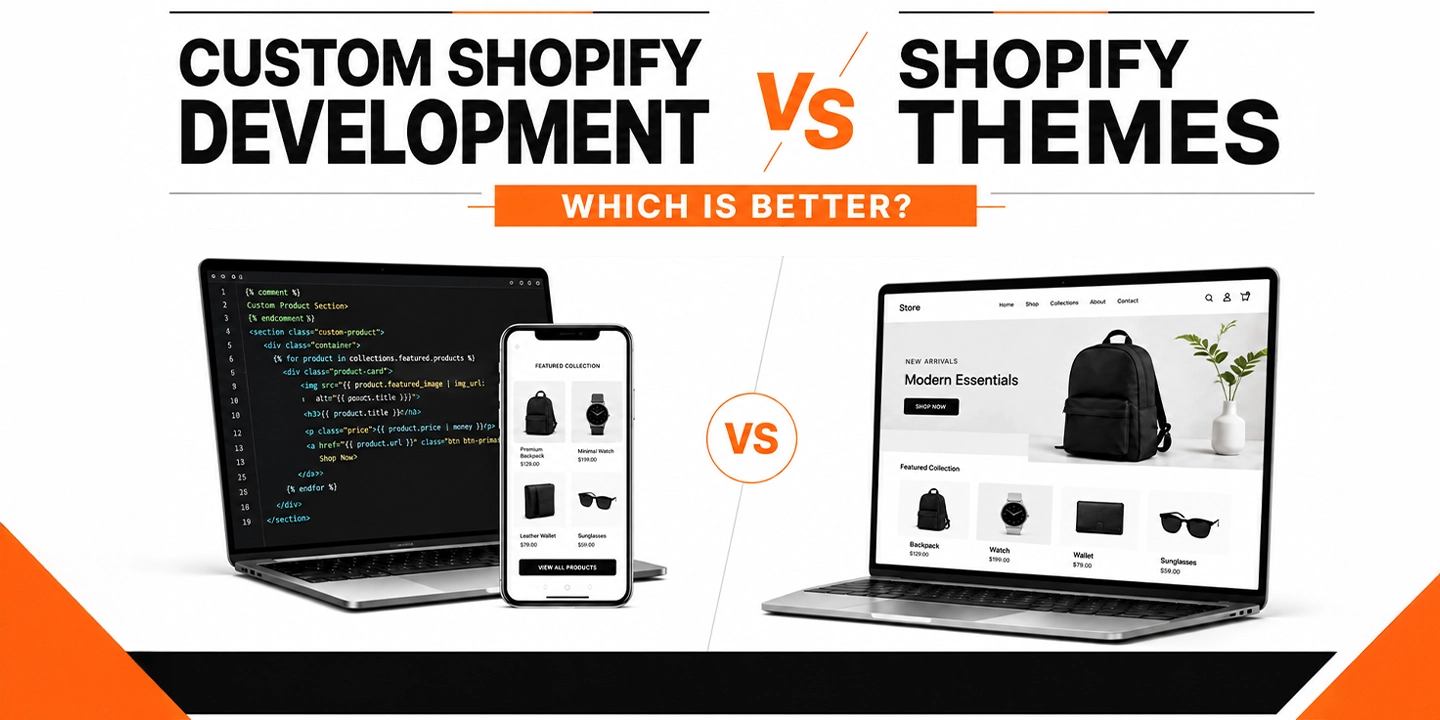
Custom Shopify Development vs Shopify Themes: Which Is Better?

If you’ve spent any time researching Shopify web design services, you’ve probably run into the same fork in the road that almost every merchant hits eventually. Do you buy a theme from the Shopify Theme Store and customize it, or do you bring in a Shopify web development agency and build something from scratch?

Honestly, there’s no single right answer here, and anyone who tells you otherwise is probably trying to sell you something. What I can tell you, from years of watching stores launch, scale, and sometimes stall out, is that the “which is better” question depends almost entirely on where your business is right now and where you’re trying to go in the next 12 to 24 months.

This article breaks down both paths in plain language, backed by real data, so you can make a decision that fits your business instead of someone else’s sales pitch.

Quick Answer: Themes vs Custom Development

A Shopify theme is a pre-built template you install and customize with settings, apps, and minor code tweaks. Custom Shopify development means building a storefront from the ground up (or heavily rebuilding a theme’s foundation) around your specific business logic. Themes suit new or small stores that need to launch fast and affordably. Custom development suits growing brands that need speed, unique functionality, or a shopping experience competitors can’t copy.

What Is a Shopify Theme, Exactly?

A Shopify theme is essentially a pre-coded storefront. You pick one from the Shopify Theme Store (free or paid, usually between $0 and $400), install it, and then adjust colors, fonts, sections, and layout through the theme editor. Popular options like Dawn, Impulse, and Turbo cover the basics well: product pages, collection grids, cart drawers, and blog layouts that already work out of the box.

The thing is, themes are built to be general-purpose. A theme developer has to design something that works reasonably well for a skincare brand, a furniture store, and a pet supply shop all at once. That’s the trade-off. You get speed and affordability, but you also get a store that looks and behaves a lot like thousands of others running the same theme.

From my experience, themes are genuinely the right call for a large share of new merchants. If you’re testing a product idea, running a side business, or bootstrapping your first year, there’s no reason to spend five figures on a build before you’ve proven people want what you’re selling.

What Is Custom Shopify Development?

Custom Shopify development means a developer (or a full Shopify website development company) builds your storefront’s theme code, apps, and sometimes backend integrations specifically for your business. This can mean starting from a blank Shopify theme framework, deeply modifying an existing base, or building on Shopify’s headless architecture using the Storefront API and Hydrogen.

Custom builds typically involve:

  • Custom Liquid, HTML, CSS, and JavaScript written for your exact product experience
  • Unique page layouts (product configurators, size finders, quizzes, subscription flows)
  • Integrations with your ERP, PIM, POS, or fulfillment systems
  • Performance work targeted at your specific catalog size and traffic patterns
  • App consolidation, meaning fewer third-party apps because functionality is built natively

One thing many businesses overlook is that “custom development” doesn’t always mean starting from zero. In most cases, a good agency will take a solid theme foundation like Dawn and rebuild the sections and templates around it, which keeps development time reasonable while still giving you a fully original front end.

Shopify Themes vs Custom Development: Side-by-Side Comparison

Factor Shopify Theme Custom Development
Upfront cost $0 to $400 $5,000 to $150,000+
Timeline to launch 1 to 3 weeks 6 to 20+ weeks
Design uniqueness Shared with other stores Fully original
Performance ceiling Limited by theme code Can be optimized for your catalog
Scalability Works until traffic or catalog outgrows it Built to scale with the business
App dependency High (apps patch missing features) Lower (features built natively)
Ongoing maintenance Minimal Requires a developer relationship
Best for New stores, MVPs, small catalogs Growing brands, high traffic, complex catalogs

The Real Cost Difference (And Why It’s Not as Simple as It Looks)

You’ll notice most articles stop at “themes are cheap, custom is expensive.” That’s technically true but misses the part that actually matters for your decision: total cost of ownership.

A $350 theme plus five or six apps to patch in the features you need can easily run $150 to $400 a month in app subscriptions alone. Over two years, that’s $3,600 to $9,600, on top of the theme’s own limitations and the labor cost every time an app conflict breaks your checkout flow. Custom development front-loads the cost but often reduces app dependency, which lowers your monthly overhead once the site is live.

That said, custom development isn’t the automatic winner on cost. If your store does $15,000 a month in revenue, spending $60,000 on a custom build doesn’t make financial sense yet, no matter how nice it would look. This is where an honest conversation with a Shopify partner matters more than a sales pitch. A good agency will tell you when you’re not ready for custom work, not just quote you a number.

Performance and Conversion: Where the Real Money Is

This is the part that tends to get glossed over, and it shouldn’t, because performance is where design decisions turn into actual revenue.

According to a joint study by Google and Deloitte, a mobile page speed improvement of just 0.1 seconds increased retail conversion rates by 8.4% and average order value by 9.2%. That’s not a typo. A tenth of a second moved the needle that much across 37 brands and roughly 30 million real user sessions. Google’s own research also found that 53% of mobile visitors abandon a page that takes longer than three seconds to load.

That’s where things change for stores that outgrow their theme. Off-the-shelf themes carry code for features you’re not using, sections you never enabled, and app scripts stacking on top of each other, and all of that weight slows the page down. Custom builds strip that out and load only what your specific store needs.

Mobile matters here more than people think. Mobile commerce now accounts for roughly 60% of global ecommerce sales, according to Statista, and mobile traffic makes up an even larger share of visits than that. If your theme (or the ten apps bolted onto it) is slow on a phone, you’re losing a majority-channel’s worth of buyers before they even see your products.

Cart abandonment is another place performance and design intersect. Baymard Institute, which has run large-scale checkout usability research for over a decade, puts the average cart abandonment rate at 70.22% across 50 studies. Nearly half of shoppers who abandon do so because of unexpected costs revealed late in checkout, and Baymard estimates that fixing checkout usability issues alone can lift conversion by an average of 35.26% on large ecommerce sites. A theme’s default checkout flow is fine for most stores, but if your business has a complicated cart (subscriptions, bundles, multi-currency, wholesale tiers), a custom checkout experience built around those specifics can recover a meaningful chunk of that lost revenue.

When a Shopify Theme Is Genuinely the Better Choice

I want to be fair here, because plenty of content in this space treats themes as a lesser option, and that’s not accurate. Themes are the right call when:

  • You’re launching your first store and need to validate demand before investing heavily
  • Your product catalog is small and straightforward (under a few hundred SKUs)
  • You need to be live in under a month
  • Your budget realistically caps out under $10,000 for the whole build
  • Your business model doesn’t require anything outside standard ecommerce flows

Shopify itself reports that the platform now processes over $115 billion in gross merchandise volume per quarter, and a huge share of that volume runs through stores that never touched custom code. A well-chosen theme, set up properly with the right apps, competent copy, and decent product photography, will outperform a poorly executed custom build every time. Execution matters more than the label “custom” or “template.”

When Custom Shopify Development Actually Pays Off

In most cases, the switch to custom development makes sense once one or more of these show up:

Your theme can’t do what your business needs. Configurators, complex bundling logic, B2B pricing tiers, or unique checkout requirements often can’t be solved with apps alone, or can only be solved by stacking five apps that slow the site down and conflict with each other.

You’re bumping into a performance ceiling. If your Core Web Vitals scores are poor despite removing unused apps and compressing images, the theme’s underlying code is likely the bottleneck.

Brand differentiation has become a competitive issue. If your top three competitors are running the same Theme Store templates as you (which happens more than people realize, since Dawn alone powers a huge share of Shopify stores), a custom front end becomes a real differentiator, not just an aesthetic upgrade.

You’re scaling toward Shopify Plus. Businesses moving toward $1M-plus in annual revenue often need custom checkout extensions, script customizations, and integrations that go beyond what a theme was built to handle. Shopify Plus itself now powers tens of thousands of higher-volume stores in the US, and most of them run custom or heavily modified themes rather than stock templates.

App costs are eating into margin. If you’re paying for eight or nine apps a month just to replicate features a custom build could handle natively, the math starts favoring a one-time development investment over recurring subscription costs.

A Real-World Example

I worked through this exact decision with a mid-sized home goods brand a while back. They launched on a $300 theme, which was the right call at the time, since they were testing whether their product line would sell at all. Eighteen months later, they were doing solid six-figure monthly revenue, running 11 apps to handle bundling, loyalty, reviews, and upsells, and their homepage was taking close to 5 seconds to load on mobile.

The apps alone were costing them close to $600 a month, their mobile bounce rate was well above industry benchmarks, and their checkout couldn’t support the subscription model they wanted to add. That’s a textbook signal that a custom rebuild, not another app, was the right next move. After a custom build that consolidated four of those apps into native functionality and rebuilt the product pages around their actual catalog structure, load time dropped under 2 seconds and mobile conversion improved noticeably within the first full quarter.

The point of that example isn’t “custom is always better.” It’s that the theme served its purpose for exactly as long as it should have, and the business outgrew it on schedule, not too early and not too late.

Hybrid Approach: The Middle Ground Most Agencies Won’t Mention

There’s a third option that gets skipped in most “theme vs custom” articles: starting with a strong theme and investing in targeted custom sections rather than a full rebuild. This is often the smartest move for stores in the $20,000 to $80,000 monthly revenue range.

A capable developer can take a theme like Dawn, keep its stable core (cart logic, checkout compatibility, update path), and build fully custom sections for the parts of your site that actually drive conversions, your homepage, your best-selling product templates, or a custom collection filtering system. You get meaningful differentiation and performance gains without paying for a from-scratch build.

How to Decide: A Practical Framework

Ask yourself these questions in order:

  1. Can I validate my product idea with a $300 theme right now? If you haven’t proven demand yet, start there.
  2. Is my current theme actually the bottleneck, or is it my marketing, pricing, or product-market fit? Custom development won’t fix a demand problem.
  3. Am I paying more in app subscriptions than a one-time development cost would return in 12 to 18 months? Run the actual numbers.
  4. Does my business model require something a theme genuinely can’t do? Not “would be nicer,” but genuinely can’t.
  5. Do I have consistent revenue to justify ongoing developer support? Custom sites need maintenance; budget for it before you commit.

If you answer these honestly, the right path usually becomes obvious. It’s rarely a close call once you actually run the numbers instead of guessing.

Why the Agency You Choose Matters More Than the Path You Pick

Whichever direction you go, the team building it matters enormously. A rushed theme customization from an inexperienced freelancer can perform worse than a well-executed template, and a poorly planned custom build can end up slower and buggier than the theme it replaced.

When you’re ready to hire Shopify developers, whether for a theme customization or a full custom build, look for a Shopify website development company that can show you real performance data from past projects, not just portfolio screenshots. Ask about their Core Web Vitals track record, how they handle app consolidation, and whether they’ve built for your specific business model (subscriptions, wholesale, high-SKU catalogs, and so on).

A genuine Shopify web development agency should be willing to tell you when a theme is the smarter, cheaper option for your stage of business. If every conversation ends with “you need a custom build,” that’s a sales conversation, not a consulting one.

Final Take

Neither option is universally better. Themes win on speed, cost, and simplicity. Custom development wins on performance ceiling, differentiation, and long-term scalability. The businesses that get burned are usually the ones that pick based on ego (wanting something “custom” before they need it) or based on fear (avoiding custom development even after outgrowing every workaround their theme allows).

Look at your revenue, your catalog complexity, your app spend, and your actual performance numbers. That data will tell you which path fits, far more reliably than any generic advice, including this article.
Shopify Development Cost in the USA (2026): Complete Pricing Guide

If you’re planning a Shopify store in the United States, one of the first questions you’ll probably ask is: How much does Shopify website development cost in 2026? The answer depends heavily on the store’s size, design requirements, integrations, product catalog, functionality, and who builds it. A basic Shopify store may cost around $2,000-$5,000, while a professionally designed custom store can range from $5,000-$15,000+. Enterprise and highly customized Shopify projects can move well beyond $20,000-$50,000.

The Shopify platform itself is only one part of the investment. The larger cost usually comes from design, development, third-party integrations, migration, custom functionality, testing, and ongoing support.

For U.S. businesses comparing Shopify web design services, understanding these cost components is more useful than looking for one fixed development price.

Shopify Development Cost in the USA at a Glance

For most U.S. businesses, Shopify development costs fall into several practical ranges:

Shopify Project Type Typical Cost in the USA Approx. Timeline
Basic Shopify setup $2,000-$5,000 2-4 weeks
Professional store design $5,000-$10,000 4-8 weeks
Custom Shopify development $10,000-$25,000 6-12 weeks
Advanced ecommerce store $25,000-$50,000+ 10-16+ weeks
Shopify Plus / enterprise project $50,000-$150,000+ 3-6+ months
Shopify migration $3,000-$20,000+ 3-12 weeks
Custom Shopify app development $5,000-$30,000+ 4-16+ weeks

These are planning ranges rather than fixed market rates. A Shopify website development company may quote considerably more or less depending on its location, team structure, technical expertise, project complexity, and scope.

The important point is that Shopify development cost is driven by what you want the store to do, not simply by the number of pages.

Why Shopify Development Costs More in Some U.S. Projects

Two businesses can both say they need a Shopify website and receive completely different quotes.

For example, a small apparel brand with 50 products, a standard payment gateway, a pre-built theme, and basic shipping rules may have a relatively straightforward project.

A B2B manufacturer selling thousands of SKUs may need:

  • Custom product logic
  • Customer-specific pricing
  • Wholesale accounts
  • ERP integration
  • Inventory synchronization
  • Advanced search
  • Custom checkout requirements
  • Multiple shipping rules
  • CRM integration
  • Automated workflows
  • International selling
  • Custom reporting

Those requirements can turn a $5,000 project into a $30,000+ project.

That’s where things change.

A professional Shopify development estimate should therefore be based on scope, functionality, integrations, design requirements, and business processes, rather than simply charging by the number of pages.

Shopify Development Cost Breakdown in the USA

1. Shopify Store Setup Cost

A basic Shopify setup is usually the least expensive option.

For approximately $2,000-$5,000, a business may receive:

  • Shopify account configuration
  • Theme installation
  • Basic branding
  • Homepage setup
  • Product and collection setup
  • Navigation
  • Payment configuration
  • Shipping configuration
  • Basic app installation
  • Mobile responsiveness
  • Testing
  • Launch support

This option works well for startups and smaller businesses that don’t require a completely original storefront.

However, there is an important distinction between Shopify setup and Shopify development.

Setup primarily involves configuring existing Shopify functionality. Development involves changing or building functionality to meet specific business requirements.

If your store needs custom product pages, unusual buying flows, advanced integrations, or custom storefront components, expect the project cost to increase.

2. Shopify Web Design Services Cost

Professional Shopify web design services in the USA commonly range from $3,000 to $15,000+, depending on how much of the customer experience is being created from scratch.

A design-focused project may include:

  • UX research
  • Competitor review
  • Sitemap planning
  • Wireframes
  • Homepage design
  • Collection page design
  • Product page design
  • Cart design
  • Mobile layouts
  • Brand implementation
  • UI components
  • Conversion-focused layouts

A custom design takes more time than installing an existing theme because every major screen needs to be planned and approved.

For established brands, this investment can make sense because the website becomes part of the brand experience rather than simply functioning as a product catalog.

One thing many businesses overlook is mobile design. Your desktop storefront may look excellent, but if the product discovery, filtering, cart, and checkout experience are difficult on a smartphone, the design investment can lose much of its commercial value.

3. Custom Shopify Development Cost

Custom Shopify development typically starts around $10,000 and can reach $25,000-$50,000 or more for advanced stores.

Custom development may include:

  • Custom Shopify theme development
  • Custom sections
  • Product personalization
  • Advanced collection filtering
  • Custom product builders
  • Subscription functionality
  • Custom customer accounts
  • B2B functionality
  • Wholesale features
  • API integrations
  • ERP connections
  • CRM connections
  • Custom checkout-related functionality
  • Third-party service integrations

From my experience, this is where businesses should focus less on finding the cheapest Shopify developer and more on defining the technical scope correctly.

A low initial quote isn’t necessarily a low final cost. If important requirements are missed during planning, businesses can end up paying for additional development later.


4. Shopify Plus Development Cost

Shopify Plus is designed for larger and more complex commerce operations.

Enterprise Shopify projects can start around $50,000 for development and move toward $100,000-$150,000+, depending on integrations, multiple storefronts, migration requirements, custom workflows, and enterprise architecture.

Shopify Plus development may involve:

  • Multiple markets
  • Multiple storefronts
  • B2B commerce
  • Advanced automation
  • Enterprise integrations
  • Large product catalogs
  • Complex customer segmentation
  • Custom apps
  • International operations
  • Advanced analytics
  • ERP and PIM connectivity

The development fee should also be separated from the Shopify Plus subscription itself.

A business considering Shopify Plus should calculate the total cost of ownership rather than looking only at development fees.

Shopify reports that millions of businesses across more than 175 countries use its platform, while its 2025 GMV reached $378 billion. Shopify also reports that its merchants represent more than 14% of U.S. ecommerce based on its stated methodology. These figures help explain why the platform is increasingly being considered by businesses far beyond the startup segment.

Shopify official company and investor information

5. Shopify Migration Cost

Moving an existing ecommerce website to Shopify can cost approximately $3,000-$20,000+.

The price depends on the platform you’re migrating from and the amount of data involved.

Migration from a relatively simple platform may involve:

  1. Product migration
  2. Customer migration
  3. Order history migration
  4. Collection migration
  5. URL mapping
  6. Redirect setup
  7. Design recreation
  8. App replacement
  9. Payment configuration
  10. Testing

Larger migrations can become significantly more technical.

For example, migrating 100 products from a basic ecommerce platform is very different from moving 50,000 SKUs, years of customer records, complex product variants, subscriptions, orders, and ERP connections.

SEO migration is another important cost consideration.

A migration that accidentally removes indexed URLs can create traffic and revenue problems. That’s why URL mapping, redirects, metadata, canonical configuration, structured data, sitemap checks, and post-launch monitoring should be included in the project plan.

6. Custom Shopify App Development Cost

Sometimes an existing Shopify app simply doesn’t meet the business requirement.

Custom Shopify app development may cost approximately $5,000-$30,000+, depending on functionality.

Examples include:

  • Product personalization
  • Custom pricing engines
  • Internal business dashboards
  • Inventory tools
  • Wholesale workflows
  • Custom shipping calculations
  • ERP connectors
  • CRM integrations
  • Subscription systems
  • Automated product workflows

Simple internal applications may fall near the lower end of the range. Complex applications involving multiple APIs, databases, authentication, and business rules can cost considerably more.

If an existing app costs $50-$200 per month, it may be cheaper than developing your own solution. But if the app doesn’t support an important business process, the monthly subscription isn’t necessarily the real cost.

What Factors Affect Shopify Development Cost?

Several factors determine the final quote from a Shopify development agency.

1. Design Complexity

A standard theme requires less design and development time than a completely custom interface.

A custom storefront might involve dozens of unique components and responsive layouts.

2. Number of Products

The number of products doesn’t automatically increase development cost, but large catalogs often introduce additional requirements.

Examples include:

  • Product filtering
  • Search
  • Variant management
  • Bulk imports
  • Product relationships
  • Collection logic
  • PIM integration

3. Custom Features

Every custom business rule adds development time.

For example, a basic product page is relatively straightforward. A product configurator allowing customers to select materials, dimensions, colors, engraving, and pricing rules is considerably more involved.

4. Integrations

Integrations can represent a significant portion of a Shopify project’s budget.

Common integrations include:

  • Salesforce
  • HubSpot
  • NetSuite
  • SAP
  • QuickBooks
  • Klaviyo
  • ShipStation
  • 3PL systems
  • Inventory platforms
  • PIM systems
  • ERP systems

The complexity depends on whether the integration is one-way, two-way, real-time, scheduled, or based on custom API logic.

5. Data Migration

Large migrations require more testing and validation.

Businesses should account for:

  • Products
  • Variants
  • Customers
  • Orders
  • Collections
  • Reviews
  • Images
  • URLs
  • Metadata

6. Geographic Selling Requirements

A U.S. business selling internationally may need:

  • Multiple currencies
  • Multiple languages
  • Regional pricing
  • Tax configuration
  • International shipping
  • Country-specific domains
  • Local payment methods

These requirements increase project scope.

Shopify Developer Rates in the USA

The person or team you hire can also change the project price considerably.

Typical hourly ranges may look like this:

Provider Approx. Hourly Rate
Freelancer $30-$100/hour
Offshore development team $25-$70/hour
Specialized agency $75-$175/hour
Senior U.S. consultant $125-$250+/hour

These figures are broad planning estimates, not official industry rates.

A freelancer may be the right choice for a small store or isolated development task. A Shopify development agency may make more sense when the project involves UX, design, development, integrations, QA, SEO, and ongoing support.

The cheapest hourly rate isn’t always the cheapest project.

Suppose Developer A charges $50 per hour but needs 300 hours. Developer B charges $100 per hour and completes the project in 120 hours.

Developer A costs $15,000.

Developer B costs $12,000.

This is why comparing total project scope and expected deliverables is more useful than comparing hourly rates alone.

Shopify Theme vs Custom Shopify Development: Which Costs More?

The choice between a pre-built theme and custom development can have a major impact on your budget.

Factor Pre-Built Theme Custom Development
Initial cost Lower Higher
Launch speed Faster Slower
Design flexibility Moderate High
Custom functionality Limited to theme/app capabilities High
Maintenance Generally simpler More involved
Brand differentiation Moderate High
Best for Startups and smaller stores Growing and established brands

A theme-based project can often be launched within a few weeks.

A custom Shopify store may require several months when it includes detailed UX, custom development, integrations, migration, and testing.

The right choice depends on the business model.

A startup shouldn’t necessarily spend $30,000 on a custom storefront before validating its product-market fit.

At the same time, a $5 million ecommerce business shouldn’t assume a $3,000 theme setup will solve complex operational or conversion problems.

Hidden Shopify Development Costs to Watch For

The initial proposal isn’t always the complete cost.

Here are expenses businesses should discuss before signing a development agreement.

Shopify Subscription

Shopify plans have recurring platform costs that are separate from development fees.

Premium Themes

Some businesses purchase premium themes rather than building a theme from scratch.

Shopify Apps

Apps can introduce recurring monthly charges.

For example, a store might use separate apps for:

  • Reviews
  • Search
  • Subscriptions
  • Email marketing
  • Loyalty
  • Product bundles
  • Returns
  • Wholesale

A store with 10 paid apps can accumulate significant monthly software expenses.

Payment Processing

Transaction and payment-processing fees depend on the payment setup, Shopify plan, and provider.

Content Creation

Development agencies may not include:

  • Product photography
  • Copywriting
  • Video
  • Product descriptions
  • Graphic design
  • Brand strategy

If these services are required, they should be included in the project scope.

Ongoing Maintenance

Businesses should also budget for:

  • Technical updates
  • App compatibility
  • Bug fixes
  • Performance work
  • New features
  • Security checks
  • Conversion testing
  • Analytics

How Much Should a Small Business Spend on Shopify?

A small U.S. business launching its first Shopify store can often plan for $3,000-$8,000 for a professionally configured store.

This may cover a quality theme, branding implementation, core pages, product setup, payment configuration, basic apps, mobile responsiveness, testing, and launch.

Spending more doesn’t automatically produce better results.

The goal should be to invest enough to create a credible buying experience without spending heavily on features the business doesn’t yet need.

A growing business with proven demand may have a stronger case for investing $10,000-$25,000+ in custom Shopify development.

How Much Does a Shopify Website Cost for a Mid-Sized Business?

For a growing U.S. ecommerce business, a realistic budget is often $10,000-$30,000.

The project may include:

  • Custom UX
  • Custom theme development
  • Product catalog setup
  • Advanced navigation
  • Search and filtering
  • Third-party integrations
  • Email marketing integration
  • Analytics
  • SEO migration
  • Custom sections
  • Conversion-focused product pages
  • QA and launch support

At this stage, the store is usually an important revenue channel, so technical decisions have a bigger commercial impact.

U.S. ecommerce continues to represent a major market. Statista projects U.S. ecommerce revenue at roughly $1.22 trillion in 2026, with continued growth expected through 2030. That growth matters because businesses are competing in an increasingly mature digital marketplace where storefront experience, speed, usability, and differentiation all matter.

Statista U.S. ecommerce market data

How Much Does Shopify Development Cost for B2B Businesses?

B2B Shopify projects commonly cost more than standard B2C stores because the buying process is more complicated.

A B2B store may require:

  • Company accounts
  • Multiple buyers
  • Customer-specific pricing
  • Wholesale catalogs
  • Minimum order quantities
  • Purchase orders
  • Payment terms
  • Sales representative workflows
  • Quote requests
  • ERP integration
  • Inventory synchronization

A realistic development budget can range from $15,000 to $50,000+ depending on requirements.

For larger B2B operations, Shopify Plus may be considered.

The biggest mistake is treating a B2B Shopify project like a standard retail website. The underlying purchasing process needs to be mapped before development begins.

Shopify Development Cost and Conversion Rate

Development cost should not be judged only by how attractive the website looks.

A more useful question is:

What business problem will this development investment solve?

For example:

  • Does better navigation help customers find products?
  • Does improved search reduce friction?
  • Does a better product page answer buying questions?
  • Does a faster checkout reduce abandonment?
  • Does ERP integration reduce manual work?
  • Does custom pricing make wholesale ordering easier?

Baymard Institute’s ongoing ecommerce research puts the average cart abandonment rate at approximately 70.19% across its dataset. The figure matters because even small improvements to checkout usability can have meaningful revenue implications for stores with substantial traffic.

Baymard Institute ecommerce checkout research

That doesn’t mean every Shopify store should spend heavily on checkout development. It means businesses should identify where customers are encountering friction before deciding where development budget belongs.


How to Choose a Shopify Web Development Agency in the USA

Choosing the right Shopify web development agency is often more important than choosing the lowest quote.

Before hiring an agency, ask:

1. Have they worked with businesses similar to yours?

Relevant ecommerce experience can shorten the learning curve.

2. Can they show real Shopify projects?

Look beyond screenshots. Ask what the agency actually handled.

3. Who will develop the store?

Some agencies sell projects but outsource most technical work. That’s not automatically bad, but you should know who is responsible for development.

4. What is included in the quote?

Ask whether the proposal includes:

  • UX
  • UI
  • Development
  • Apps
  • Integrations
  • Migration
  • SEO
  • QA
  • Launch
  • Training
  • Support

5. How are changes handled?

Clarify what counts as a revision and what becomes additional development.

6. What happens after launch?

A store needs monitoring and updates after going live.

How to Reduce Shopify Development Costs Without Sacrificing Quality

You don’t necessarily need to spend more to get a better Shopify store.

Here are practical ways to control costs.

Start With Business-Critical Features

Separate requirements into:

Must have

Features required to launch.

Should have

Features that improve the store but aren’t essential on day one.

Later

Features that can be introduced after collecting customer data.

This approach prevents businesses from spending heavily on speculative functionality.

Use Existing Shopify Features Where Possible

Not every requirement needs custom code.

If Shopify already supports the functionality you need, using the native capability can reduce development time and maintenance.

Avoid Installing Too Many Apps

Apps can solve problems quickly, but unnecessary apps increase recurring costs and can complicate store management.

Prepare Content Before Development

Providing finalized:

  • Logos
  • Brand guidelines
  • Product data
  • Images
  • Product descriptions
  • Policies
  • Navigation structure

can reduce delays.

Define Integrations Early

Don’t wait until development is almost complete to mention an ERP or CRM integration.

Integrations can influence the architecture of the project from the beginning.

Shopify Development Cost vs Shopify Website Development Company Pricing

A Shopify website development company may use one of three common pricing models.

Fixed Project Pricing

You receive a defined project price.

This works well when the requirements are clearly documented.

Hourly Pricing

You pay based on development hours.

This can work for ongoing improvements or projects where requirements are likely to change.

Monthly Retainer

You pay a recurring fee for development and support.

This model is useful for businesses continuously adding features, improving the storefront, and managing integrations.

For most businesses, the best pricing model depends on project maturity.

A clearly defined new store is often easier to price as a fixed project. A growing Shopify store that requires continuous development may benefit from a monthly engagement.

Questions to Ask Before You Hire Shopify Developers

Before you hire Shopify developers, ask these questions:

  1. What Shopify projects have you completed?
  2. Do you handle custom theme development?
  3. Can you integrate Shopify with our ERP or CRM?
  4. Who handles UX and UI design?
  5. Is SEO migration included?
  6. How will redirects be managed?
  7. How do you test the website before launch?
  8. What happens if requirements change?
  9. Do you provide post-launch support?
  10. What ongoing costs should we expect?
  11. Which third-party apps will the store require?
  12. Who owns the code and design assets?
  13. What is the estimated development timeline?
  14. What are the project milestones?
  15. What isn’t included in the quoted price?

These questions can expose major differences between agencies before you sign a contract.

A Practical Shopify Development Budget for 2026

If you’re preparing a budget, this framework can help:

Startup Shopify Store

Budget: $2,000-$5,000

Best for a new brand with a relatively simple catalog and limited customization.

Growing Ecommerce Brand

Budget: $5,000-$15,000

Suitable for businesses that want professional design, better UX, custom sections, and selected integrations.

Established Ecommerce Business

Budget: $15,000-$30,000+

Suitable for custom storefronts, complex integrations, migration, advanced functionality, and stronger technical requirements.

Enterprise Ecommerce

Budget: $50,000-$150,000+

Suitable for complex Shopify Plus projects involving multiple markets, systems, storefronts, workflows, and enterprise integrations.

Again, these are planning ranges. The actual quote should come from a documented scope.

Is Shopify Development Worth the Cost in 2026?

For many U.S. businesses, Shopify can be a strong ecommerce investment because the platform combines storefront capabilities, payments, commerce infrastructure, apps, analytics, and an established developer ecosystem.

Shopify says millions of merchants operate across more than 175 countries, and the company reported $378 billion in GMV for 2025. Its stated U.S. ecommerce share is above 14%, based on Shopify’s methodology and U.S. Census Bureau data.

The bigger question isn’t whether Shopify development is expensive.

It’s whether the development budget is being spent on the right things.

A $20,000 store that improves product discovery, reduces manual operations, supports complex sales processes, and creates a better buying experience may be a better investment than a $5,000 store that looks attractive but creates operational problems.

From my experience, the strongest Shopify projects start with business requirements rather than design trends.

Final Takeaway: What Should You Budget for Shopify Development in the USA?

For most U.S. businesses in 2026, a reasonable Shopify development budget is $5,000-$15,000 for a professional store, $10,000-$30,000+ for a custom ecommerce experience, and $50,000+ for complex enterprise Shopify projects.

The exact cost depends on design, functionality, integrations, migration, catalog size, B2B requirements, custom applications, and ongoing support.

If you’re comparing Shopify web design services, don’t choose an agency based only on the lowest price. Ask what you’re actually receiving for the investment.

A good Shopify development partner should be able to explain the scope, technical approach, timeline, assumptions, exclusions, and expected ongoing costs clearly.

That clarity is often more valuable than a cheap initial quote.

What Is Shopify Development? A Complete Guide for US Business Owners

If you’ve been thinking about launching or growing an online store, you’ve almost certainly come across Shopify. But there’s a big difference between signing up for a Shopify plan and actually building a high-performing ecommerce store. That’s where Shopify development comes in — and honestly, it’s one of the most important decisions you’ll make as a business owner.

This guide breaks down exactly what Shopify development is, what it involves, what it costs, and how to find the right people to help you build a store that actually drives revenue.

What Is Shopify Development?

Shopify development refers to the process of building, customizing, and maintaining an online store on the Shopify platform. It goes beyond simply choosing a theme. It includes custom design, app integrations, backend logic, performance tuning, and ongoing technical support to create a store that fits your specific business needs.

Out of the box, Shopify gives you the foundation. Shopify development gives you the structure built on top of that foundation — one that reflects your brand, supports your operations, and is engineered to convert visitors into buyers.

According to Shopify’s own data, Shopify powers over 4.5 million businesses in more than 175 countries. That scale tells you the platform is battle-tested. But it also means standing out requires more than a default template.

What Does Shopify Development Actually Include?

When most people say “Shopify development,” they’re talking about a broad category of work. Here’s what falls under that umbrella:

1. Custom Theme Development

Every Shopify store uses a theme as its visual foundation. You can buy a pre-built theme from the Shopify Theme Store, but custom theme development means building or heavily modifying a theme using Shopify’s templating language — Liquid — along with HTML, CSS, and JavaScript.

Custom themes are built when:

  • Your brand has specific design requirements that pre-built themes can’t accommodate
  • You need unique page layouts, product display logic, or navigation structures
  • You want faster load times by stripping out unnecessary code from bloated templates

A well-built custom theme can dramatically affect conversion rates. According to Baymard Institute, the average large-scale ecommerce site has around 67 documented UX issues — many of which are fixable through thoughtful design and development.

2. Shopify App Development and Integration

Shopify has a powerful app ecosystem with over 8,000 apps. Sometimes you need an existing app connected to your store. Other times, no existing app does exactly what you need, and a developer builds a custom one.

App development in Shopify typically covers:

  • Custom loyalty or rewards systems
  • Advanced inventory management tools
  • Specialized checkout experiences
  • B2B pricing and account management portals
  • Custom reporting dashboards

3. Shopify Plus Development

Shopify Plus is the enterprise tier of the platform, designed for high-volume merchants. Development at this level opens up additional capabilities like:

  • Checkout customization using Checkout Extensibility
  • Launchpad for automated campaigns
  • Flow for complex workflow automation
  • Multi-store management across international markets

Gartner has consistently noted that enterprise-level ecommerce platforms are seeing increased adoption among mid-market businesses — and Shopify Plus is one of the biggest beneficiaries of that shift.

4. Headless Shopify Development

Headless commerce separates the frontend (what customers see) from the backend (where data lives). With headless Shopify, developers use Shopify’s Storefront API to pull product and checkout data into a custom-built frontend using frameworks like Next.js or Nuxt.js.

This approach gives brands full creative control and can deliver near-instant page load times. The tradeoff is higher development cost and more complex maintenance.

5. Migration to Shopify

If your business is moving from another platform — WooCommerce, Magento, BigCommerce, or a custom-built system — Shopify development includes data migration, URL mapping, SEO preservation, and integration setup.

According to Statista, US ecommerce revenue is projected to surpass $1.7 trillion by 2027. Businesses that delay platform improvements risk losing ground to competitors who’ve already invested in better infrastructure.

Shopify Development Services in the USA: What to Expect

The US market for Shopify development services has matured significantly. You’ll find a wide range of providers, from solo freelancers to large agencies with dedicated Shopify practices.

Types of Shopify Development Services Available

Design and UX: Creating wireframes, mockups, and final designs tailored to your brand.

Frontend Development: Translating those designs into Liquid templates, with clean, performant code.

Backend and App Development: Building custom functionality that doesn’t exist in the app store.

Shopify Plus Configuration: Setting up enterprise features, custom checkout flows, and multi-store architecture.

Ongoing Maintenance and Support: Keeping your store updated, patching issues, and adding features over time.

Conversion Rate Optimization (CRO): Analyzing where visitors drop off and making data-driven improvements.

One thing many businesses overlook is post-launch support. A store isn’t a one-time project — it’s a living digital asset. The best Shopify development partnerships include ongoing retainers for maintenance and iteration.

How Much Does Shopify Development Cost?

Pricing is probably the question most US business owners have when they start exploring this. The honest answer is: it depends on what you’re building. But here are some realistic ranges based on current market rates.

Project Type Estimated Cost Range
Basic theme customization $1,500 – $5,000
Custom theme development $8,000 – $30,000
Full store build (mid-market) $15,000 – $60,000
Shopify Plus implementation $30,000 – $150,000+
Custom app development $10,000 – $75,000+
Headless Shopify build $50,000 – $200,000+
Platform migration $5,000 – $40,000

These ranges reflect US-based agency pricing. Freelancers, particularly those working offshore, often charge less — but you trade speed and accountability for lower rates.

From my experience, the biggest mistake business owners make is focusing only on the upfront build cost. You also need to factor in:

  • Shopify monthly plan fees ($39 to $2,000+ per month depending on tier)
  • App subscription costs ($0 to $500+/month depending on your stack)
  • Ongoing development retainer ($1,500 to $10,000/month for active iteration)

Forbes reports that the average ecommerce business spends between 7% and 12% of its revenue on technology and development. If you’re doing $1M a year in online sales, a $70,000 to $120,000 annual technology budget is within industry norms.

Agency vs. Freelancer: Which Is Right for You?

This is one of the most common decisions US business owners face when starting a Shopify project. There’s no universal right answer, but there are clear patterns.

When a Freelancer Makes Sense

  • You have a small budget (under $10,000)
  • The project is narrowly scoped and well-defined
  • You have internal team members who can manage the relationship and QA the work
  • You don’t need ongoing support or a long-term partner

When a Shopify Development Agency Makes Sense

  • Your project is complex, involving custom functionality, migrations, or integrations
  • You need a team (designer + developer + project manager) rather than one person
  • You’re building on Shopify Plus or going headless
  • You want accountability, defined timelines, and a support structure post-launch

The thing is, a freelancer might be a great developer but unavailable when you hit a critical issue at 9pm before a product launch. Agencies typically have processes, escalation paths, and dedicated support built in.

McKinsey’s research on digital experience consistently points to operational reliability as a key differentiator for digital service providers — and that applies directly to how you choose a development partner.

How to Choose a Shopify Development Partner in the USA

Here’s a practical framework for evaluating agencies or freelancers before you commit:

1. Check Their Shopify Partner Status

Shopify has an official Partner Program. Agencies listed as Shopify Partners have demonstrated competence on the platform. Look for partners with Plus Partner status if you’re building on Shopify Plus.

2. Review Their Portfolio with a Critical Eye

Don’t just look at pretty screenshots. Ask to see stores they’ve built that are live and performing. Look for:

  • Page load speeds (test with Google PageSpeed Insights)
  • Mobile responsiveness
  • Logical navigation and checkout flow
  • Evidence of custom work, not just out-of-the-box themes

3. Ask the Right Questions

Before signing anything, ask potential partners:

  • What does your discovery and scoping process look like?
  • How do you handle project changes mid-build?
  • Who owns the code after the project is complete?
  • What does post-launch support look like, and what does it cost?
  • Have you worked with businesses in my industry?

4. Evaluate Communication and Process

A technically skilled team with poor communication will cause you frustration and cost you money. Ask about their project management tools (Basecamp, Linear, Jira), how often you’ll have check-ins, and how they handle feedback cycles.

5. Request References

Ask for two or three client references from projects similar to yours in size and scope. A reputable agency will provide these without hesitation.

Shopify Development for Different Business Types

You’ll notice that Shopify gets used very differently depending on the kind of business running on it. Here’s how development priorities shift by business type:

Direct-to-Consumer (DTC) Brands

DTC brands typically need strong brand storytelling, fast-loading product pages, and optimized checkout flows. Development focus is usually on custom theme work, email marketing integrations, and post-purchase upsell flows.

B2B Ecommerce

According to Salesforce’s State of Commerce report, 65% of B2B buyers prefer to self-serve through digital channels for at least part of the buying journey. Shopify Plus has B2B features built in, but custom development is often needed for:

  • Net terms and invoice-based checkout
  • Customer-specific pricing catalogs
  • Quote request workflows
  • Account hierarchy management

Multi-Brand or Multi-Store Operations

Businesses running multiple brands or regional storefronts (US, Canada, UK, etc.) need architecture planning around Shopify’s multi-store setup. Development in this context is heavier and more strategic.

Wholesale and Retail Hybrid

If you sell both direct to consumers and through retail or wholesale channels, Shopify development needs to accommodate different pricing rules, product visibility settings, and account types — often using a combination of Shopify Plus’s B2B features and custom apps.

Shopify Website Development Best Practices

Whether you’re hiring a team or managing a project yourself, these principles apply to any well-executed Shopify build:

Performance first. Google’s research shows that a one-second delay in mobile page load time can reduce conversions by up to 20%. Every Shopify build should be tested for Core Web Vitals before launch.

Mobile-first design. According to eMarketer, mobile commerce accounted for over 43% of US ecommerce sales in 2024. Designing for desktop first is designing for the minority of your customers.

SEO structure from the start. Clean URL structures, proper heading hierarchy, structured data markup, and fast load times aren’t afterthoughts — they should be baked into the build.

Accessibility matters. ADA compliance for ecommerce is increasingly a legal consideration in the US. Development should include proper alt text, keyboard navigation, and color contrast standards.

Integration planning. Your store doesn’t exist in isolation. It connects to your ERP, 3PL, email platform, CRM, and advertising accounts. Planning integrations early prevents expensive rework later.

Shopify E-Commerce Development Trends in 2025

The US ecommerce landscape is evolving fast, and Shopify development is keeping pace. A few trends worth knowing:

AI-powered personalization. Shopify has introduced Sidekick, its AI commerce assistant. Third-party tools are increasingly offering AI-based product recommendations, dynamic pricing, and customer segmentation.

One-page and accelerated checkout. Shopify’s Shop Pay and one-page checkout have significantly improved checkout completion rates. Development work now includes optimizing for these flows rather than building around them.

Composable commerce. More enterprise brands are moving toward headless and composable architectures, pulling the best tools together through APIs rather than relying on a single monolithic platform.

Sustainability features. According to Deloitte’s research, 32% of US consumers have stopped purchasing from brands they perceive as unsustainable. Shopify’s Planet app and carbon-neutral shipping options are increasingly being built into stores.

Final Thoughts

Shopify development isn’t a commodity purchase. It’s an investment in the infrastructure your business runs on. Done well, it pays back in better conversion rates, lower operational friction, and a brand experience that builds customer trust over time.

The US market has no shortage of Shopify developers and agencies. The challenge is finding the right fit for your specific situation — your industry, your complexity, your budget, and your growth plans.

Take your time with the selection process. Ask hard questions. Check references. And treat the relationship with your development partner the same way you’d treat any critical business relationship: with clear expectations, open communication, and a long-term mindset.

If you’re just getting started or re-evaluating your current setup, the frameworks in this guide should give you a solid foundation for making a smarter decision.