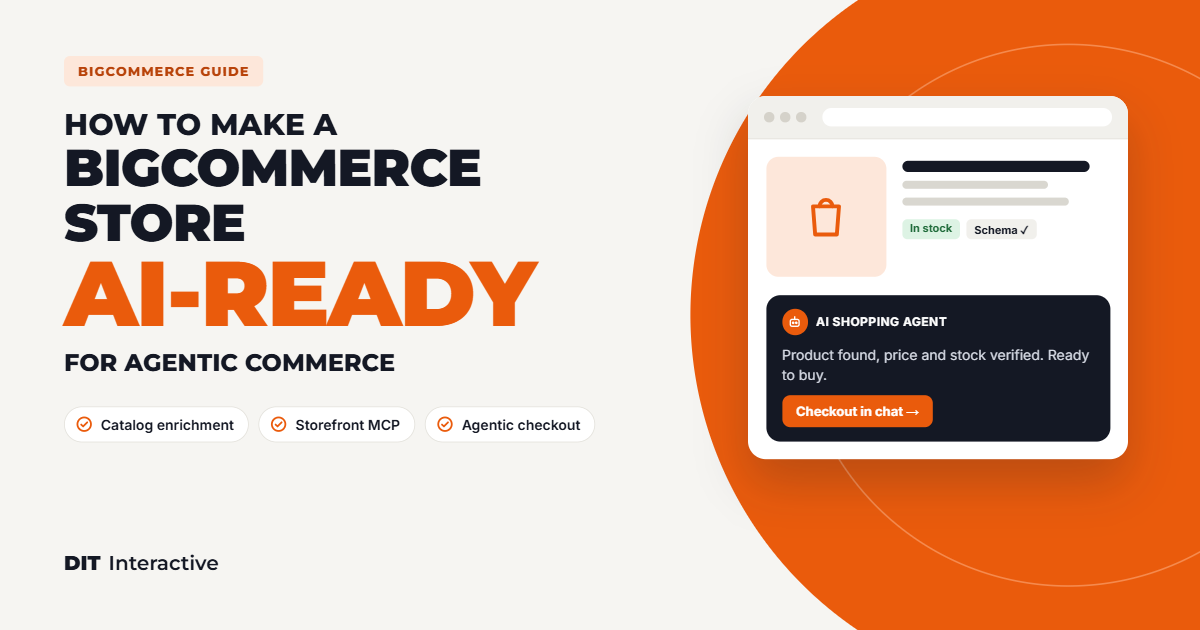
How to Make a BigCommerce Store AI-Ready for Agentic Commerce

Your next customer may never see your homepage. They will ask ChatGPT, Gemini, Copilot or Perplexity to “find me a waterproof hiking jacket under £150”, and an AI agent will compare stores, pick a product and send them to checkout. If that agent cannot read your catalogue, your store does not exist to it.

BigCommerce has rebuilt its roadmap around this shift. At Commerce Live 2026, its parent company announced tools that let products be discovered, evaluated and bought through ChatGPT, Gemini, Copilot, Perplexity, PayPal and Stripe. The platform is ready. The question is whether your store is.

This guide shows you, step by step, how to make a BigCommerce store AI-ready for agentic commerce. It is written by the BigCommerce development services team at DIT Interactive, a BigCommerce Certified partner rated 4.9 from 39 reviews.

Quick answer: the BigCommerce AI-readiness checklist

To make a BigCommerce store AI-ready, fix your product data first, then open your store to AI agents through Storefront MCP and agentic catalogue feeds, and finally make checkout, policies and schema machine-readable. The ten steps:

  1. Audit your store’s AI visibility
  2. Clean and enrich product data (titles, attributes, GTINs, variants)
  3. Write product content that answers shopper questions
  4. Add structured data (Product, Offer, Review, FAQ schema)
  5. Enable BigCommerce Storefront MCP
  6. Send an agent-ready catalogue to AI channels through Feedonomics
  7. Design a fast, accessible, agent-friendly storefront
  8. Go headless with Catalyst if you need speed and API flexibility
  9. Make policies, pricing and stock clear for agents
  10. Add AI agents to your own store and back office, then measure

What is agentic commerce, and why should BigCommerce merchants act now?

Agentic commerce is online shopping where an AI agent acts for the buyer: it discovers products, compares prices and reviews, builds a cart and hands off to checkout, often without the shopper browsing your site. Agentic AI services for merchants make sure those agents can find, trust and sell your products.

For a wider view of how this changes the buying journey, read our guide on how AI agents are changing ecommerce, from product discovery to autonomous checkout.

What BigCommerce has launched for agentic commerce

Capability What it does Why it matters for you
Storefront MCP Lets AI agents search your catalogue, read product and variant details, build a cart and create a checkout link Your store can sell inside AI assistants and your own chat tools
Agentic catalogue feeds (Feedonomics) Sends optimised product data to ChatGPT, Gemini, Copilot, Perplexity and other AI surfaces Your products appear where shoppers now start searching
Agentic Commerce Protocol via Stripe Connects your catalogue to AI agents for discovery, checkout and payments One integration reaches several AI shopping channels
Conversational search on your storefront Shoppers can ask questions in natural language on your own site Higher conversion from on-site search
BigCommerce Companion AI assistant for daily store operations Less manual admin for your team
B2B agent tools (early access) Brings buyer-specific pricing, quotes and shopping lists into agent experiences B2B buyers can reorder through agents

According to BigCommerce, any live, transacting store can now opt in to Storefront MCP, which currently covers guest (B2C) shopping. Authenticated shopping with personalised pricing and order history is the next phase.

Three reasons to act in 2026

  • Discovery is moving into AI tools. Shoppers increasingly start in ChatGPT and Gemini, before they ever reach a brand’s website.
  • The standards are settling. Google’s Universal Commerce Protocol (UCP, launched January 2026) and OpenAI and Stripe’s Agentic Commerce Protocol (ACP) are both live, and BigCommerce supports agent checkout through partners such as Stripe and PayPal.
  • Early movers win the shortlist. Very few stores have fully implemented the new protocols yet. Clean data and agent access now put you ahead of competitors who wait.

One important lesson from 2026: in-chat “instant checkout” has been scaled back, and many agent purchases now hand off to the merchant’s own checkout. That is good news. Your BigCommerce checkout, brand and customer data stay at the centre, so long as agents can reach them.

How to make your BigCommerce store AI-ready: 10 steps

Step 1: Audit your store’s AI visibility

Before changing anything, find out what AI assistants already say about your products. Ask ChatGPT, Gemini, Copilot and Perplexity the questions your customers ask, such as “best [product] for [use case] under £X”. Run each prompt three to five times, because AI answers vary.

  • Record whether your store is mentioned, which product is shown, and whether price and stock are correct
  • Note which competitors and marketplaces are cited instead
  • Check Google Search Console and GA4 for referral traffic from chatgpt.com, perplexity.ai and copilot.microsoft.com

Step 2: Clean and enrich your product data

AI agents choose products from structured data, not from pretty pages, so complete and consistent product data is the single biggest lever. Most stores lose agent visibility here.

  • Titles: brand + product type + key attribute + size or colour (“Merino Wool Hiking Socks, Men’s, Size 9–11, Charcoal”)
  • Attributes: fill every relevant custom field: material, dimensions, weight, compatibility, age range, care, certifications
  • Identifiers: add GTIN, UPC or EAN and MPN for every variant
  • Variants: give each variant its own SKU, price, stock level and image
  • Categories: use clear, shallow category trees that match how shoppers describe products
  • Images: at least three per product, with descriptive alt text

Step 3: Write product content that answers questions

Agents quote content that answers a shopper’s question directly, so each product page should lead with who it is for, what problem it solves and how it compares.

  • Open each description with a 40 to 60 word summary an agent can quote
  • Add a short spec table and a “Best for” line
  • Add 3 to 5 product FAQs (sizing, compatibility, delivery, returns)
  • Show reviews on the page; rating and review count are strong trust signals for agents

Step 4: Add structured data (schema markup)

Schema markup tells AI systems exactly what your price, stock, rating and returns policy are, without guessing. Most BigCommerce themes include basic Product schema; a good BigCommerce development services partner extends it.

  • Product and Offer: price, currency, availability, condition, GTIN, SKU
  • AggregateRating and Review: verified review data
  • MerchantReturnPolicy and OfferShippingDetails: return window and delivery cost
  • Organization, BreadcrumbList and FAQPage on relevant pages

Test every template in Google’s Rich Results Test and fix warnings, not just errors.

Step 5: Enable BigCommerce Storefront MCP

Storefront MCP is the bridge that lets AI agents shop your store directly: search products, read details and variants, build a cart and generate a checkout link. Store owners can switch it on in the control panel under Settings → Early Access.

After enabling it, connect the MCP server URL to the agents you want to support, test the full search-to-checkout flow, and set rules for what agents may and may not do. Our deep dive on BigCommerce Storefront MCP explains the setup and use cases in detail.

Step 6: Send an agent-ready catalogue to AI channels

Feedonomics, part of the BigCommerce family, can export your optimised catalogue to AI surfaces such as ChatGPT, Gemini, Copilot and Perplexity, as well as Google Merchant Center.

  • Map every attribute from Step 2 into the feed
  • Fix feed errors and disapprovals weekly
  • Keep price and stock in sync at least daily; a wrong price shown by an agent loses trust fast
  • Keep your Google Merchant Center account clean, since Google’s agentic shopping draws on it

Step 7: Design a fast, accessible, agent-friendly storefront

AI agents read your pages through HTML and the accessibility tree, so a clean, fast, well-labelled design helps both shoppers and machines. This is where an experienced BigCommerce web design company makes a measurable difference.

  • Use semantic HTML: real headings, buttons and labelled form fields
  • Show price, stock, delivery and returns as text, not inside images
  • Avoid content that only appears after heavy JavaScript loads
  • Pass Core Web Vitals on mobile
  • Keep navigation and filters predictable

DIT’s BigCommerce design services cover theme audits, Stencil customisation and new builds designed for both people and AI agents.

Step 8: Go headless with Catalyst when you need flexibility

BigCommerce Catalyst, the Next.js-based composable storefront, gives AI agents fast, API-first access and lets you add conversational and personalised experiences. It suits fast-growing and enterprise stores; smaller stores can stay on Stencil and still be AI-ready.

Not sure which route fits? Read our comparison of headless vs composable commerce.

Step 9: Make policies, pricing and stock clear for agents

Agents avoid stores whose costs or rules are unclear, so publish delivery times, shipping costs, return windows and stock in plain text on indexable pages.

  • Create clear shipping, returns and warranty pages and link them from every product
  • Show “in stock” and delivery estimates on product pages
  • Allow AI search crawlers (OAI-SearchBot, PerplexityBot, Claude-SearchBot) in robots.txt, and decide separately on training crawlers
  • Consider an llms.txt file that summarises your store, categories and policies
  • Strengthen brand presence beyond your site: reviews, comparison mentions and press, supported by DIT’s SEO services

Step 10: Add AI agents to your own store and back office, then measure

Being found by external agents is half the job; the other half is running your own agents for shopping help and operations. The next section covers which agents to build, what they cost and the mistakes to avoid.

Measure monthly: AI referral traffic and revenue, how often AI assistants mention you, feed health, conversion from on-site AI search, and hours saved by back-office agents.

AI agents you can run on a BigCommerce store

Custom AI agent development lets you put agents to work in two places: in front of shoppers (selling) and behind the scenes (operations). Start with one high-volume task, set clear limits, and expand once it proves its value.

Shopper-facing agents

Agent What it does Built with
AI shopping assistant Answers questions, recommends products, builds the cart Storefront MCP + your chosen model
Product finder or quiz-to-cart Asks 3 to 5 questions and fills the cart Storefront MCP, Catalyst or Stencil widget
Gift finder Suggests gifts by budget, recipient and occasion Storefront MCP + catalogue tags
Order and returns agent Answers “where is my order?”, starts returns within policy Orders API, courier APIs, helpdesk
B2B reorder agent Reorders from shopping lists and quotes with buyer pricing BigCommerce B2B Edition + APIs

Want to build one? See our guide on how to build an AI shopping agent, or talk to our agentic AI development team.

Back-office agents

As an AI automation agency, DIT also builds agents that save your team hours every week through AI workflow automation:

  • Catalogue agent: writes and fixes titles, descriptions, attributes and alt text across thousands of SKUs, with human approval
  • Feed health agent: spots feed errors, missing GTINs and price mismatches before AI channels reject products
  • Inventory agent: forecasts demand, flags low stock and drafts purchase orders
  • Pricing watch agent: monitors competitor prices and suggests changes within your rules
  • Reporting agent: summarises sales, AI referral traffic and ad performance every Monday

How much does it cost to make a BigCommerce store AI-ready?

Most BigCommerce stores can complete the core AI-readiness work (data, schema, feeds and Storefront MCP) as a fixed project, then add custom agents in phases. Costs depend on catalogue size, data quality, theme or headless setup, and integrations.

Package What is included Indicative budget Timeline
AI-readiness audit AI visibility test, data and schema audit, action plan £1,500 to £4,000 1 to 2 weeks
Core AI-readiness Data clean-up, schema, feed setup, Storefront MCP, policy pages £5,000 to £20,000 3 to 8 weeks
Custom AI agent One shopper or back-office agent with guardrails and reporting £10,000 to £35,000 4 to 10 weeks
Headless + agentic build Catalyst storefront, conversational search, multiple agents £40,000+ 3 to 6 months

These bands are indicative. Because DIT combines UK and US project leads with engineering teams in India, our BigCommerce development agency usually delivers the same scope for less than London-only agencies. If you already have an in-house team, you can also hire BigCommerce developers from DIT on a monthly basis, with onboarding in as little as two days.

7 mistakes that keep BigCommerce stores invisible to AI agents

Most AI-visibility problems come from data and access, not from the AI itself. Avoid these:

  1. Thin titles and empty attributes. Agents cannot match “Blue Jacket” to a detailed query.
  2. Missing GTINs and variant data. Products get grouped wrongly or dropped from feeds.
  3. Prices and stock out of sync. Agents lose trust when the cart price differs from the feed.
  4. Key facts inside images or tabs that need JavaScript. Agents may never see them.
  5. Blocking AI search crawlers by accident through robots.txt, a firewall or a CDN rule.
  6. Vague shipping and returns terms. Agents prefer stores with clear, low-risk policies.
  7. Launching agents with no limits. Refunds, discounts and order changes need caps, approvals and logs.

Why choose DIT Interactive to make your BigCommerce store AI-ready

DIT Interactive is a BigCommerce development company that combines certified BigCommerce expertise with in-house agentic AI services, so your store, data and AI agents are built by one team. Most agencies offer one or the other.

What you need DIT Interactive
BigCommerce Certified partner Yes, rated 4.9 from 39 reviews
BigCommerce development services Stencil themes, Catalyst headless builds, B2B Edition, migrations, integrations
BigCommerce design services UX audits, custom themes, agent-friendly, accessible design
Agentic AI services Storefront MCP setup, custom AI agent development, AI workflow automation
Growth support SEO, PPC, CRO and AI search visibility in the same team
Delivery London (UK), New Jersey (USA) and Ahmedabad (India)
Engagement Fixed projects, dedicated developers, white-label for agencies
Start time Within 2 days

DIT also features in our research on the top BigCommerce development companies in the USA for B2B and enterprise ecommerce.

Conclusion: make your BigCommerce store the one AI agents choose

Agentic commerce rewards the stores that are easiest for AI to read, trust and buy from, and BigCommerce already gives you the tools. Clean your product data, add schema, open your store through Storefront MCP and AI feeds, make policies clear, then add your own AI agents step by step.

The merchants who do this in 2026 will be on AI shortlists while competitors are still asking why their traffic is falling. With BigCommerce development services and agentic AI services under one roof, DIT Interactive can take you from audit to live AI agents in weeks.

Get your free BigCommerce AI-readiness audit. Talk to DIT’s BigCommerce team or hire BigCommerce developers today. UK: +44 20 3769 7805 · USA: +1 917 905 6185 · hello@ditindia.com

bigcommerce-ai-readiness-audit-cta

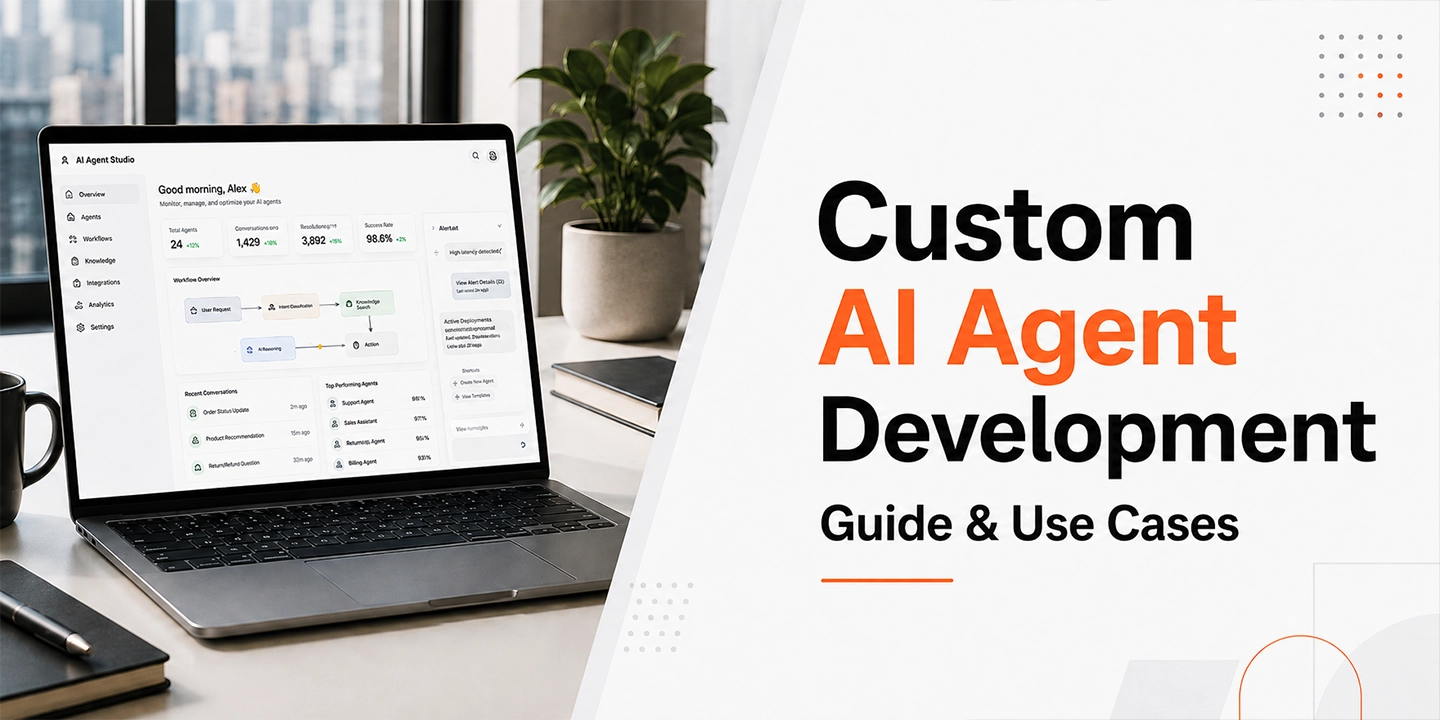
Custom AI Agent Development: Benefits, Process, and Use Cases

Businesses are increasingly moving beyond AI tools that simply answer questions. The next step is software that can understand a goal, gather information, interact with systems, make workflow decisions within defined rules, and complete tasks across multiple applications.

This is where custom AI agents come into the picture.

Unlike a standalone AI chatbot that responds to prompts, an AI agent can interact with business systems, retrieve information, execute actions, and manage multi-step workflows. A customer support agent might check order status, update tickets, and escalate complex issues. A sales agent might research prospects, qualify leads, update a CRM, and schedule meetings.

For organizations exploring AI adoption, understanding custom AI agent development is becoming increasingly important. Whether you’re evaluating an AI automation initiative or considering working with an experienced agentic AI development company, the goal should be the same: solving a real business problem through intelligent workflow automation.

What Is Custom AI Agent Development?

Short answer: Custom AI agent development is the process of designing, building, testing, and deploying AI-powered systems that can perform specific business tasks by combining AI models, business logic, company knowledge, software integrations, and controlled actions.

A custom AI agent is built around a business workflow rather than a generic conversation interface.

These systems can:

  • Understand goals
  • Break tasks into smaller steps
  • Retrieve relevant information
  • Use tools and APIs
  • Interact with software systems
  • Maintain context
  • Make workflow decisions within defined rules
  • Take approved actions
  • Escalate situations to humans when needed

For example, a customer support AI agent may:

  1. Receive a customer request
  2. Access order information
  3. Verify eligibility for a return
  4. Create a support ticket
  5. Send a confirmation email
  6. Escalate unusual cases to a support representative

That workflow goes far beyond generating text. It combines AI reasoning, business rules, integrations, and operational processes.

What Is Agentic AI?

Short answer: Agentic AI refers to AI systems designed to pursue goals through planning, tool usage, information retrieval, workflow execution, and feedback-driven decision-making within defined constraints.

In practical business terms, Agentic AI combines several components:

  • AI models
  • Planning mechanisms
  • Context and memory
  • Tool access
  • APIs
  • Business rules
  • Human oversight
  • Feedback loops

An agentic system does not simply answer a question.

Instead, it may:

  • Understand an objective
  • Determine required steps
  • Access business data
  • Use external tools
  • Evaluate results
  • Decide what to do next

For example, a sales operations agent might receive a request to identify qualified leads in a specific industry. It can gather CRM information, review lead data, apply qualification rules, generate recommendations, and create tasks for sales representatives.

Importantly, agentic systems are not conscious and do not possess human judgment. Their effectiveness depends on workflow design, data quality, permissions, testing, and monitoring.

AI Agent vs Chatbot vs Generative AI

Short answer: Generative AI primarily creates content, chatbots primarily handle conversations, and AI agents can execute multi-step workflows using tools, systems, and business logic.

Capability Generative AI Traditional Chatbot AI Agent
Generates content Yes Limited Yes
Understands context Limited Moderate Stronger
Uses tools Sometimes Limited Yes
Connects to APIs Limited Sometimes Yes
Makes workflow decisions No Limited Yes
Performs multi-step tasks Limited Limited Yes
Takes actions Rarely Sometimes Yes
Works autonomously within rules No Limited Yes
Human escalation Not typical Yes Yes
Best use cases Content generation Customer interactions Workflow execution

These categories often overlap.

A chatbot can use generative AI. An AI agent may include a conversational interface. A generative AI application can become agentic when connected to tools, workflows, and decision-making processes.

The difference is usually the ability to take action and manage tasks rather than simply generate responses.

How Do AI Agents Work?

Short answer: AI agents combine AI models, instructions, tools, business data, and workflow logic to complete tasks through a sequence of planned actions.

Simplified AI Agent Flow

Business Goal → AI Model → Planning → Tool Selection → Action → Result Evaluation → Next Action → Completion

Key components include:

  • Large Language Models (LLMs)
  • System instructions
  • APIs
  • Retrieval systems
  • Databases
  • Memory
  • Business rules
  • Guardrails
  • Monitoring systems
  • Human approvals

For example:

A customer asks about a delayed shipment.

The agent:

  1. Understands the request
  2. Retrieves order data
  3. Checks shipping status
  4. Applies company policies
  5. Generates a response
  6. Creates a support case if necessary
  7. Escalates complex situations

The practical answer is that successful AI agents rely just as much on integrations, workflow design, and controls as they do on the underlying AI model.

Key Components of a Custom AI Agent

AI Model

The AI model interprets instructions, understands context, generates responses, and supports decision-making.

Popular choices include models from OpenAI, Anthropic, Google, Microsoft, and open-source providers.

Agent Instructions

Instructions define:

  • Goals
  • Business rules
  • Allowed actions
  • Escalation requirements
  • Communication style

These instructions act as operating guidelines.

Tools and APIs

Tools allow agents to interact with external systems.

Examples include:

  • CRM platforms
  • ERP systems
  • Ecommerce platforms
  • Helpdesk software
  • Email platforms
  • Databases

Knowledge and Retrieval

Agents often need access to company-specific information.

Retrieval systems can provide:

  • Product documentation
  • Policies
  • Internal procedures
  • Knowledge bases

Memory and Context

Memory helps agents maintain continuity.

This may include:

  • Current conversation context
  • Workflow state
  • Historical interactions
  • Business-specific preferences

Planning and Decision Logic

Planning systems break objectives into manageable tasks.

The agent determines:

  • What information is needed
  • Which tools to use
  • Which actions are appropriate

Guardrails

Guardrails help control behavior.

Examples include:

  • Permission controls
  • Data validation
  • Action approval requirements
  • Compliance checks

Monitoring

Monitoring provides visibility into:

  • Performance
  • Errors
  • Costs
  • User satisfaction
  • Escalation rates

Benefits of Custom AI Agent Development

Short answer: Custom AI agents can help businesses automate repetitive workflows, improve response times, support employees, and connect activities across multiple systems.

Automate Multi-Step Workflows

Many business processes involve multiple systems and decisions.

Examples include:

  • Lead qualification
  • Customer onboarding
  • Ticket management
  • Order processing

Reduce Manual Work

Employees often spend time on repetitive administrative tasks.

AI agents can assist with:

  • Data entry
  • Status updates
  • Information retrieval
  • Report generation

Improve Response Times

Faster access to information often improves customer and employee experiences.

Work Across Business Systems

AI agents can connect:

  • CRM systems
  • ERP platforms
  • Ecommerce tools
  • Databases
  • Support software
  • Communication platforms

Personalize Customer Experiences

Agents can use customer context to provide more relevant interactions.

Support Employees

Internal agents can help staff locate information, complete workflows, and answer operational questions.

Scale Operations

As task volume grows, agents can help manage larger workloads within defined boundaries.

Improve Decision Support

Agents can gather information, analyze data, and present recommendations for human review.

Custom AI Agent Development Process

Short answer: Successful AI agent projects begin with workflow discovery and progress through architecture, integration, testing, deployment, and ongoing monitoring.

Step 1: Identify the Business Problem

Start with the workflow.

Common questions include:

  • What process causes delays?
  • Where do employees spend excessive time?
  • Which workflows involve repetitive decisions?

Step 2: Define Goals and KPIs

Potential metrics include:

  • Time saved
  • Resolution rate
  • Response time
  • Conversion rate
  • Accuracy
  • Task completion rate

Step 3: Map the Workflow

Document:

  • Inputs
  • Decisions
  • Actions
  • Exceptions
  • Human approvals
  • Outputs

Step 4: Select the AI Model and Architecture

Selection depends on:

  • Complexity
  • Cost
  • Latency
  • Context requirements
  • Reliability
  • Multimodal needs

Step 5: Connect Business Data and Tools

Common integrations include:

  • Salesforce
  • HubSpot
  • Microsoft Dynamics
  • SAP
  • Shopify
  • Zendesk
  • Internal databases

Step 6: Build Agent Logic

This includes:

  • Planning systems
  • Retrieval mechanisms
  • Memory
  • Workflow logic
  • Permissions
  • Validation rules

Step 7: Develop the Agent

Development typically includes:

  • Backend services
  • Integrations
  • User interfaces
  • Knowledge systems
  • Monitoring tools

Step 8: Test and Evaluate

Testing should cover:

  • Accuracy
  • Reliability
  • Tool usage
  • Failure handling
  • Edge cases
  • Security risks

Step 9: Human Approval and Escalation

Some workflows should always include human review.

Examples include:

  • Financial approvals
  • Legal decisions
  • Healthcare recommendations
  • Sensitive customer actions

Step 10: Deploy and Monitor

Deployment is not the end.

Ongoing activities include:

  • Performance tracking
  • Cost monitoring
  • User feedback analysis
  • Workflow refinement

Custom AI Agent Development Use Cases

Customer Support Agent

Can assist with:

  • FAQ responses
  • Order tracking
  • Ticket creation
  • Routing requests
  • Escalation workflows

Sales Agent

Can support:

  • Lead qualification
  • Prospect research
  • CRM updates
  • Follow-up sequences
  • Meeting scheduling

Marketing Agent

Useful for:

  • Research
  • Content planning
  • Campaign analysis
  • Performance reporting

Ecommerce Agent

Can assist with:

  • Product discovery
  • Order support
  • Recommendations
  • Inventory workflows

Finance Agent

May support:

  • Invoice processing
  • Data collection
  • Reporting
  • Reconciliation assistance

Human review remains important for financial decisions.

HR Agent

Useful for:

  • Employee onboarding
  • Policy lookup
  • Document support
  • Internal assistance

IT Support Agent

Can help with:

  • Ticket classification
  • Troubleshooting guidance
  • Knowledge retrieval
  • Approved system actions

Operations Agent

Can coordinate:

  • Workflow tracking
  • Data collection
  • Exception handling
  • Task management

Research Agent

Useful for:

  • Document review
  • Information gathering
  • Competitive research
  • Report preparation

[Internal Link: Custom AI Agent Development]

Industry-Specific AI Agent Use Cases in the USA

Industry Business Problem AI Agent Use Case Potential Benefit
Ecommerce High support volume Order support agent Faster customer service
Healthcare Administrative workload Patient information workflows Reduced manual processing
Finance Reporting complexity Data gathering agent Improved operational efficiency
SaaS Lead management Sales qualification agent Better lead prioritization
Retail Inventory visibility Inventory monitoring agent Faster issue detection
Manufacturing Operational coordination Workflow monitoring agent Improved visibility
Logistics Shipment tracking Logistics support agent Faster updates
Real Estate Lead follow-up Property inquiry agent Better responsiveness
Professional Services Research workload Knowledge assistant Faster information access
Education Student support Student information agent Improved support workflows

For regulated industries, privacy, compliance, auditability, and human oversight are particularly important.

Custom AI Agent Development vs Off-the-Shelf AI Tools

Factor Off-the-Shelf AI Custom AI Agent
Customization Limited High
Integrations Basic Extensive
Data Control Limited Greater control
Workflow Complexity Simple Advanced
Initial Cost Lower Higher
Deployment Speed Faster Longer
Scalability Moderate High
Maintenance Vendor-managed Shared responsibility
Security Controls Standard Business-specific
Business Logic Limited Customized

An off-the-shelf solution may be sufficient for generic use cases.

Custom development often becomes attractive when workflows involve multiple systems, business rules, and proprietary processes.

AI Automation Agency vs AI Agent Development Company

An AI automation agency often focuses on workflow automation using existing tools, integrations, and automation platforms.

Typical Automation Focus

  • Process automation
  • Workflow integration
  • Task routing
  • System synchronization

Typical Agent Development Focus

  • Agent architecture
  • Multi-step workflows
  • Tool-using AI agents
  • Decision support systems
  • Agentic workflows

Neither approach is universally better. The right choice depends on business requirements.

Agentic AI Development Services: What Do They Include?

Organizations offering agentic AI development services often provide:

  • AI strategy
  • Use-case discovery
  • Architecture design
  • Custom AI agent development
  • API integration
  • Retrieval systems
  • Workflow automation
  • Multi-agent architectures
  • Testing and evaluation
  • Guardrail implementation
  • Monitoring
  • Ongoing support

The most successful projects usually begin with workflow discovery rather than model selection.

Agentic AI Services for Business Automation

Agentic AI services can support many operational areas.

Examples include:

  • Customer service automation
  • Sales workflow support
  • Marketing operations
  • Ecommerce assistance
  • Research automation
  • Data workflows
  • Internal knowledge management
  • Employee support

The value comes from connecting AI to meaningful business processes rather than deploying AI in isolation.

How Much Does Custom AI Agent Development Cost?

Short answer: Costs vary significantly based on complexity, integrations, security requirements, and operational scope.

Factors affecting cost include:

  • Number of workflows
  • AI model usage
  • API integrations
  • Knowledge systems
  • Security requirements
  • User interfaces
  • Testing requirements
  • Monitoring infrastructure
  • Compliance obligations
Project Type Complexity Main Cost Drivers
Basic single-workflow agent Low One workflow, limited integrations
Integrated business agent Medium CRM, helpdesk, databases
Advanced multi-system agent High Multiple systems, approvals, orchestration
Enterprise agentic platform Very High Governance, security, scalability, compliance

Indicative market pricing can range from a few thousand dollars for simple prototypes to six-figure enterprise implementations. Actual costs vary substantially.

How Long Does AI Agent Development Take?

Timelines depend on workflow complexity and integration requirements.

Typical stages include:

Stage Approximate Duration
Discovery 1-3 weeks
Architecture 1-2 weeks
Prototype 2-4 weeks
Development 4-12+ weeks
Integration 2-8 weeks
Testing 2-6 weeks
Deployment 1-2 weeks
Monitoring and refinement Ongoing

Simple internal agents may launch quickly. Enterprise platforms often require significantly longer timelines.

AI Agent Security and Privacy

Short answer: Security should be considered throughout the entire lifecycle of an AI agent, from architecture and permissions to deployment and monitoring.

Key considerations include:

Data Privacy

Protect customer, employee, and operational data.

Access Control

Agents should only access required systems.

Authentication

Verify identities before allowing actions.

Authorization

Control what actions an agent can perform.

API Security

Secure integrations and credentials.

Prompt Injection Protection

Defend against attempts to manipulate agent behavior.

Data Leakage Prevention

Restrict access to sensitive information.

Tool Permissions

Apply least-privilege access.

An AI agent should have only the permissions required to perform its assigned tasks.

Logging and Monitoring

Maintain audit trails and visibility.

Human Approval

Require review for high-impact actions.

Security frameworks and guidance from organizations such as NIST and OWASP provide useful references when designing enterprise AI systems.

How to Measure AI Agent ROI

AI agent ROI should be measured against the workflow being improved.

Potential KPIs include:

  • Tasks completed
  • Hours saved
  • Cost per task
  • Response times
  • Resolution rates
  • Conversion rates
  • Escalation rates
  • Error rates
  • Customer satisfaction
  • Employee satisfaction
  • Revenue influence

You’ll notice that meaningful measurement requires baseline metrics before deployment.

Common Challenges in Custom AI Agent Development

Common challenges include:

  • Hallucinations
  • Incorrect tool usage
  • Poor data quality
  • Complex integrations
  • Unclear workflows
  • Security concerns
  • Unexpected operating costs
  • Latency
  • Inconsistent outputs
  • Weak evaluation processes
  • Missing escalation paths

Risk reduction strategies include:

  • Better testing
  • Structured workflows
  • Strong guardrails
  • Monitoring
  • Human review
  • Clear permissions

That sounds simple, but ongoing evaluation is often one of the most overlooked parts of AI projects.

How to Choose an Agentic AI Development Company in the USA

Selecting an agentic AI development company should involve more than reviewing AI model expertise.

Evaluation Checklist

  1. AI and LLM experience
  2. Agent architecture expertise
  3. API integration capabilities
  4. Business process understanding
  5. Security practices
  6. Testing methodologies
  7. Data governance approach
  8. Deployment experience
  9. Monitoring and support capabilities
  10. Industry experience
  11. Communication quality
  12. KPI-driven project planning

Questions to Ask

  • How do you evaluate AI agents?
  • How do you handle security reviews?
  • What monitoring tools do you use?
  • How do you measure business outcomes?
  • What escalation controls are available?
  • How do you manage model updates?

When Should Your Business Build a Custom AI Agent?

A custom AI agent may be appropriate when:

  • Workflows are repetitive
  • Multiple systems are involved
  • Decisions follow defined rules
  • Employees spend substantial time on the process
  • Context matters
  • Existing automation tools fall short
  • Custom integrations are required
  • Business outcomes can be measured

When Not to Build One

Consider alternatives when:

  • The workflow is extremely simple
  • Processes change constantly
  • Data quality is poor
  • Human judgment is required at every step
  • Automation costs exceed expected value

The thing is, not every workflow needs an AI agent.

Sometimes a traditional automation platform is the better choice.

Future of Agentic AI for Businesses in the USA

Several trends are emerging:

  • More AI-supported workflows
  • Multi-agent systems
  • Improved tool usage
  • Multimodal capabilities
  • Wider enterprise adoption
  • AI-native business processes
  • Human-AI collaboration models
  • Greater focus on governance

Most organizations are unlikely to replace entire departments with AI agents. More often, they redesign workflows so humans and AI systems work together.

Custom AI Agent Development Checklist

Business

  • Define the workflow
  • Identify the business problem
  • Define KPIs
  • Estimate business value

Technical

  • Choose AI model
  • Define architecture
  • Connect APIs
  • Configure data access
  • Build tools
  • Define agent logic

Security

  • Access control
  • Authentication
  • Authorization
  • Data protection
  • Logging
  • Guardrails
  • Human approval

Testing

  • Accuracy testing
  • Reliability testing
  • Edge-case testing
  • Hallucination testing
  • Tool-use testing
  • Security testing

Deployment

  • Monitoring
  • Cost tracking
  • User feedback
  • Performance measurement
  • Continuous improvement

Final Thoughts

Custom AI agent development is most valuable when AI is connected to a meaningful business workflow.

The right approach is not:

“Let’s build an AI agent.”

The better approach is:

Business problem → Workflow → AI opportunity → Agent architecture → Integration → Testing → Measurable outcome

Organizations that follow this process are more likely to build systems that provide practical business value rather than experimental technology projects.

For companies evaluating advanced automation, working with an experienced agentic AI development company can help navigate architecture decisions, integrations, security requirements, testing strategies, and long-term maintenance.

The goal is not maximum autonomy. The goal is building AI systems that help people work more effectively within well-designed business processes.