
Key takeaways
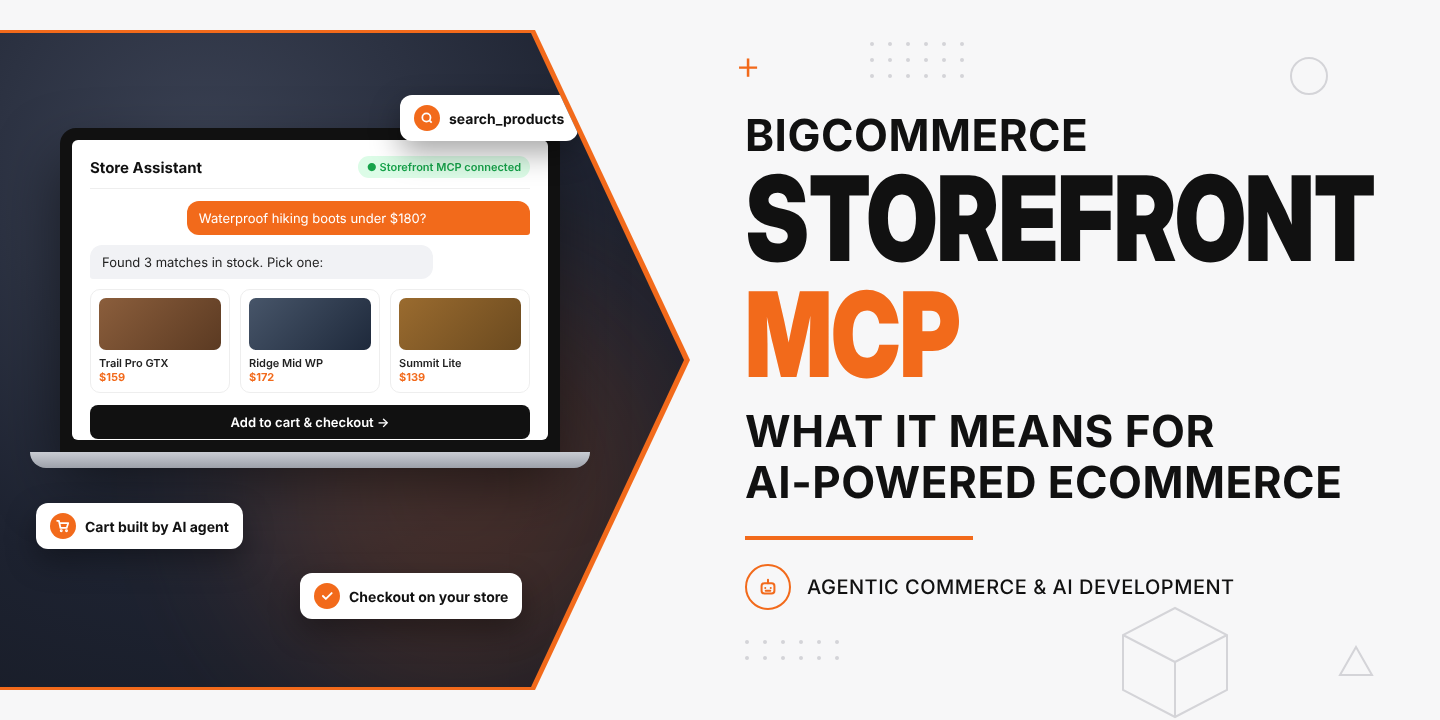
- BigCommerce Storefront MCP is an official Model Context Protocol server that lets AI agents search a BigCommerce catalog, read product details, build a cart and send the shopper to checkout.
- BigCommerce made it available to every live, transacting store on May 11, 2026. Merchants opt in from the control panel, and each storefront gets its own MCP endpoint.
- Guest shopping works with no login. B2B Edition stores also get permission-gated tools for shopping lists and quotes.
- Checkout still happens on your store. Your payment, tax, shipping and fraud rules stay in force.
- The stores that win in AI channels will be the ones with clean product data, fast checkout and a team that can build and test agents against the endpoint.
What is BigCommerce Storefront MCP?
BigCommerce Storefront MCP is a hosted server, provided by BigCommerce, that exposes a store’s shopping functions to AI agents through the Model Context Protocol (MCP). An agent such as Claude, ChatGPT or a custom shopping assistant can call it to search products, check variants, manage a cart and generate a checkout link on behalf of a shopper.
MCP is an open standard for connecting AI models to outside tools. Instead of scraping your pages, an agent asks your store directly through named functions. BigCommerce’s developer documentation describes the server as a set of purpose-built commerce tools, and BigCommerce announced on its blog that the feature is open to every store on the platform.
For a US merchant, the practical meaning is simple. Your catalog becomes something an AI assistant can shop, with your store’s rules intact.
Why it matters now
Shoppers already start product research inside AI assistants, and that traffic converts. Adobe Analytics data reported in 2026 shows AI traffic to US retail sites grew 393% year over year in Q1 2026 and converted 42% better than non-AI channels. Bain forecasts that agentic commerce in the US could reach $300 billion to $500 billion by 2030, or 15% to 25% of ecommerce sales. That makes agent readiness a 2026 priority for every BigCommerce store.
BigCommerce has placed this at the center of its roadmap. At Commerce Live 2026 in Chicago (April 28 to 30), its parent company, Commerce, announced agent-ready product data through Feedonomics and distribution to AI discovery surfaces including ChatGPT, Gemini, Microsoft Copilot, Perplexity, PayPal and Stripe. Storefront MCP is the piece that lets an agent act on that data inside your store, and it is where custom AI agent development starts to pay off.
How BigCommerce Storefront MCP works
The server exposes tools, which are functions an agent can call. A typical guest session runs like this:
- Search. The agent calls search_products with a keyword (minimum three characters). It can pass non-personal context such as occasion or climate to sharpen results, and page through large catalogs with a cursor.
- Inspect. The agent calls get_product_details to fetch variants and images. If the product has options such as size or color, the agent asks the shopper to choose first.
- Build the cart. The agent adds, updates or removes line items.
- Hand off checkout. The agent generates a checkout URL and sends the shopper to your BigCommerce checkout to pay.
Source: BigCommerce B2C Storefront MCP developer reference. Want this flow tested on your catalog? Our BigCommerce development services team can set it up.
Because the final step lands on your own checkout, your payment gateway, promotions, tax calculation, shipping rules and fraud screening all apply as they do today.
B2C vs. B2B tools at a glance
| Capability | B2C (guest) | B2B Edition buyers |
| Login required | No | Yes, through Storefront Session Sync |
| Product search and details | Yes | Yes |
| Cart and checkout link | Yes | Yes |
| Shopping lists | No | Yes, if the buyer has the permission |
| Quotes | No | Yes, permission-gated |
| Tool set per user | Same for all guests | Can differ by buyer role on the same company account |
Source: BigCommerce B2B Storefront MCP developer reference.
The B2B detail matters for US distributors and manufacturers. A purchasing manager can ask an assistant to rebuild last quarter’s shopping list or request a quote, and the agent only sees the actions that buyer is allowed to take.
How to enable Storefront MCP on your store
- Sign in to the BigCommerce control panel as the store owner.
- Go to Settings, then API and MCP, then MCP. (BigCommerce’s launch post also points owners to Settings → Early Access.)
- Turn on the Storefront MCP toggle and accept the terms of service.
- Under Select storefront, choose a storefront to view its MCP API Endpoint. Each storefront has its own URL.
- Allow up to 10 minutes for the server to become available, then connect your agent or MCP client.
Source: BigCommerce MCP developer documentation. If you would rather not handle setup in-house, you can hire BigCommerce developers from DIT to enable, connect and test it.
Turning it on takes minutes. Making agents sell well takes product data work, testing and design, which is where most of the effort goes.
What you can build with it
BigCommerce lists several use cases in its launch announcement. Here is how each plays out for a US brand, and each one benefits from strong UI/UX design so shoppers trust the assistant:
- Conversational product discovery. A shopper describes a need (“waterproof hiking boots for wide feet under $180”) and the agent returns matching SKUs from your live catalog.
- Vertical shopping agents. A fashion stylist, outdoor gear advisor or auto-parts fitment assistant trained on your category language.
- Quiz-to-cart flows. A short guided quiz that ends in a pre-filled cart, measured by add-to-cart rate.
- Gift finders. Seasonal assistants for Mother’s Day, Father’s Day or the holidays, with shareable lists and embeddable widgets.
- Cross-storefront experiences. For groups running several brands on BigCommerce multi-storefront, one assistant can shop across them.
Each of these needs a front end, prompt design, guardrails and analytics. That is agent development work, and our agentic AI development services team builds it on top of the MCP endpoint.
What Storefront MCP does not do (yet)
Be clear-eyed about the current scope:
- It is shopper-side. The server is built for shopping agents, not for store administration. Catalog edits, order management and reporting still run through the BigCommerce admin and APIs.
- Authenticated B2C shopping is next. BigCommerce says personalized pricing, order history and account features for logged-in consumers are coming.
- Agent-native payment is separate. Storefront MCP hands off to your checkout. In-chat payment depends on protocols such as Google and Shopify’s Universal Commerce Protocol (UCP) and OpenAI and Stripe’s Agentic Commerce Protocol (ACP), plus Commerce’s PayPal and Perplexity integrations.
How to prepare your BigCommerce store for AI agents
Agents read data, not design. If your attributes are thin, an agent cannot match your product to a detailed request. Start here:
- Enrich product data. Fill in materials, dimensions, compatibility, use cases and care instructions as structured attributes, not only in description text.
- Clean up variants and options. Agents must ask the shopper to pick options before adding to cart. Confusing option names cause dropped sessions.
- Sync inventory and pricing in real time. An agent that recommends an out-of-stock item loses the sale and the shopper’s trust.
- Speed up checkout. The handoff lands on your checkout page. Every extra field costs conversions. Our conversion rate optimization service audits that last step.
- Feed AI discovery channels. Use Feedonomics or a similar feed tool so your products appear in ChatGPT, Gemini and Copilot in the first place.
- Track AI-referred sessions. Tag checkout URLs generated by agents so you can measure conversion and average order value by channel.
- Consider a headless front end. Brands on Catalyst or a custom React or Next.js storefront can embed agent experiences more freely. See our headless commerce solutions.
Choosing a BigCommerce development company for agentic commerce
Most in-house teams can flip the toggle. Fewer can design a shopping agent that converts, connect it to clean data and keep it safe. When you evaluate a BigCommerce development company or BigCommerce development agency, ask:
- Have they shipped production BigCommerce builds, including B2B Edition and multi-storefront?
- Can they build and evaluate AI agents, not only themes?
- Do they handle product data and feed management?
- Will their BigCommerce design services cover the conversational UI as well as the storefront?
- Can you hire BigCommerce developers on a dedicated or white-label basis to extend your team?
DIT Interactive is a BigCommerce Certified partner rated 4.9 from 39 reviews on the BigCommerce partner directory, with a US office in Iselin, New Jersey. Our BigCommerce development services cover store builds, migrations, B2B, headless storefronts and now Storefront MCP agent projects. As a BigCommerce web design company, we also design the conversational interfaces your shoppers will use.
Ready to put your catalog in front of AI shoppers? Book a BigCommerce MCP consultation or hire BigCommerce developers to start this quarter.