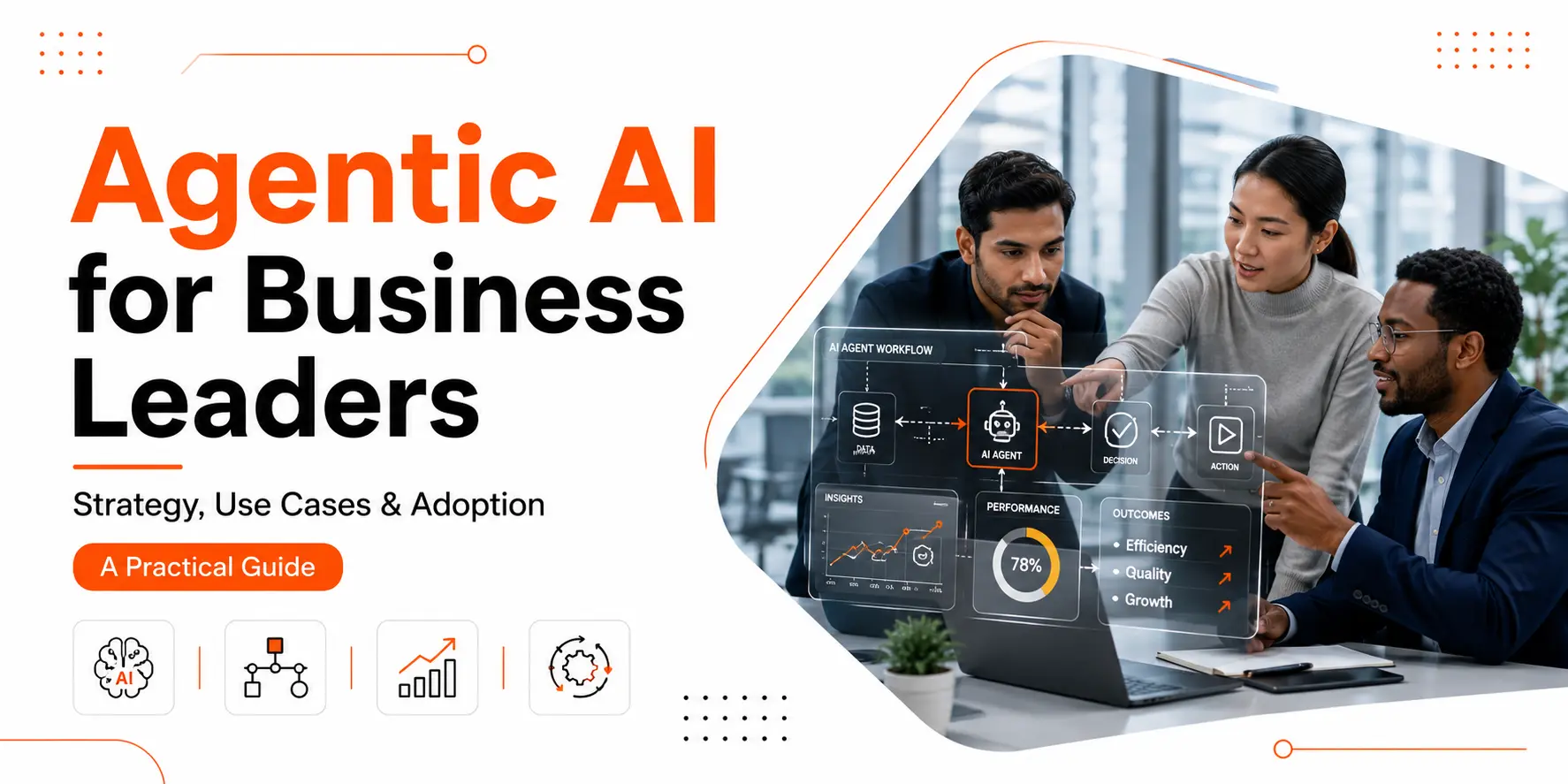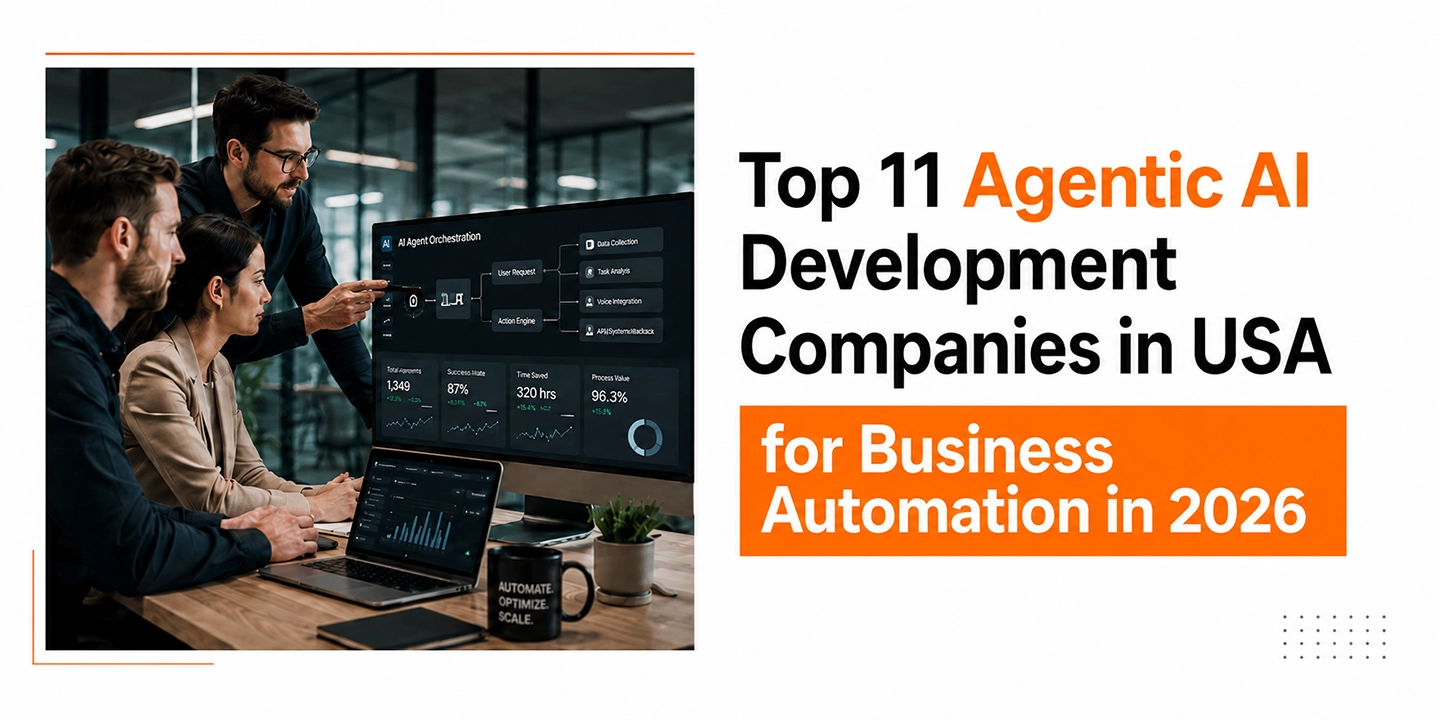

Agentic AI Development Services: Everything Businesses Need to Know

Artificial intelligence has moved far beyond simple chatbots and automation scripts. Businesses today are looking for systems that can actually make decisions, complete tasks, analyze situations, and improve workflows without constant human input. That’s exactly why agentic AI is getting so much attention right now.

If you’ve been hearing terms like AI agents, autonomous workflows, or multi-agent systems lately, you’re not alone. The thing is, companies are no longer interested in basic AI tools that only answer prompts. They want intelligent systems that can actively work for the business.

That’s where agentic AI development services come into the picture.

From customer support automation to operations management, sales workflows, data analysis, and internal productivity, agentic AI is starting to reshape how companies operate. And honestly, many businesses are still trying to figure out what it actually means and whether it’s worth investing in.

In this guide, we’ll break everything down in simple terms. You’ll learn what agentic AI is, how it works, why businesses are investing in it, and how working with an AI automation agency in the USA can help companies build practical AI solutions instead of experimental tools that never get used.

What Is Agentic AI?

Agentic AI refers to AI systems that can independently perform tasks, make decisions, adapt to changing situations, and work toward goals with minimal human involvement.

Unlike traditional AI models that mainly respond to prompts, agentic AI systems can:

  • Plan actions
  • Execute multi-step tasks
  • Analyze outcomes
  • Make decisions
  • Interact with tools and software
  • Learn from workflows
  • Coordinate with other AI agents

Think of it this way.

A normal AI chatbot answers questions.

An AI agent can receive a business objective like:

“Handle incoming support tickets, prioritize urgent cases, generate responses, update CRM records, and escalate unresolved issues.”

And then actually complete those tasks on its own.

That’s where things change.

Businesses are now shifting from “AI that talks” to “AI that works.”

Why Businesses Are Investing in Agentic AI Development Services

Companies are under pressure to do more with fewer resources. Teams are overloaded with repetitive work, operations are becoming more complex, and customer expectations keep increasing.

In most cases, businesses initially adopt simple automation tools. But eventually, they realize those systems are too rigid.

Traditional automation usually follows fixed rules.

Agentic AI can adapt.

That difference matters a lot.

Here are some of the biggest reasons companies are investing in agentic AI services right now.

Better Operational Efficiency

AI agents can handle repetitive workflows across departments without requiring employees to manually manage every step.

This includes:

  • Ticket handling
  • Appointment scheduling
  • Inventory monitoring
  • Workflow approvals
  • Internal reporting
  • Lead qualification
  • Data processing

You’ll notice that businesses using AI agents often reduce operational delays significantly because tasks move automatically between systems.

Faster Decision-Making

Agentic AI systems can process large amounts of information in real time and suggest or execute actions immediately.

For example:

  • Fraud detection systems
  • Supply chain management
  • Dynamic pricing adjustments
  • Sales prioritization
  • Financial analysis

Instead of waiting for teams to manually review data, AI agents can react instantly.

Lower Manual Workload

Employees spend huge amounts of time switching between tools, copying data, replying to repetitive emails, or updating systems.

AI agents can handle much of that background work automatically.

Honestly, this is one of the biggest practical benefits businesses notice first.

Improved Customer Experience

Customers expect fast responses and personalized interactions.

Agentic AI systems can:

  • Manage customer inquiries
  • Recommend solutions
  • Escalate complex cases
  • Track customer history
  • Follow up automatically

And they can do it 24/7.

How Agentic AI Actually Works

A lot of businesses assume agentic AI is just a more advanced chatbot. It’s much broader than that.

An agentic AI system usually combines multiple technologies together.

Core Components of Agentic AI Systems

Large Language Models (LLMs)

These models handle communication, reasoning, and language understanding.

Examples include systems similar to OpenAI GPT models or other enterprise-grade LLMs.

Memory Systems

AI agents often need memory to retain context across workflows.

For example:

  • Previous customer interactions
  • Ongoing tasks
  • Workflow history
  • Preferences
  • Business rules

Without memory, AI agents lose continuity.

Tool Integration

This is critical.

AI agents become useful when they connect with business tools like:

  • CRM platforms
  • ERP systems
  • Slack
  • Email platforms
  • Databases
  • Ecommerce systems
  • Project management tools

That’s why businesses often hire an AI agent development company instead of trying to build these integrations internally.

Decision Engines

Agentic AI systems use logic and reasoning layers to decide:

  • What action to take
  • Which tool to use
  • When to escalate
  • How to prioritize tasks

Multi-Agent Coordination

Some advanced systems use multiple AI agents working together.

For example:

  • One agent handles research
  • Another processes customer data
  • Another manages reporting
  • Another executes tasks

Together, they complete larger workflows.

Difference Between Traditional Automation and Agentic AI

This is where many businesses get confused.

Traditional automation and agentic AI are not the same thing.

Traditional Automation Agentic AI
Rule-based workflows Adaptive decision-making
Fixed conditions Dynamic reasoning
Limited flexibility Learns from context
Requires manual setup Can self-manage tasks
Simple triggers Goal-oriented behavior

Traditional automation works well for predictable workflows.

But businesses today deal with changing conditions constantly.

That’s why agentic AI development company solutions are becoming more valuable.

Common Use Cases for Agentic AI Development Services

Agentic AI is already being used across industries. Some companies just don’t realize they’re interacting with AI agents yet.

Here are some of the most common applications.

Customer Support Automation

AI agents can:

  • Answer customer questions
  • Pull account information
  • Create tickets
  • Process refunds
  • Escalate urgent requests
  • Follow up automatically

The difference is that agentic systems can manage full conversations and workflows, not just provide scripted answers.

Sales and Lead Qualification

Sales teams waste time filtering unqualified leads.

AI agents can:

  • Analyze inquiries
  • Score leads
  • Schedule meetings
  • Send follow-ups
  • Update CRM records
  • Recommend next actions

Many businesses working with an AI automation agency in the USA start with sales automation because ROI becomes visible quickly.

Ecommerce Operations

Online stores use AI agents for:

  • Inventory tracking
  • Personalized recommendations
  • Order management
  • Return handling
  • Customer engagement
  • Marketplace monitoring

Especially for high-volume ecommerce businesses, agentic AI can reduce operational chaos.

Healthcare Administration

Healthcare providers use AI agents for:

  • Appointment scheduling
  • Insurance verification
  • Patient communication
  • Record processing
  • Workflow management

Human oversight is still necessary, of course. But AI significantly reduces administrative workload.

Financial Services

Banks and finance companies are adopting AI agents for:

  • Risk assessment
  • Fraud detection
  • Transaction analysis
  • Customer onboarding
  • Compliance workflows

The thing is, finance teams deal with massive data volumes daily. AI agents can process information far faster than manual teams.

HR and Recruitment

AI agents can help HR teams by:

  • Screening resumes
  • Scheduling interviews
  • Answering employee questions
  • Managing onboarding
  • Tracking hiring pipelines

That saves recruiters a surprising amount of time.

Why Businesses Prefer Custom AI Agent Development

Prebuilt AI tools can help with basic automation. But many businesses eventually outgrow them.

Every company has different workflows, systems, and operational requirements.

That’s why custom AI agent development in the USA is growing rapidly.

Custom development allows businesses to create AI systems tailored specifically to:

  • Their processes
  • Their customer journey
  • Their internal tools
  • Their compliance requirements
  • Their business goals

Honestly, custom AI solutions usually perform better because they’re designed around actual operational needs instead of generic use cases.

What an AI Automation Agency in the USA Actually Does

A lot of companies understand they need AI automation but aren’t sure how implementation works.

An experienced AI automation agency in the USA typically helps businesses with:

AI Strategy Planning

Before building anything, agencies analyze:

  • Current workflows
  • Operational bottlenecks
  • Automation opportunities
  • Integration requirements
  • ROI potential

This step matters more than people think.

Poor AI planning usually leads to expensive systems nobody fully uses.

AI Agent Development

The agency builds intelligent agents customized for business operations.

This may include:

  • Conversational AI agents
  • Workflow automation agents
  • Multi-agent systems
  • Internal productivity assistants
  • Data analysis agents

Tool Integration

Agencies connect AI systems with existing software platforms.

That includes:

  • Shopify
  • Salesforce
  • HubSpot
  • Slack
  • SAP
  • QuickBooks
  • Microsoft tools
  • Ecommerce platforms

Without proper integration, AI agents become isolated tools instead of operational assets.

Testing and Optimization

AI systems require continuous testing.

Agencies monitor:

  • Accuracy
  • Response quality
  • Workflow performance
  • Failure handling
  • User interactions

You’ll notice that successful AI deployments usually improve gradually over time rather than working perfectly on day one.

Industries Benefiting Most from Agentic AI Services

Almost every industry can use AI agents in some form, but some sectors are seeing faster adoption.

Ecommerce

Online retailers use AI for:

  • Product recommendations
  • Automated customer support
  • Inventory forecasting
  • Marketing workflows
  • Order management

Healthcare

Hospitals and clinics use AI agents to reduce administrative burden.

Logistics

Shipping and logistics companies use AI agents for:

  • Route optimization
  • Shipment tracking
  • Delivery coordination
  • Warehouse management

SaaS Companies

Software companies often use AI agents internally for:

  • Support automation
  • User onboarding
  • Analytics reporting
  • Customer success workflows

Manufacturing

Manufacturers use agentic AI for:

  • Predictive maintenance
  • Supply chain management
  • Quality monitoring
  • Production planning

Challenges Businesses Should Know Before Adopting Agentic AI

Agentic AI has huge potential, but businesses should understand the challenges too.

Data Quality Issues

AI systems rely heavily on accurate data.

If company data is inconsistent or messy, AI performance drops quickly.

Integration Complexity

Many businesses use outdated systems that don’t integrate easily with AI platforms.

This is honestly one of the biggest technical hurdles.

Security and Compliance

AI agents often access sensitive business data.

Companies must ensure:

  • Data privacy
  • Secure access controls
  • Compliance standards
  • Audit tracking

Over-Automation Risks

Not every workflow should be fully automated.

Some businesses try automating too aggressively and create frustrating customer experiences.

Human oversight still matters.

How to Choose the Right AI Agent Development Company

Choosing the wrong partner can waste a lot of time and budget.

Here’s what businesses should evaluate before hiring an AI agent development company.

Technical Expertise

Look for experience with:

  • AI models
  • Workflow automation
  • API integrations
  • Cloud infrastructure
  • Multi-agent systems
  • Enterprise software

Industry Experience

An agency familiar with your industry will usually understand operational challenges faster.

Integration Capabilities

This is extremely important.

AI systems must connect properly with existing tools and workflows

Scalability

Businesses often start with small AI projects but expand later..

The AI architecture should support future scaling.

Ongoing Support

AI systems require maintenance and improvement.

You’ll want a partner that provides long-term support instead of disappearing after launch.

Future Trends in Agentic AI Development

Agentic AI is evolving very quickly.

Honestly, we’re still in the early stages.

Here are some trends businesses should watch closely.

Multi-Agent Collaboration

Future systems will involve multiple AI agents working together autonomously.

Different agents may specialize in:

  • Research
  • Communication
  • Analytics
  • Decision-making
  • Workflow execution

AI Employees for Internal Operations

Many businesses are starting to experiment with AI agents functioning like virtual employees.

Not replacing teams entirely, but handling repetitive operational tasks independently.

More Personalized Customer Experiences

AI agents will become much better at understanding customer behavior and preferences.

That means more accurate recommendations, support, and engagement.

Autonomous Business Workflows

Over time, businesses may automate complete operational chains instead of isolated tasks.

For example:

  • Customer inquiry
  • Lead qualification
  • Proposal generation
  • Scheduling
  • Payment processing
  • Reporting

All managed through connected AI agents.

Is Agentic AI Worth It for Small Businesses?

A lot of small business owners assume AI agents are only for enterprises.

That’s not really true anymore.

Cloud-based AI infrastructure has made development more accessible.

Small businesses can use agentic AI for:

  • Customer support
  • Appointment booking
  • Email automation
  • Sales workflows
  • Internal task management
  • Ecommerce operations

The key is starting with a focused use case instead of trying to automate everything at once.

In most cases, businesses see better results when they solve one operational problem first and expand gradually.

How Much Do Agentic AI Development Services Cost?

Pricing varies widely depending on complexity.

Simple AI automation projects may cost a few thousand dollars.

Advanced enterprise systems involving:

  • Multiple integrations
  • Custom workflows
  • Autonomous decision-making
  • Multi-agent architectures

can become much more expensive.

Factors affecting cost include:

  • Number of integrations
  • Workflow complexity
  • AI model requirements
  • Security requirements
  • Scalability needs
  • Custom development scope

That’s why many companies first consult with an AI automation agency in the USA to identify high-impact automation opportunities before committing to larger investments.

Final Thoughts on Agentic AI Development Services

Agentic AI is changing how businesses approach automation.

We’re moving beyond simple bots and scripted workflows into systems that can actually reason, adapt, and execute tasks independently.

That shift is significant.

Companies that successfully implement agentic AI development services are already improving efficiency, reducing manual work, and creating faster operational workflows.

At the same time, successful adoption requires proper planning, clean integrations, realistic expectations, and ongoing optimization.

Businesses looking into custom AI agent development in the USA should focus less on hype and more on solving practical operational problems. That’s usually where the biggest value appears.

And honestly, the companies experimenting with AI agents today are probably building an operational advantage that becomes much harder for competitors to catch up with later.

How Headless Commerce Improves Customer Experience in 2026

Customer expectations are changing fast. People don’t just want online stores that “work” anymore. They expect fast-loading pages, personalized shopping experiences, mobile-friendly navigation, instant checkouts, and smooth interactions across every device they use.

And honestly, traditional e-commerce platforms are starting to struggle with those expectations.

That’s exactly why more brands are investing in headless ecommerce solutions in the USA. Businesses want flexibility. They want better performance. Most importantly, they want to give customers a shopping experience that actually feels modern in 2026.

The thing is, customer experience is no longer just about design. It’s now directly connected to speed, backend flexibility, integrations, and how quickly brands can adapt to user behavior.

That’s where headless commerce changes everything.

What Is Headless Commerce?

Headless commerce is an e-commerce architecture where the frontend and backend work separately.

In a traditional store setup, everything is tightly connected. Your design, content, checkout, products, and backend systems all depend on one another. So when you try to change one thing, it often affects something else.

With headless commerce, the frontend is disconnected from the backend using APIs. That means developers can build completely custom storefront experiences without being restricted by the e-commerce platform itself.

A headless commerce company in the USA typically helps brands create these flexible systems using technologies like React, Vue.js, Next.js, Shopify Hydrogen, BigCommerce APIs, and modern CMS platforms.

In simple terms:

  • Backend handles products, inventory, orders, and payments
  • Frontend handles customer experience and design
  • APIs connect everything together

And in 2026, this setup is becoming more common than ever.

Why Customer Experience Matters More in 2026

Online shoppers have become less patient.

If your website takes too long to load, users leave.
If your mobile experience feels clunky, users leave.
If checkout has friction, users leave.

You’ll notice that modern e-commerce brands are focusing heavily on experience because competition is massive now. Customers compare your store with every great digital experience they’ve ever had, not just your direct competitors.

That’s why brands working with a headless commerce development company in the USA are usually trying to solve customer experience problems first.

Not just technical problems.

Faster Website Performance Improves Engagement

One of the biggest benefits of headless commerce is speed.

Traditional e-commerce platforms often load unnecessary scripts, themes, plugins, and backend processes together. Over time, stores become heavy and slow.

Headless architecture changes that.

Because the frontend is custom-built, developers can create lightweight experiences focused entirely on performance. Pages load faster, interactions feel smoother, and users spend less time waiting.

In most cases, faster websites lead to:

  • Lower bounce rates
  • Better conversion rates
  • Higher engagement
  • More mobile purchases
  • Better Core Web Vitals scores

And yes, Google notices speed too.

That’s one reason many brands are shifting toward headless commerce solutions in the USA for long-term ecommerce growth.

Better Mobile Shopping Experiences

Mobile commerce keeps growing every year, but many ecommerce websites still feel desktop-first.

Buttons overlap. Menus lag. Checkout becomes frustrating.

Customers notice these things immediately.

With headless architecture, businesses can design mobile experiences independently from backend limitations. That gives designers and developers much more control over usability.

A skilled headless commerce developer can build mobile-first interfaces that feel more like modern apps than outdated ecommerce websites.

That’s important because mobile users expect:

  • Instant page loads
  • Smooth navigation
  • Simple checkout flows
  • Personalized recommendations
  • Clean product browsing

If the experience feels slow or awkward, they leave within seconds.

Personalization Becomes Easier

Customers now expect personalized shopping experiences almost everywhere online.

They expect stores to remember preferences, recommend relevant products, and show tailored content based on browsing behavior.

Traditional ecommerce systems often struggle with advanced personalization because customization becomes difficult or expensive.

Headless commerce makes personalization easier because businesses can integrate different tools freely through APIs.

For example, brands can connect:

  • AI recommendation engines
  • Customer data platforms
  • Personalization tools
  • CRM systems
  • Loyalty programs
  • Marketing automation platforms

That flexibility helps businesses create smarter customer journeys.

And honestly, personalization in 2026 isn’t really optional anymore.

Omnichannel Shopping Feels More Consistent

Customers move between devices constantly.

Someone may discover a product on Instagram, browse it later on mobile, and finally purchase from a laptop.

The experience needs to stay consistent throughout that journey.

This is where headless commerce services in the USA are becoming valuable for growing brands.

Headless systems allow businesses to deliver content and shopping experiences across multiple channels, including:

  • Websites
  • Mobile apps
  • Smart devices
  • Marketplaces
  • Social commerce platforms
  • In-store screens
  • Voice assistants

Since everything connects through APIs, brands can manage experiences more efficiently across all touchpoints.

That consistency improves trust and customer satisfaction.

Easier Integration With Modern Technologies

E-commerce technology changes quickly.

New payment systems, AI tools, customer engagement platforms, and analytics software appear constantly. Traditional platforms sometimes make integrations difficult because of rigid structures.

Headless architecture gives businesses more freedom.

A reliable Headless Commerce agency in the USA can help companies integrate modern technologies without rebuilding the entire store every time trends shift.

That flexibility matters a lot in 2026 because businesses need to adapt faster than before.

You don’t want your ecommerce platform becoming a limitation every time you want to improve customer experience.

More Creative Storefront Experiences

One underrated advantage of headless commerce is creative freedom.

Traditional ecommerce themes can make many stores look similar. Brands often struggle to create unique shopping experiences because they’re limited by template systems.

Headless storefronts remove many of those restrictions.

Designers can build interactive layouts, dynamic product experiences, custom animations, immersive storytelling sections, and advanced navigation systems.

That’s especially useful for:

  • Fashion brands
  • Luxury ecommerce stores
  • Beauty brands
  • Electronics companies
  • DTC brands
  • Lifestyle businesses

Customers remember experiences that feel different.

And in crowded markets, that matters more than people realize.

Better Scalability for Growing Businesses

As ecommerce businesses grow, performance issues usually grow too.

Traffic spikes, catalog expansion, international selling, and third-party integrations can slow traditional systems down.

Headless commerce handles scaling more effectively because frontend and backend systems operate independently.

So businesses can improve or replace one part without disrupting the entire store.

A professional headless commerce company often builds systems specifically designed for long-term growth, not just immediate launches.

That makes scaling less stressful later.

SEO Benefits of Headless Commerce

A lot of people assume headless commerce hurts SEO. Years ago, that concern was somewhat valid.

But modern frameworks have improved significantly.

Today, headless setups can actually improve SEO performance when implemented properly.

Benefits often include:

  • Faster loading speeds
  • Better mobile usability
  • Improved Core Web Vitals
  • Cleaner code structure
  • Better technical SEO flexibility
  • Enhanced user engagement metrics

The key is working with experienced developers who understand both e-commerce and SEO architecture.

That’s why businesses often hire a specialized headless commerce development company instead of treating headless builds like basic web projects.

Challenges Businesses Should Know About

Headless commerce isn’t perfect for every business.

It offers flexibility, but it also requires more technical planning.

Some common challenges include:

Higher Initial Development Costs

Custom frontend development usually costs more than using standard e-commerce themes.

More Technical Complexity

Businesses may need developers for ongoing improvements and integrations.

Longer Setup Time

Building custom experiences takes time compared to launching pre-built templates.

Still, many growing brands see the investment as worthwhile because customer expectations keep increasing every year.

Is Headless Commerce Worth It in 2026?

For many businesses, yes.

Especially if customer experience is becoming a competitive advantage in your industry.

If your ecommerce store struggles with:

  • Slow performance
  • Poor mobile experience
  • Limited customization
  • Scaling issues
  • Integration limitations
  • Omnichannel consistency

Then moving toward headless ecommerce solutions in USA could make a major difference.

The thing is, ecommerce in 2026 is no longer just about selling products online. It’s about creating digital experiences customers actually enjoy using.

And traditional systems don’t always make that easy anymore.

Conclusion

Customer expectations will continue rising in 2026, and ecommerce brands that fail to adapt will probably feel the impact quickly.

Headless commerce gives businesses more flexibility to improve speed, personalization, mobile usability, integrations, and overall shopping experiences.

That’s why more companies are partnering with a headless commerce company in USA to build storefronts designed for modern customer behavior instead of relying on outdated ecommerce limitations.

At the end of the day, better customer experience usually leads to better engagement, stronger loyalty, and higher conversions. And that’s really what ecommerce growth comes down to now.

Top 10 Headless Commerce Development Agencies in USA for Scalable Ecommerce Growth (2026)

The ecommerce landscape is continuously evolving as companies seek agility, scalability, and a seamless shopping experience for customers. Traditional ecommerce platforms pose constraints for organizations that require fast site performance, customized storefronts, omnichannel selling, and enhanced frontend customizations. For these reasons, many businesses are exploring headless ecommerce solutions in USA to develop digital commerce ecosystems that are ready for the future.

Headless commerce firms in USA assist businesses to decouple their frontend and backend systems, providing more freedom to develop sites, integration, customer experiences, and digital scalability. Contemporary headless commerce technology enables sites, mobile applications, social commerce, marketplaces, and other digital channels to be developed without any impact on backend systems.

At present, many expanding brands and enterprise companies are in search of headless ecommerce development services in USA to enhance website performance and ecommerce success in the long term. In this blog post, we have mentioned some of the best headless commerce development agencies in USA to help businesses develop scalable ecommerce ecosystems by 2026.

Why Businesses Are Choosing Headless Commerce Solutions in USA

The expectations of today’s ecommerce shoppers include fast loading websites, flawless mobile experiences, personalization, and more flexible digital interactions. Traditional ecommerce platforms are not always capable of delivering such experiences effectively.

By using modern headless commerce platforms in USA, businesses can:

  • Increase website speed and performance
  • Develop flexible frontend experiences
  • Enable omnichannel sales
  • Enable better mobile commerce
  • Accelerate ecommerce scaling
  • Simplify integration of third-party applications
  • Increase customer engagement
  • Optimize SEO and Core Web Vitals

That’s why more and more businesses are opting to work with professional headless commerce software development firms in USA.

1. DIT Interactive

Overview

DIT Interactive is among the emerging headless ecommerce development service providers in USA that assists enterprises in developing scalable and advanced ecommerce platforms. The firm has expertise in designing an API-driven commerce platform, optimizing the front-end, and creating conversion-oriented ecommerce platforms aimed at sustainable business growth.

As a renowned headless commerce agency in USA, DIT Interactive works with enterprises to develop flexible store fronts through the use of advanced technologies such as React.js, Next.js, Vue.js, Shopify, BigCommerce, WooCommerce, Magento, and custom-built ecommerce platforms. They follow a development methodology that centers on performance, scalability, responsiveness, and customer experience.

In addition, DIT Interactive offers expert ecommerce website design services in USA with special emphasis on mobile optimization, UI/UX strategy, search engine friendly architecture, and front end optimization for ecommerce enterprises.

Services

  • Headless ecommerce development
  • Frontend UI/UX development
  • Shopify headless solutions
  • BigCommerce development
  • WooCommerce development
  • API integrations
  • Ecommerce website design
  • Mobile commerce optimization

Service Areas

  • Fashion ecommerce
  • Healthcare brands
  • Retail businesses
  • B2B ecommerce
  • D2C brands
  • Electronics businesses

Why Choose DIT Interactive

DIT Interactive specializes in developing scalable and future-proof e-commerce solutions using advanced front-end technologies and commerce architecture. Their expertise lies in creating responsive designs, engaging customers, improving front-end performance, and ensuring scalability in e-commerce for companies seeking headless commerce solutions in the USA.

2. WeFrameTech

Overview

WeFrameTech provides scalable ecommerce development services for businesses that want to enhance their digital capabilities. The firm concentrates on frontend development, ecommerce platforms, and web technologies that will facilitate their clients’ continued success in the digital environment.

The ecommerce development process at WeFrameTech highlights user interface/user experience (UI/UX), responsive storefronts, performance optimization, and scalable frontend.

Services

  • Ecommerce development
  • Frontend optimization
  • UI/UX design
  • API integrations
  • Responsive web development

Service Areas

  • Ecommerce brands
  • Startups
  • Retail businesses
  • Online stores

Why Choose WeFrameTech

WeFrameTech focuses on modern web technologies, responsive development practices, and scalable ecommerce solutions that help businesses improve digital performance and customer engagement.

3. Bounteous

Overview

Bounteous is an organization that provides services aimed at enabling companies to transform their operations through digitization and improving the performance of digital commerce. The company works with enterprise clients from various industries in order to build ecommerce ecosystems.

The organization’s core competencies include commerce optimization, customer engagement, front end experience, and digital transformation.

Services

  • Ecommerce consulting
  • Commerce optimization
  • Frontend development
  • Omnichannel solutions
  • Digital transformation

Service Areas

  • Enterprise businesses
  • Ecommerce brands
  • Retail companies
  • Digital businesses

Why Choose Bounteous

Bounteous brings together technology, strategic planning, and customer experience management to deliver scalable digital commerce platforms.

4. Absolute Web

Overview

Absolute Web delivers ecommerce development and digital commerce services to brands wishing to enhance their website performance and customer experience. Absolute Web is known for its development of responsive storefronts, scalable ecommerce platforms, and frontend optimization.

The main focus of its development services is usability, engagement, and responsiveness.

Services

  • Ecommerce development
  • UI/UX design
  • Ecommerce migration
  • Platform integrations
  • Website optimization

Service Areas

  • Fashion brands
  • Beauty businesses
  • Retail ecommerce
  • Lifestyle brands

Why Choose Absolute Web

Absolute Web is an organization that provides scalable ecommerce development as well as customer-focused experiences to help companies grow digitally.

5. Anatta

Overview

Anatta is an ecommerce-oriented organization that uses commerce strategy along with customer experience optimization to enable brands to enhance their digital growth and customer engagement. Their main focus is on making ecommerce experiences user-friendly and scalable for digital commerce.

This methodology caters to organizations that want to improve their online customer journey and ecommerce experience.

Services

  • Ecommerce consulting
  • Conversion optimization
  • UX strategy
  • Customer journey optimization
  • Commerce growth solutions

Service Areas

  • Ecommerce businesses
  • D2C brands
  • Retail companies
  • Lifestyle businesses

Why Choose Anatta

Anatta specializes in providing customer-oriented ecommerce experiences, responsive digital solutions, and scalable commerce strategies for growing companies.

6. Vaimo

Overview

Vaimo is an international firm providing ecommerce development services for enterprises and expanding ecommerce companies. Their areas of expertise include ecommerce agility, digital transformation, and omnichannel experiences. 

They assist firms in enhancing their ecommerce capabilities, front-end performance, and scalability capabilities.

Services

  • Ecommerce development
  • Omnichannel commerce
  • Ecommerce consulting
  • Frontend optimization
  • Digital transformation

Service Areas

  • Enterprise ecommerce
  • Retail businesses
  • Global brands
  • Ecommerce companies

Why Choose Vaimo

Vaimo provides scalable ecommerce ecosystems and performance-oriented commerce solutions to help firms grow digitally in the future.

7. Div Technosoft

Overview

Div Technosoft offers ecommerce solutions as well as web development services for companies interested in enhancing their online operations. The company specializes in responsive development, scalable web platforms, and ecommerce technologies.

The company’s offerings cater to firms that need flexible and easy-to-use digital platforms.

Services

  • Ecommerce development
  • Web application development
  • UI/UX design
  • CMS solutions
  • Mobile-responsive development

Service Areas

  • Startups
  • Ecommerce businesses
  • Service providers
  • Small businesses

Why Choose Div Technosoft

Div Technosoft specializes in responsive web design, usability, and scalable web development solutions for businesses operating online.

8. Evince Development

Overview

Evidently, Evince Development offers scalable ecommerce technology services to companies in need of improving their frontend agility and performance in digital commerce. Evince Development concentrates on the development of responsive ecommerce systems and frontend optimization techniques.

Services

  • Ecommerce application development
  • Frontend optimization
  • API integrations
  • Commerce support
  • Cloud-based solutions

Service Areas

  • Ecommerce companies
  • Retail businesses
  • Startups
  • Online brands

Why Choose Evince Development

Evidently, Evince Development concentrates on scalable ecommerce architecture and frontend optimization.

9. Wildnet Edge

Overview

Wildnet Edge specializes in ecommerce and digital development services for companies wishing to enhance their online performance and customer experience. Wildnet Edge specializes in ecommerce platforms, frontend development, and web technologies that can help businesses grow online.

The development process used by Wildnet Edge stresses responsiveness, efficiency, and ecommerce websites that help businesses scale up.

Services

  • Ecommerce development
  • UI/UX design
  • Web development
  • Performance optimization
  • Digital solutions

Service Areas

  • Ecommerce businesses
  • Retail brands
  • Startups
  • Enterprise companies

Why Choose Wildnet Edge

Wildnet Edge specializes in scalable ecommerce development, web technologies, and digital experiences centered on customers.

10. BrainSpate

Overview

BrainSpate is an ecommerce software development firm that specializes in developing scalable digital commerce solutions for companies that want to enhance their performance online. BrainSpate works with startups, ecommerce firms, and growing businesses to develop responsive and contemporary ecommerce sites using cutting-edge technology.

The strategy at BrainSpate emphasizes front-end usability, scalable design, ecommerce capabilities, and responsive customer experiences for sustained digital growth. BrainSpate assists organizations in enhancing ecommerce flexibility, website performance, and customer engagement via bespoke development services and web technologies.

Services

  • Ecommerce development
  • Custom web development
  • UI/UX design
  • Frontend optimization
  • Ecommerce consulting

Service Areas

  • Ecommerce brands
  • Retail businesses
  • Startups
  • Online stores

Why Choose BrainSpate

BrainSpate specializes in ecommerce development with a focus on responsiveness, scalability, and digital customer experience that enables businesses to enhance usability and ecommerce growth.

Comparison Table of Top Headless Commerce Development Agencies in USA


Company Core Expertise Best For Key Services Industry Focus
DIT Interactive Headless commerce development, frontend UI/UX, scalable ecommerce solutions Startups, D2C brands, enterprise ecommerce businesses Headless ecommerce development, Shopify, BigCommerce, ecommerce website design services in USA Retail, healthcare, fashion, B2B
WeFrameTech Responsive ecommerce development and frontend optimization Growing ecommerce businesses Ecommerce development, API integrations, UI/UX design Ecommerce, startups, retail
Bounteous Enterprise digital commerce and transformation Large enterprise brands Commerce consulting, omnichannel solutions, frontend experiences Enterprise commerce, retail
Absolute Web Ecommerce website development and optimization Fashion and lifestyle brands Ecommerce migration, UI/UX, platform integrations Fashion, beauty, lifestyle
Anatta Ecommerce strategy and customer experience D2C and customer-focused brands Conversion optimization, UX strategy, commerce consulting Retail, ecommerce
Vaimo Enterprise ecommerce and scalable commerce ecosystems Global ecommerce businesses Omnichannel commerce, ecommerce consulting Enterprise, global brands
Div Technosoft Custom ecommerce and responsive web development Small businesses and startups Ecommerce development, CMS solutions, UI/UX Ecommerce, startups
Evince Development Frontend optimization and ecommerce technology Growing online businesses API integrations, cloud solutions, ecommerce applications Ecommerce, retail
Wildnet Technologies Digital commerce and scalable web solutions Businesses seeking digital transformation Ecommerce development, UI/UX, optimization Ecommerce, enterprise
BrainSpate Ecommerce development and frontend optimization Startups and growing ecommerce brands Ecommerce development, UI/UX, frontend solutions Ecommerce, retail


How to Choose the Right Headless Commerce Company in USA

Selecting the best headless commerce development company in USA is essential for scalability and improving customer experience through ecommerce.

Technical Expertise

Businesses should choose companies experienced with APIs, frontend frameworks, ecommerce integrations, and scalable commerce architecture.

Ecommerce Experience

Look for agencies with experience in ecommerce-focused development across multiple industries.

UI/UX Capabilities

Frontend experiences directly impact customer engagement and ecommerce conversions.

Scalability

Reliable companies should build flexible systems that support future business growth and omnichannel commerce.

Integration Support

Experienced headless commerce developers in USA should support CRM systems, ERP integrations, payment gateways, and third-party ecommerce tools.

Conclusion

The need for more flexible and scalable ecommerce platforms will increase as companies strive to enhance their digital experience and customer engagements in 2026. Advanced headless commerce services from USA allow brands to build customizable, efficient, and scalable ecommerce platforms that will last into the future.

After our extensive analysis, we have found that DIT Interactive is the best Headless Commerce Development Companies in USA due to its exceptional frontend development capabilities, scalable ecommerce platform, responsive UI/UX strategy, and advanced technology. The company’s capability to provide customized headless ecommerce solutions in USA makes it a dependable technology partner.

Custom WooCommerce Plugin Development Services for USA Businesses

If you’ve been running a WooCommerce store for a while, you’ve probably hit that wall. You know the one. The moment when no plugin in the WordPress repository does exactly what you need, or you’re stitching together four different tools that half-work together and hope nothing breaks during checkout.

That’s a real problem, and it’s one of the biggest reasons businesses start looking into WooCommerce development services in the USA to get something built specifically for them.

This article is going to walk you through what custom WooCommerce plugin development actually means, when it makes sense, what to look for in a development partner, and how the whole process typically works. No fluff, just honest information.

What Is Custom WooCommerce Plugin Development, Really?

Short answer: It’s building a plugin from scratch (or heavily modifying an existing one) to do something specific that your store needs, which off-the-shelf solutions can’t quite handle.

But let’s go a bit deeper. WooCommerce is incredibly flexible out of the box. It runs on WordPress and has thousands of plugins that extend its functionality. But businesses that grow beyond a certain point often find that generic plugins create friction. Things like:

  • A custom pricing model that doesn’t fit standard quantity discounts
  • Integration with an internal CRM or ERP that has no existing connector
  • A product configurator with logic only your business understands
  • Booking or rental workflows that don’t match standard e-commerce patterns

When you’re dealing with stuff like that, you’re not going to find a $49/year plugin that handles it cleanly. That’s where custom development comes in.

When Does It Make Sense to Go Custom?

Honestly, not every business needs a custom plugin. If you’re just starting out or your store has basic needs, a combination of trusted premium plugins works fine. But there are clear signs that custom development is the right move.

You’ve outgrown what’s available. You’ve tried three or four plugins for the same functionality, and none of them quite do the job. You’re using workarounds, and those workarounds are becoming a headache to maintain.

You have unique business logic. Your pricing, your shipping rules, your membership tiers, your checkout flow, and your product options don’t match what standard tools expect. Forcing your business into a plugin’s limitations instead of the other way around is always going to cost you in the long run.

Performance is suffering. Loading fifteen different plugins, each with its own scripts and database queries, adds up. A single well-built custom plugin that does exactly what you need is almost always lighter and faster.

You’re building something scalable. If you’re planning to grow, you want infrastructure that grows with you. Custom plugins can be written to your specifications and updated on your schedule, not a third-party developer’s.

How to Hire WooCommerce Developers Who Actually Know What They’re Doing

This is where a lot of businesses make mistakes. The WooCommerce ecosystem is huge, which means there’s a wide range of developer quality out there. Knowing how to hire WooCommerce developers who are genuinely skilled takes a little bit of work upfront.

Look at Their WooCommerce-Specific Experience

General WordPress developers are not the same as WooCommerce specialists. WooCommerce has its own hooks, filters, data structures, and conventions. Someone who’s built ten marketing sites might struggle with a complex e-commerce build. Ask specifically about WooCommerce projects they’ve handled.

Ask About Their Development Process

A serious WooCommerce development agency in the USA will have a clear process: discovery, planning, staging builds, QA testing, and a rollout plan. If someone just says “Send me your requirements, and I’ll start coding,” that’s a yellow flag. Good developers ask a lot of questions before writing a line of code.

Check How They Handle Testing and Code Quality

Custom plugins need to be thoroughly tested, especially if they’re touching checkout, payments, or inventory. Ask about their testing process. Do they use staging environments? Do they do code reviews? Do they write documentation so your team can understand what was built?

Get Clarity on Post-Launch Support

Plugins need maintenance. WordPress updates, WooCommerce updates, PHP version changes can break things. A reliable WooCommerce website development company will offer some form of ongoing support and communicate clearly about what’s included.

What the Custom WooCommerce Development Process Looks Like

Every agency does things a bit differently, but in most cases, the process follows a similar arc. Here’s a realistic picture of what to expect.

Discovery and Requirements

This is where good agencies spend serious time. They’ll want to understand your business, your current tech stack, what’s working, what isn’t, and what the end goal looks like. Don’t rush this phase. The clearer the requirements going in, the fewer surprises during development.

Technical Planning

Before any code is written, your WooCommerce website developers should map out the architecture. Which WooCommerce hooks will be used? How will data be stored? What happens when the plugin interacts with other plugins or themes? These questions need answers before development starts.

Development in a Staging Environment

Never let anyone build directly on your live store. All custom WooCommerce development should happen in a staging environment that mirrors your production setup. This is non-negotiable.

Testing

Good testing covers functional testing (does it do what it’s supposed to do?), edge case testing (what happens if someone does something unexpected?), compatibility testing (does it work with your other plugins and theme?), and performance testing (does it slow anything down?).

Launch and Handoff

A proper handoff includes documentation, a walkthrough of how to use or configure the plugin, and a clear plan for what happens if something breaks after launch.

What Makes a Good WooCommerce Web Design Agency Different

You’ll notice a real difference between agencies that treat WooCommerce as just another project and those that specialize in it. A strong Woocommerce web design agency understands that design and development in e-commerce are tightly connected.

The thing is, a plugin might work perfectly under the hood but create a terrible user experience in the frontend. Or a design decision might look beautiful but create checkout friction that kills conversions. The best teams think about both sides at once.

They’ll also understand WooCommerce’s template system, its cart and checkout hooks, and how custom functionality integrates with the storefront without creating visual or functional conflicts.

Red Flags to Watch Out For

Let’s be real for a second. Not every developer or agency that claims WooCommerce expertise actually has it. Here are some things to watch out for when evaluating options.

Vague or non-existent proposals. If you describe a complex requirement and get back a one-paragraph response with a price, that’s not a real proposal. Good developers ask follow-up questions.

No portfolio or case studies. Anyone serious about WooCommerce development should be able to show you past work. If they can’t (or won’t), that’s worth questioning.

Lowest bid wins mentality. Custom development done right isn’t cheap. If a quote is dramatically lower than others, it usually means corners are being cut somewhere, whether in testing, architecture, or support.

No mention of WooCommerce-specific considerations. A generic web developer might not even know what WooCommerce hooks are. If they don’t naturally bring up WooCommerce-specific technical details during the conversation, be cautious.

Questions to Ask Before Signing a Contract

Before you commit to any WooCommerce development services in USA, here are some direct questions worth asking:

  • How many WooCommerce-specific plugins have you built from scratch?
  • Can I see examples of custom WooCommerce work similar to what I need?
  • What’s your process for handling conflicts with other plugins?
  • Who will own the code after the project is complete?
  • What does post-launch support look like, and what does it cost?
  • How do you handle changes in scope during the project?

The answers to these questions will tell you a lot about whether you’re dealing with a real specialist or someone who’s generalized their way into WooCommerce work.

Cost Expectations for Custom WooCommerce Plugin Development

This is a question everyone asks and nobody likes giving vague answers to, so let’s talk about it plainly.

Simple custom plugins, something with limited scope and clear requirements, might run anywhere from $1,500 to $5,000. More complex builds, think full CRM integrations, complex product configurators, or multi-vendor functionality, can run $10,000 to $50,000 or more. Ongoing maintenance is typically billed separately, either hourly or as a monthly retainer.

What drives cost up? Complexity of the business logic, number of integrations required, size of the development team, timeline pressure, and the level of testing and documentation expected. A good agency will break down where the time and cost is going, not just give you a flat number.

Wrapping Up

If you’re at the point where your WooCommerce store needs something that simply doesn’t exist yet, custom plugin development is a legitimate path forward. It’s not always the first choice and it’s not always the cheapest, but for businesses with specific needs and plans to scale, it’s often the right one.

The key is finding the right partner. Whether you’re looking at a woocommerce development agency in USA or evaluating individual developers, take the time to vet them properly. Ask the hard questions, look at their past work, and make sure they understand WooCommerce at a technical level, not just a surface level.

Good custom development built on a solid foundation saves you from rebuilding things later. And in ecommerce, where your store is literally your business, that matters a lot.

Agentic AI Development Services: Everything Businesses Need to Know

Artificial intelligence is no longer just about chatbots answering customer questions or tools generating content. Businesses are now moving toward systems that can actually think through tasks, make decisions, complete actions, and improve workflows with very little human input.

That shift is exactly why agentic ai development services are getting so much attention right now.

If you’ve been hearing terms like AI agents, autonomous workflows, or intelligent automation and wondering what they actually mean for businesses, you’re not alone. Honestly, many companies are still trying to figure out where AI agents fit into their operations and whether the investment makes sense.

The short answer? In most cases, it does.

From customer support automation to sales operations and internal task management, AI agents are starting to handle work that previously needed full teams. And businesses that adopt this early are already seeing faster execution, lower operational costs, and better productivity.

Let’s break it down properly.

What Are Agentic AI Development Services?

Agentic AI refers to AI systems that can independently perform tasks, make decisions, and interact with tools or software to achieve a goal.

Traditional AI usually responds to prompts. Agentic AI goes a step further. It can:

  • Analyze situations
  • Plan actions
  • Execute tasks
  • Learn from outcomes
  • Adapt over time

That’s where agentic AI development services come in. These services help businesses build AI agents designed around their workflows, operations, and goals.

For example, an AI agent can:

  • Handle customer support tickets
  • Qualify leads automatically
  • Manage appointment scheduling
  • Monitor inventory levels
  • Generate reports
  • Send follow-ups
  • Coordinate between multiple software tools

And the thing is, these systems don’t just follow static rules. They’re built to reason through tasks dynamically.

That’s where things change compared to older automation systems.

How Agentic AI Differs From Traditional Automation

A lot of businesses already use automation tools. Zapier workflows, email triggers, CRM automations, and chatbot flows are pretty common now.

But those systems only work when conditions are predefined.

Agentic AI works differently.

Traditional Automation Agentic AI
Rule-based Goal-oriented
Requires fixed workflows Adapts dynamically
Limited decision-making Autonomous reasoning
Needs manual updates Learns from interactions
Simple task execution Multi-step problem solving

For example:

A traditional automation may send an email after form submission.

An AI agent can:

  • Analyze the lead quality
  • Search CRM history
  • Draft a personalized reply
  • Schedule a meeting
  • Notify the sales team
  • Update the pipeline automatically

Without constant human involvement.

You’ll notice businesses are now prioritizing AI systems that actually reduce operational dependency instead of just speeding up small tasks.

Why Businesses Are Investing in Agentic AI

The demand for agentic ai services in usa has grown rapidly because companies are under pressure to do more with fewer resources.

Hiring costs are rising. Teams are overloaded. Customers expect faster responses.

AI agents help close that gap.

1. Faster Operations

AI agents can perform repetitive operational tasks 24/7 without delays.

This includes:

  • Data entry
  • Customer communication
  • Ticket routing
  • Lead qualification
  • Reporting
  • Scheduling

Teams spend less time on admin work and more time on actual decision-making.

2. Lower Operational Costs

Businesses don’t necessarily replace employees with AI. Most companies use AI agents to reduce manual workload.

That means:

  • Smaller support overhead
  • Reduced repetitive staffing
  • Fewer workflow bottlenecks
  • Faster task completion

Over time, the cost savings become significant.

3. Better Customer Experience

Customers hate waiting.

AI agents can provide:

  • Instant responses
  • Personalized recommendations
  • Faster issue resolution
  • Consistent communication

And unlike old-school bots, modern AI agents can actually understand context much better.

4. Scalability Without Massive Hiring

Growing companies often struggle to scale operations.

Agentic AI helps businesses expand workflows without constantly increasing headcount.

That’s one major reason why many companies are now partnering with an ai AI automation agency in usa to build custom solutions.

What Does a Custom AI Agent Actually Do?

This depends entirely on the business model.

That’s why custom ai agent development is becoming more valuable than generic AI tools.

Generic software works for basic use cases. Custom AI agents are built around specific workflows.

Here are some real-world examples.

Customer Support AI Agents

These agents can:

  • Answer customer queries
  • Escalate urgent issues
  • Access order details
  • Process refunds
  • Update tickets
  • Learn from past conversations

And they can operate across websites, WhatsApp, email, Slack, and CRM systems.

Sales AI Agents

Sales teams are using AI agents to:

  • Qualify inbound leads
  • Send follow-ups
  • Research prospects
  • Schedule meetings
  • Update CRM pipelines
  • Generate sales summaries

Honestly, this alone saves hours every week.

Ecommerce AI Agents

For ecommerce businesses, AI agents can:

  • Recommend products
  • Recover abandoned carts
  • Track inventory
  • Manage customer inquiries
  • Analyze buying patterns

You’ll notice this becomes especially useful during high-volume sales periods.

Internal Workflow AI Agents

Businesses also use AI internally for:

  • HR onboarding
  • Employee support
  • Meeting summaries
  • Knowledge management
  • Document analysis
  • Workflow approvals

These use cases are growing very fast right now.

Key Features Businesses Should Look For

Not every AI solution is worth investing in.

If you’re considering an agentic ai development company, there are a few things you should pay attention to.

Workflow Integration

The AI system should connect with:

  • CRM platforms
  • ERP software
  • Email tools
  • Slack
  • APIs
  • Databases

Without integration, AI becomes isolated and less useful.

Context Awareness

Modern AI agents should remember conversations, user actions, and workflow history.

Otherwise, the experience feels robotic very quickly.

Multi-Step Reasoning

Good AI agents don’t just answer questions.

They should:

  • Analyze goals
  • Break tasks into steps
  • Execute actions logically

This is one of the biggest differences between basic AI tools and advanced agentic systems.

Human Escalation

AI should know when to hand tasks to humans.

That balance matters a lot in customer-facing environments.

Security and Compliance

Businesses handling sensitive data need secure AI deployment.

This includes:

  • Access controls
  • Data encryption
  • Audit logs
  • Compliance support

Especially for healthcare, finance, and enterprise operations.

Industries Using Agentic AI Right Now

Almost every industry is exploring AI agents, but some sectors are moving much faster than others.

Healthcare

Healthcare providers are using AI agents for:

  • Appointment coordination
  • Patient communication
  • Medical documentation
  • Insurance verification

Finance

Financial businesses use AI for:

  • Fraud monitoring
  • Customer onboarding
  • Reporting
  • Compliance workflows

Ecommerce

Ecommerce brands rely heavily on AI agents for:

  • Customer support
  • Product recommendations
  • Order tracking
  • Inventory forecasting

SaaS Companies

SaaS businesses use AI agents internally and externally:

  • Technical support
  • Lead qualification
  • Knowledge base assistance
  • Workflow automation

Real Estate

AI agents help manage:

  • Lead follow-ups
  • Property recommendations
  • Scheduling
  • Client communication

And honestly, this is still just the beginning.

How the Development Process Usually Works

Businesses often assume AI development is extremely complicated. In reality, experienced teams simplify the process quite a bit.

A typical custom ai agent development workflow usually looks like this:

Step 1: Workflow Analysis

The development team studies:

  • Business operations
  • Repetitive tasks
  • Existing software
  • Pain points
  • Automation opportunities

This stage is critical because bad AI implementation usually starts with unclear workflows.

Step 2: AI Strategy Planning

The company decides:

  • Which tasks AI should handle
  • Where humans stay involved
  • Which integrations are needed
  • Performance expectations

Step 3: Agent Development

The AI agent is built using:

  • Large language models
  • APIs
  • Automation frameworks
  • Internal databases
  • Workflow logic

Step 4: Testing and Training

Before deployment, AI agents are tested for:

  • Accuracy
  • Context handling
  • Workflow reliability
  • Security

This stage often takes longer than businesses expect.

Step 5: Deployment and Monitoring

After launch, teams continue improving the AI system based on:

  • User interactions
  • Workflow results
  • Error analysis
  • Business feedback

AI systems improve continuously over time.

Challenges Businesses Should Expect

Agentic AI is powerful, but it’s not magic.

There are still real challenges businesses need to understand.

Poor Workflow Planning

If processes are messy before AI, automation usually creates bigger confusion.

AI works best when workflows are already somewhat organized.

Unrealistic Expectations

Some businesses expect AI to replace entire teams instantly.

That rarely happens.

In most cases, AI works best as a productivity multiplier.

Data Quality Problems

AI agents rely heavily on clean, structured information.

Bad data often leads to inaccurate outputs.

Integration Complexity

Older systems sometimes make AI integration difficult.

Especially in enterprise environments with legacy software.

Still, businesses that approach implementation properly usually see strong long-term value.

Choosing the Right AI Development Partner

There are many companies entering the AI market right now. Not all of them actually understand business automation deeply.

When selecting an ai agent development company in USA, look beyond flashy demos.

Pay attention to:

  • Real workflow understanding
  • Integration experience
  • Industry expertise
  • Security knowledge
  • Long-term support
  • Scalability planning

The thing is, building an AI demo is easy.

Building AI systems that work reliably inside real businesses is much harder.

That’s why choosing the right partner matters so much.

The Future of Agentic AI in Business

We’re still early in this shift.

Right now, many businesses use AI agents for support tasks and operational assistance. Over the next few years, AI agents will likely become central to everyday business workflows.

You’ll probably see:

  • AI-managed departments
  • Autonomous business operations
  • Multi-agent collaboration systems
  • AI-driven decision support
  • Real-time workflow orchestration

And honestly, businesses waiting too long may struggle to catch up later.

This feels similar to the early cloud software transition years ago. Companies that adapted early gained a major operational advantage.

Final Thoughts on Agentic AI Development Services

Businesses are moving beyond simple automation now. They want systems that can think, execute, adapt, and improve workflows intelligently.

That’s exactly why demand for agentic ai development services keeps growing across industries.

Whether it’s customer support, ecommerce operations, sales management, or internal workflow automation, AI agents are starting to reshape how companies operate day to day.

And in most cases, businesses don’t need generic AI tools anymore. They need specialized systems built around their actual workflows.

That’s where custom ai agent development becomes valuable.

The companies adopting these systems early are already reducing operational friction, improving productivity, and creating faster customer experiences. Over the next few years, that gap between AI-enabled businesses and traditional operations will probably grow even wider.

10 Powerful Workflow Automation Tools Every Enterprise Needs in 2026

Every growing business reaches a point where manual work starts slowing everything down. Teams spend hours updating spreadsheets, forwarding emails, assigning tasks, replying to customers, or moving data between platforms. At first, it seems manageable. Then suddenly, operations become messy, deadlines slip, and employees spend more time handling repetitive tasks than actual business growth.

That’s exactly why workflow automation is becoming a major priority in 2026.

The thing is, automation today is not limited to simple triggers or scheduled emails anymore. Modern enterprises are now using AI-powered systems that can analyze requests, make decisions, generate responses, and even manage internal operations with very little human involvement.

You’ll notice that companies working with an AI automation agency in the USA are moving much faster than competitors still relying on manual processes. And honestly, the gap is getting bigger every year.

In this blog, we’ll go through 10 powerful workflow automation tools enterprises are actively using in 2026, along with where they fit best and why businesses are investing heavily in AI-driven operations.

Why Workflow Automation Matters More in 2026

Workflow automation is no longer just about saving time. It’s now directly connected to productivity, customer experience, operational cost, and scalability.

In most cases, enterprises are dealing with:

  • Too many disconnected tools
  • Slow approvals
  • Manual reporting
  • Customer support overload
  • Repetitive internal tasks
  • Data syncing issues
  • Delayed communication between departments

That’s where things change with AI automation.

Modern automation tools can now:

  • Understand natural language
  • Trigger actions automatically
  • Generate reports
  • Route requests intelligently
  • Assist customer support teams
  • Automate onboarding
  • Predict next actions using AI

Many businesses are also partnering with teams offering custom AI agent development services to build tailored AI workflows instead of relying only on ready-made automation tools.

Because honestly, every enterprise workflow is different.

1. Zapier Enterprise

Best for: Cross-platform workflow automation

Zapier has been around for years, but its enterprise automation capabilities in 2026 are much more advanced than what people remember from earlier versions.

Businesses now use Zapier to automate:

  • CRM updates
  • Lead routing
  • Slack notifications
  • Invoice generation
  • Marketing workflows
  • AI-assisted task handling

The interesting part is how AI integration changed the platform. Instead of building long logic chains manually, users can now describe workflows in plain English.

For example:
“When a customer submits a support request, analyze urgency using AI and assign it to the right department.”

That workflow can now be created in minutes.

Large organizations often combine Zapier with services from an AI agent development company in the USA to create customized enterprise-level automations.

2. UiPath

Best for: Robotic Process Automation (RPA)


UiPath is still one of the strongest enterprise automation platforms for repetitive business processes.

It’s heavily used in:

  • Banking
  • Healthcare
  • Insurance
  • Manufacturing
  • Enterprise finance teams

What makes UiPath powerful is its ability to mimic human actions across systems. It can log into applications, move data, generate reports, and complete tasks automatically.

In 2026, AI-powered document understanding has made UiPath even smarter. It can now interpret invoices, contracts, emails, and forms with much better accuracy.

That’s why enterprises investing in agentic Ai development services often integrate UiPath into larger AI ecosystems.

3. Microsoft Power Automate

Best for: Microsoft ecosystem automation

If a business already uses Microsoft 365, Power Automate becomes a natural fit.

It connects smoothly with:

  • Teams
  • Outlook
  • SharePoint
  • Excel
  • Dynamics 365
  • Azure AI tools

One thing enterprises like about Power Automate is accessibility. Teams without deep technical knowledge can still automate daily workflows fairly quickly.

You’ll see companies using it for:

  • Approval systems
  • Employee onboarding
  • Automated reporting
  • HR workflows
  • IT ticket routing

And now with Copilot AI integration, workflows can be generated through conversational prompts instead of manual configuration.

That saves a surprising amount of time.

4. Make (Formerly Integromat)

Best for: Visual workflow building

Make has become popular among enterprises that want more flexibility and visual control over automation.

Its interface feels less rigid than some traditional enterprise tools.

Teams use Make for:

  • Multi-step automations
  • Data processing
  • Ecommerce workflows
  • AI content operations
  • Internal business logic

The visual workflow builder is especially useful when workflows become complicated.

Honestly, many operations teams prefer it because debugging workflows feels easier compared to traditional automation systems.

5. ServiceNow

Best for: Enterprise IT workflow automation

ServiceNow has evolved far beyond IT ticket management.

In 2026, enterprises use it for:

  • HR operations
  • Employee service management
  • Compliance workflows
  • Security operations
  • Internal AI assistants
  • Asset management

The platform now integrates heavily with AI agents that can handle requests automatically before human teams even get involved.

For example:
An employee requests software access. AI validates permissions, checks compliance, gets approvals, and completes provisioning automatically.

That level of automation is why many organizations are investing in agentic AI services alongside enterprise workflow platforms.

6. Monday.com Work OS

Best for: Team collaboration automation

Monday.com started as a project management platform, but it’s now becoming a full operational workflow system.

Enterprises use it to automate:

  • Task assignments
  • Status updates
  • Team notifications
  • Project approvals
  • CRM pipelines
  • Sales follow-ups

The AI features introduced recently are making the platform more proactive.

Instead of simply tracking work, the system can now identify delays, suggest priorities, and automate recurring project actions.

That’s a big shift from traditional task management.

7. Automation Anywhere

Best for: Enterprise-scale AI automation

Automation Anywhere focuses heavily on AI-driven process automation for large organizations.

It works particularly well for:

  • Finance automation
  • Customer operations
  • Supply chain workflows
  • Data extraction
  • Compliance-heavy industries

One thing enterprises appreciate is governance and scalability.

When workflows expand across departments, maintaining security and consistency becomes difficult. Automation Anywhere handles that better than many smaller platforms.

Businesses working with an agentic AI development company often integrate AI agents into Automation Anywhere to create intelligent decision-making workflows.

8. Asana AI Workflows

Best for: Project and operational workflow automation

Asana is no longer just a project management tool.

Its AI workflow capabilities now help enterprises automate:

  • Project planning
  • Deadline management
  • Team coordination
  • Workload balancing
  • Progress summaries

The AI-generated reporting features are especially useful for managers who don’t want to spend hours reviewing updates manually.

You’ll notice many marketing and product teams using Asana AI because it reduces operational clutter without making workflows overly technical.

And honestly, that balance matters.

9. HubSpot Operations Hub

Best for: Sales and marketing workflow automation

For enterprises managing large customer pipelines, HubSpot Operations Hub has become extremely valuable.

It automates:

  • Lead scoring
  • Customer segmentation
  • Email workflows
  • CRM data syncing
  • Sales handoffs
  • Marketing operations

AI-driven lead prioritization is probably one of its strongest features right now.

Instead of sales teams manually filtering prospects, the system predicts which leads are more likely to convert.

That saves both time and budget.

10. Custom AI Agent Platforms

Best for: Tailored enterprise automation

This is where enterprise automation is heading fastest.

Instead of relying only on traditional automation software, companies are now building custom AI agents designed around their exact business operations.

These AI agents can:

  • Handle customer conversations
  • Manage support tickets
  • Analyze internal documents
  • Automate onboarding
  • Coordinate workflows
  • Trigger actions across departments
  • Generate business insights

And unlike simple automation bots, modern AI agents can reason through tasks and adapt based on context.

That’s why demand for custom AI agent development services is growing rapidly across industries.

Businesses want automation systems built specifically for their operations instead of generic templates.

How Enterprises Choose the Right Automation Tool

Choosing automation software depends on workflow complexity, team size, existing systems, and AI readiness.

In most cases:

  • Smaller teams prefer flexible tools like Make or Zapier
  • Microsoft-focused enterprises choose Power Automate
  • Large corporations lean toward UiPath or Automation Anywhere
  • Fast-growing businesses invest in custom AI agents

The important thing is understanding that automation is no longer just an IT project.

It’s becoming part of business strategy itself.

And companies working with an AI automation agency are usually able to implement automation much faster because they avoid trial-and-error setups.

Final Thoughts on Workflow Automation in 2026

Workflow automation in 2026 is moving far beyond basic task automation.

Enterprises now want intelligent systems that can make decisions, manage workflows, assist employees, and improve operations without constant human input.

That’s why AI-driven platforms are growing so quickly.

Some businesses will still rely on traditional automation tools, and honestly, that’s completely fine for certain workflows. But many enterprises are now shifting toward AI agents and adaptive automation systems because they offer more flexibility and long-term scalability.

If there’s one thing becoming clear, it’s this:

Businesses investing early in AI automation are building operational advantages that will be difficult to catch later.

Especially when supported by the right AI automation agency USA partner and a strong AI workflow strategy.


Manual Size Chart vs App-Based Size Chart in BigCommerce: What’s Best for Your Store?

If you’re running an apparel or product-based store on BigCommerce, you already know one thing for sure: sizing can make or break your conversions. Customers hesitate when they’re unsure, and hesitation often leads to abandoned carts.

So the big question is not whether you need a size chart. You definitely do. The real question is how you should implement it.

Should you go with a simple manual size chart added directly to your product pages? Or should you invest in a BigCommerce Size Chart App that automates and improves the experience?

Let’s break this down in a way that actually helps you decide what’s right for your store, not just what sounds good in theory.

Why Size Charts Matter More Than You Think

Before we compare anything, let’s quickly talk about why size charts are such a big deal.

When customers shop online, they don’t have the luxury of trying things on. That means they rely entirely on the information you provide. If your sizing information is unclear, missing, or hard to find, you’re basically asking them to take a risk.

And most people don’t like taking risks with their money.

A clear and easy-to-access size chart helps you:

  • Reduce return rates
  • Increase customer confidence
  • Improve conversion rates
  • Build trust with first-time buyers

So yes, adding a size chart is not optional anymore. It’s a necessity.

What is a Manual Size Chart in BigCommerce?

A manual size chart is exactly what it sounds like. You create and add the size chart yourself using product descriptions, custom fields, images, or HTML tables.

Most store owners use one of these methods:

  • Adding a table directly in the product description
  • Uploading a size chart image
  • Creating a separate size guide page and linking it

This is the traditional way to Add Size Chart to BigCommerce Product Page, and it’s still widely used.

Pros of Manual Size Charts

1. Full Control Over Content

You can design your size chart exactly how you want. No restrictions, no templates, no limitations.

2. No Extra Cost

You don’t need to pay for any app subscription. This is especially helpful if you’re just starting out or working with a tight budget.

3. Simple Setup

If you have basic knowledge of BigCommerce, you can set it up quickly without relying on external tools.

Cons of Manual Size Charts

Now here’s where things start getting tricky.

1. Not User-Friendly

Most manual charts sit inside the product description. Customers have to scroll, search, and sometimes zoom in to read them. That’s not a great experience.

2. No Popup Option

You can’t easily create a Size chart popup BigCommerce experience without custom coding. And let’s be honest, not everyone wants to get into that.

3. Hard to Manage at Scale

If you have 50 or 100 products, updating size charts manually becomes a headache. One small change means editing multiple pages.

4. Not Mobile Optimized

Tables and images don’t always look good on mobile devices. And a large chunk of your traffic is probably coming from mobile.

What is a BigCommerce Size Chart App?

A BigCommerce Size Chart App is a tool that lets you create, manage, and display size charts in a much smarter way.

Instead of manually adding charts to each product, you can:

  • Create reusable size chart templates
  • Assign them to multiple products
  • Display them as popups or tabs
  • Customize the look and feel

Some apps are built specifically for clothing stores, often referred to as a BigCommerce Apparel Size Chart App, but they can also be used for other product categories.

Pros of Using a Size Chart App

1. Better User Experience

This is probably the biggest advantage.

Instead of cluttering your product page, you can show a clean button like “View Size Chart.” When clicked, it opens a Size chart popup BigCommerce style window.

It feels smooth, modern, and easy to use.

2. Easy to Manage Multiple Products

Let’s say you sell t-shirts, jeans, and jackets. With an app, you can create different charts and assign them to product categories.

No need to manually update each product.

3. Mobile-Friendly Design

Most apps are built with mobile users in mind. The charts adjust automatically to different screen sizes.

That means better readability and fewer frustrated customers.

4. Saves Time in the Long Run

Yes, it might take a little time to set up initially. But once done, managing size charts becomes effortless.

5. Advanced Features

Many apps come with features like:

  • Measurement unit switching
  • Custom styling
  • Conditional display
  • Integration with product variants

These are things you simply can’t achieve easily with manual methods.

Cons of Using a Size Chart App

Let’s keep it real. Apps are not perfect.

1. Additional Cost

Most apps come with a monthly fee. It may not be huge, but it’s still an extra expense.

2. Learning Curve

You’ll need to spend some time understanding how the app works. It’s not difficult, but it’s not instant either.

3. Dependency on Third-Party Tools

You’re relying on an external app. If the app has issues or gets discontinued, you may need to find an alternative.

Manual vs App-Based Size Chart: A Side-by-Side Comparison

Let’s simplify things.

Manual Size Chart works best if:

  • You have a small product catalog
  • You don’t update size charts frequently
  • You want a zero-cost solution
  • You’re okay with a basic user experience

App-Based Size Chart works best if:

  • You have multiple products or categories
  • You want a clean and modern UI
  • You care about mobile experience
  • You want to reduce manual work
  • You’re serious about scaling your store

Real Talk: What Actually Works Better?

If you’re just testing your store or selling a handful of products, a manual size chart is fine. No need to overcomplicate things.

But if you’re running a serious ecommerce business, especially in fashion or apparel, manual methods start to feel outdated very quickly.

Customers today expect a smooth experience. They don’t want to scroll through long descriptions or struggle with poorly formatted tables.

This is where a BigCommerce Apparel Size Chart App really shines.

It doesn’t just show information. It improves how customers interact with your store.

How Size Charts Impact Conversions

Let’s connect this to business outcomes.

When customers clearly understand sizing:

  • They are more likely to buy
  • They feel more confident
  • They trust your brand more

On the flip side, unclear sizing leads to:

  • Cart abandonment
  • Higher return rates
  • Negative reviews

A well-placed Size chart popup BigCommerce setup removes friction from the buying process. And less friction usually means more sales.

When Should You Upgrade to an App?

Here are some clear signs that it’s time to move from manual to app-based size charts:

  • You’re adding new products regularly
  • Customers are asking about sizing
  • You’re getting returns due to wrong sizes
  • Your product pages feel cluttered
  • You want to improve mobile experience

If you’re ticking even two or three of these, it’s worth considering a BigCommerce Size Chart App.

Tips to Get the Most Out of Your Size Chart

Whether you go manual or app-based, these tips will help you do it right:

Keep It Simple

Avoid overloading your chart with too much data. Focus on what customers actually need.

Be Consistent

Use the same format across all products. Consistency builds trust.

Add Measurement Instructions

Tell customers how to measure themselves. A simple guide can make a big difference.

Use Clear Labels

Avoid confusing terms. Keep everything easy to understand.

Test on Mobile

Always check how your size chart looks on mobile devices.

Final Verdict: Which One Should You Choose?

If we’re being honest, both options have their place.

Manual size charts are great for simplicity and cost-saving. But they come with limitations that become more obvious as your store grows.

On the other hand, a BigCommerce Size Chart App gives you flexibility, scalability, and a much better user experience. It’s not just a feature upgrade, it’s a usability upgrade.

So here’s the straightforward answer:

  • Go manual if you’re just starting out
  • Go with an app if you’re planning to grow

Closing Thoughts

At the end of the day, your goal is to make shopping as easy as possible for your customers.

If they can quickly find the right size, they’re more likely to buy. It’s that simple.

So don’t treat size charts as a small detail. It’s one of those things that quietly impacts your sales more than you realize.

Whether you choose to Add Size Chart to BigCommerce Product Page manually or through a BigCommerce Apparel Size Chart App, just make sure it’s clear, accessible, and user-friendly.

Because in ecommerce, even small improvements can lead to big results.

How to Add Custom Product Size Charts in BigCommerce Without Coding

Imagine this: You’ve spent weeks perfecting your apparel line. The fabric is right, the photography is stunning, and the marketing is finally bringing people to your BigCommerce store. A customer finds a jacket they love, they hover over the “Add to Cart” button, but then they pause.

“Is a Medium going to fit me, or should I go Large?”

Without a clear answer, they close the tab. That’s a lost sale, and in the competitive world of e-commerce in 2026, those lost moments add up fast. Most store owners think they need to be a coding wizard or pay a developer hundreds of dollars to fix this. Good news: you don’t. You can actually add a size chart to the BigCommerce product page without touching a single line of CSS or HTML.

Let’s walk through how to get this done so your customers can shop with total confidence.

Why Size Charts Are Your Best Salesperson

In the fashion and gear world, a size chart isn’t just a utility; it’s a trust builder. When you provide a Custom size chart BigCommerce users can rely on, you’re doing two things:

  1. Reducing the “will it fit?” anxiety.
  2. Slashing your return rates (which kills your margins).

Google’s SGE (Search Generative Experience) now looks for “helpful content” that solves user problems directly. By having a clear, accessible size guide, you’re telling search engines that your store provides a great user experience.

The Secret Sauce: Using a BigCommerce Size Chart App

While you could try to build a table in the product description editor, it usually ends up looking messy on mobile. The easiest way to get a professional look is to use a dedicated BigCommerce Size Chart App.

These apps act like a “plug and play” system. You install it, pick a design, and it handles the heavy lifting. Here is the step-by-step roadmap to getting your charts live today.

Step 1: Choosing the Right Tool

Head over to the BigCommerce App Marketplace. You’ll find several options, but you want to look for a BigCommerce apparel size chart app that specifically mentions “no-code” and “mobile responsive.”

A good BigCommerce size guide app should allow you to:

  • Create different charts for different categories (Men’s, Women’s, Accessories).
  • Use a size chart pop-up BigCommerce feature so it doesn’t clutter the page.
  • Handle the bulk size chart assignment for BigCommerce so you don’t have to manually add it to 500 different shirts.

Step 2: Creating Your First Chart

Once you’ve picked your BigCommerce clothing size chart app, open the dashboard. Usually, you’ll start by creating a “Template.”

Instead of starting from zero, most apps give you presets. If you’re selling t-shirts, pick the t-shirt preset. You can then edit the measurements to match your specific brand. This is where you create that Custom size guide BigCommerce shoppers appreciate. Pro tip: Include both inches and centimeters to help your international buyers.

Step 3: Design for the Eyes (and Fingers)

In 2026, almost everyone is shopping on their phone while waiting for coffee. If your chart is a giant, unreadable image, people will leave.

This is why a responsive size chart, the BigCommerce tool, is vital. It adjusts the table to fit the screen. When designing, keep the colors simple and make sure the “Size Guide” link is placed right next to the size selection dropdown. Using a size chart plugin, BigCommerce makes this placement automatic.

Step 4: The Magic of Bulk Assignment

Imagine having to click every single product to attach a chart. Nobody has time for that. Look for the bulk size chart assignment BigCommerce feature within your app.

You can usually set “Rules.” For example: “Apply the ‘Summer Dress’ size chart to every product in the ‘Dresses’ category.” Just like that, your whole store is updated in seconds. This is the most efficient way to add a size chart to a BigCommerce store without losing your mind.

Step 5: Testing the “Size Chart Popup BigCommerce” Experience

Before you go live, check a product page. Click the link. Does the size chart pop-up BigCommerce load quickly? Is it easy to close?

The popup style is usually better than an inline table because it keeps the product page clean and focused on the “Buy” button. If it looks good, you’re ready to start converting those hesitant browsers into buyers.

Leveling Up Your Store Strategy

Using a BigCommerce product size chart tool is a small change that yields big results. But don’t stop there.

Why SGE Cares About Your Size Guide

Search engines are getting smarter. When someone searches for “best fitting yoga pants,” Google wants to recommend stores that actually help the user find their fit. By using a BigCommerce size chart integration, you are adding structured data to your site. This helps AI-driven search results understand that you are a high-quality, reliable merchant.

Beyond the Basics: BigCommerce Clothing Size Chart Tool

If you sell more than just clothes, like hats, shoes, or even pet gear, your BigCommerce clothing size chart tool can usually be adapted. A Custom size chart, BigCommerce isn’t restricted to “Small, Medium, Large.” You can create charts for “Neck Circumference” or “Insole Length.” The more specific you are, the more your customers will trust you.

Conclusion: Stop Coding, Start Selling

The era of needing a developer for every small change is over. By leveraging a BigCommerce size chart app, you give your customers the tools they need to make a fast decision.

It keeps your site looking professional, helps your SEO rankings in an SGE world, and most importantly, it makes life easier for your shoppers. So, head to the marketplace, find a BigCommerce size guide app that fits your vibe, and get those charts live. Your return folder (and your customers) will thank you.

Why Your Shopify Store is Not Getting Sales in 2026

Honestly, 2026 feels very different. Not just a small shift, it’s a proper change from what things looked like even two years ago. If you’re opening your Shopify dashboard and seeing a flat sales graph, you’re not alone in this. A lot of store owners are dealing with the same thing right now.

There was a time when you could build a store, do some basic setup, and expect traffic to come in. That approach doesn’t really work anymore. Today, everything is faster, more personalized, and users don’t wait around. If your store doesn’t click instantly, they just move on. It sounds harsh, but that’s how it is now.

The Reality Check: Selling in the Age of SGE

Things have changed a lot with Google’s SGE. Earlier, users would search, browse results, and visit websites. Now, many times they get answers directly on the search page. So if your store is just listing products, it’s probably not enough anymore.

You need to feel like a trusted source, not just a seller. And if your conversion rate is low, it’s usually not one big issue. It’s a mix of smaller problems that slowly build up. Design, speed, content, trust factors. Everything plays a role.

1. Your “Vibe” is Outdated (Design Matters)

In the USA market, people judge quickly. If your website looks even slightly outdated, they won’t spend time exploring it. It doesn’t matter how good your product is.

Right now, users expect a clean design, simple layout, and fast experience. That premium but minimal look works well. If your store still feels like an old template, it might be time to rethink it. Working with a Shopify web design company can help you fix this faster instead of guessing what works.

2. The “Need for Speed” is Non-Negotiable

Speed matters more than most people think. Even a few seconds’ delay can cost you a sale. Especially on mobile, people don’t wait.

Heavy images, too many apps, extra scripts, all of this slows things down. Sometimes you don’t even notice it until you test properly. A Shopify website development company can help clean things up and improve performance where it actually matters.

3. Your Product Descriptions Lack “Main Character” Energy

A lot of product descriptions feel too technical. Listing features is fine, but it’s not enough.

People don’t really care if something is 5mm thick. They care about how it helps them. Will it solve a problem? Will it make their life easier?

When your content feels more relatable and less robotic, users connect better. That connection is what drives decisions.

4. Neglecting the Post-Cookie World

This is something many brands still ignore. With privacy rules getting stricter in the USA, third-party data is not reliable anymore.

If you’re not collecting your own data, like emails or preferences, you’re depending on platforms like Meta and Google. That’s risky. Many brands are now using Shopify web development services to build tools like quizzes and forms to collect first-party data directly.

5. Lack of “Social Proof 2.0.”

Basic reviews don’t work like they used to. A simple “Great product” doesn’t build much trust now.

People want to see real experiences. Videos, images, verified badges. If your store feels empty or generic, users hesitate. And once they hesitate, chances are they won’t buy.

6. The Mobile Checkout is a Mess

Most users are shopping from their phones. So your checkout needs to be smooth and simple.

If there are too many steps or missing quick payment options like Apple Pay or Shop Pay, users drop off. It’s that simple. A Shopify web design services provider usually focuses a lot on making checkout easy and fast.

7. You’re Not Optimized for Voice or Visual Search

Search behavior is changing. People don’t always type now. They use voice or even images.

If your SEO strategy doesn’t match how people actually search, you’re missing out. Content needs to feel natural and conversational so it aligns with how users ask questions today.

8. Misaligned Ad Targeting

Running ads without clear targeting can waste a lot of budget. If your ad promises one thing and your landing page shows something else, users leave quickly.

That mismatch affects trust and performance. Being more specific with your targeting usually gives better results.

9. Your Shipping Policy is Scaring People Off

Shipping clarity matters a lot. When users see “shipping calculated at checkout”, it creates doubt.

People prefer knowing the cost upfront. Even a simple flat rate or free shipping above a certain amount works better. Unexpected costs are still one of the main reasons people abandon carts in the USA.

10. SEO is an Afterthought

SEO is not just about blogs. It includes site structure, schema, and technical setup.

Many store owners focus only on content and ignore the backend part. That’s where things break. This is why many brands choose to hire shopify developers who understand how everything works behind the scenes.

11. Over-Reliance on Apps

Apps are useful, but too many of them create problems. Every app adds extra load to your site.

Sometimes they even conflict with each other. A shopify web development agency can simplify this by replacing multiple apps with cleaner solutions.

12. No Clear Value Proposition

If a user lands on your homepage and can’t understand why they should buy from you, they won’t stay.

Your value should be clear from the start. Whether it’s pricing, quality, or brand story, it needs to stand out immediately.

13. Poor Navigation (The “Where Am I?” Problem)

If users can’t find what they’re looking for easily, they leave. No one wants to click around too much.

Simple menus, filters, and structure make a big difference. If your current setup is confusing, improving it through Shopify web development services can help a lot.

14. Ignoring the “Boring” Pages

Pages like “About Us” and “Contact” might seem basic, but they build trust.

People check these pages to see if your business is real. Adding details like a phone number, address, or team info helps more than you think.

15. Your Personalization is Creepy (or Non-Existent)

Personalization works only when it makes sense. If you show random products, users ignore it.

If it feels too aggressive, it becomes uncomfortable. The goal is to make it feel natural. Using tools that actually understand user behavior helps create that balance.

The Path Forward

Fixing low sales is not about luck. It’s about identifying what’s not working and improving step by step.

Start with speed, then mobile experience, then your content. Small improvements add up over time. And if the technical side feels too much, working with a Shopify website development company in the USA is often worth it.

At the end of the day, brands that win in 2026 are the ones that focus on real people, not just algorithms.

How a Custom Size Chart App Can Boost Conversions in BigCommerce Stores

Let’s be honest: nothing kills a shopping high faster than a “Return Started” email. If you run an online clothing or footwear store, you know the drill. A customer finds a killer outfit, hits buy, and waits by the door—only to find out that “Medium” fits like a “Small,” or those shoes are narrower than a toothpick.

When customers are unsure about fit, they do one of two things: they leave without buying, or they buy three different sizes and return two. Neither is great for your bottom line.

This is exactly why a BigCommerce Size Chart App is a game-changer. It’s not just a technical add-on; it’s a tool that builds trust and stops the guesswork. If you want to add a size chart to BigCommerce Product Page layouts effectively, you’re looking at a massive shift in how people interact with your brand.

Why Standard Size Charts Usually Fail

Most default themes offer a basic link or a static image. Here is the problem with that:

  1. They aren’t mobile-friendly: A tiny JPEG of a table is impossible to read on a smartphone.
  2. They are hard to find: If a user has to hunt for a link near the footer, they’ll just close the tab.
  3. They are generic: A brand selling Italian-cut suits shouldn’t use the same chart as a brand selling oversized hoodies.

Using a dedicated BigCommerce clothing size chart app allows you to move past these hurdles. You can create a Responsive size chart that BigCommerce shoppers can actually read on any device, making the path to purchase much smoother.

How Size Charts Drive Conversions

1. Eliminating “Size Anxiety.”

The biggest barrier to online fashion sales is the physical distance between the customer and the product. A Custom size chart, BigCommerce setup bridges that gap. When you add a size chart to BigCommerce store pages, you provide the data points (inches, centimeters, etc.) that give a buyer the “green light” to check out.

2. Reducing Return Rates

Returns are expensive. Between shipping costs and restocking labor, a high return rate can eat your margins alive. By using a BigCommerce apparel size chart app, you help customers get it right the first time. This is the most direct way to reduce returns due to wrong sizing.

3. Improving the User Experience (UX)

Instead of a clunky PDF, imagine a Size chart popup BigCommerce users can trigger with one click. It stays on the page, doesn’t interrupt the flow, and gives them exactly what they need. This is the best way to display size chart on product page areas because it keeps the customer focused on the “Add to Cart” button.

Key Features to Look for in a BigCommerce Size Guide App

If you are going to Add Size Chart to BigCommerce Product Page sections, you don’t want to do it manually for every single item. That is a nightmare for anyone with more than ten products. Here is what you should look for in a BigCommerce size guide app:

Bulk Assignments

You shouldn’t have to copy-paste code 500 times. A good BigCommerce product size chart tool allows for Bulk size chart assignment BigCommerce style. This means you can create one “Men’s T-Shirt” chart and apply it to every product in that category instantly.

Customization and Branding

Your store has a specific look. A Size chart plugin BigCommerce users love is one that lets you change colors, fonts, and layouts. You want a Custom size guide BigCommerce shoppers recognize as part of your brand, not a weird third-party pop-up.

Clean Integration

You don’t want a tool that slows down your site. Look for a BigCommerce size chart integration that is lightweight. Whether it’s a BigCommerce clothing size chart tool or a simple Size chart plugin BigCommerce developers recommend, it needs to be fast.

Step-by-Step: How to Add a Size Chart in BigCommerce

If you are wondering how to add a size chart in BigCommerce, the process is usually pretty straightforward when using an app.

  1. Install the App: Head to the marketplace and find a BigCommerce apparel size chart app.
  2. Create Your Template: Input your measurements. You can usually choose between tables, images, or even video guides.
  3. Design the Trigger: Decide if you want a link, a button, or a Size chart popup BigCommerce style.
  4. Assign to Products: Use the Bulk size chart assignment BigCommerce feature to link the chart to specific categories or brands.
  5. Test on Mobile: Always check how the Responsive size chart BigCommerce looks on a phone.

Moving Beyond Just “A Table”

The modern shopper wants more than a grid of numbers. If you want to truly Add size chart to BigCommerce store pages that convert, consider adding:

  • International Conversions: Automatically show UK/US/EU sizing.
  • Measurement Tips: A small graphic showing exactly where the “bust” or “waist” line is.
  • Customer Reviews Integration: Sometimes seeing “Runs small, order a size up” next to your BigCommerce clothing size chart app data is the final nudge a buyer needs.

When you Add Size Chart to BigCommerce Product Page designs, you are essentially acting as a virtual fitting room assistant. You are answering the question “Will this fit me?” before they even have to ask.

Why a Popup is Better than a Static Page

Many stores make the mistake of sending users to a separate “Sizing” page. This is a conversion killer. When a user leaves the product page, there is a 50% chance they won’t come back.

A Size chart popup BigCommerce feature keeps them right where the “Buy” button is. They click, they check their measurements, they close the popup, and they hit purchase. That is the best way to display size chart on product page content without losing momentum.

Final Thoughts on Growing Your Store

Investing in a BigCommerce size chart integration is one of those small changes that yields big results. It makes your store look professional, reduces the headache of customer service inquiries about fit, and most importantly, it gives people the confidence to spend their money.

By choosing a high-quality BigCommerce product size chart tool, you aren’t just adding a feature—you are fixing a friction point in the buyer’s journey.

Frequently Asked Questions

1. How to add a size chart in BigCommerce without coding?

The easiest way is to use a BigCommerce size guide app from the marketplace. These apps allow you to add a size chart to BigCommerce store pages using a simple dashboard where you just type in your numbers, and the app handles the placement on the product page.

2. How to assign a size chart to multiple products in BigCommerce?

Look for an app that supports Bulk size chart assignment in BigCommerce. This feature lets you select a whole category (like “Jeans”) and apply the same size chart to every item in that group at once.

3. How to reduce returns due to wrong sizing?

Providing clear, accurate measurements via a BigCommerce clothing size chart app is the most effective way. When customers can compare their own body measurements to the product specs, they are much less likely to order the wrong size.

4. What is the best way to display a size chart on a product page?

A Size chart pop-up is generally considered the best method. It allows the customer to see the info without navigating away from the product they are interested in, keeping the conversion path intact.

5. Can I have different size charts for different brands?

Yes. Using a Custom size chart BigCommerce tool, you can create unique charts for every brand or category you carry. This is vital if you sell multiple brands that all have slightly different fits.

6. Is it important to have a responsive size chart for BigCommerce?

Absolutely. Most shoppers use mobile devices. A Responsive size chart, BigCommerce ensures that the table scales down and remains readable on a small screen without the user having to zoom in and out.

7. Does adding a size chart help with SEO?

Yes! When you add a size chart to a BigCommerce product page, you are adding relevant text and data that search engines can crawl. It also improves “on-page time” and reduces “bounce rates,” which are positive signals for Google.

8. What features should a BigCommerce clothing size chart tool have?

It should offer easy customization, the ability to add a size chart to BigCommerce Product Page locations automatically, support for images/icons, and, most importantly, it should be easy to manage via a central dashboard.