
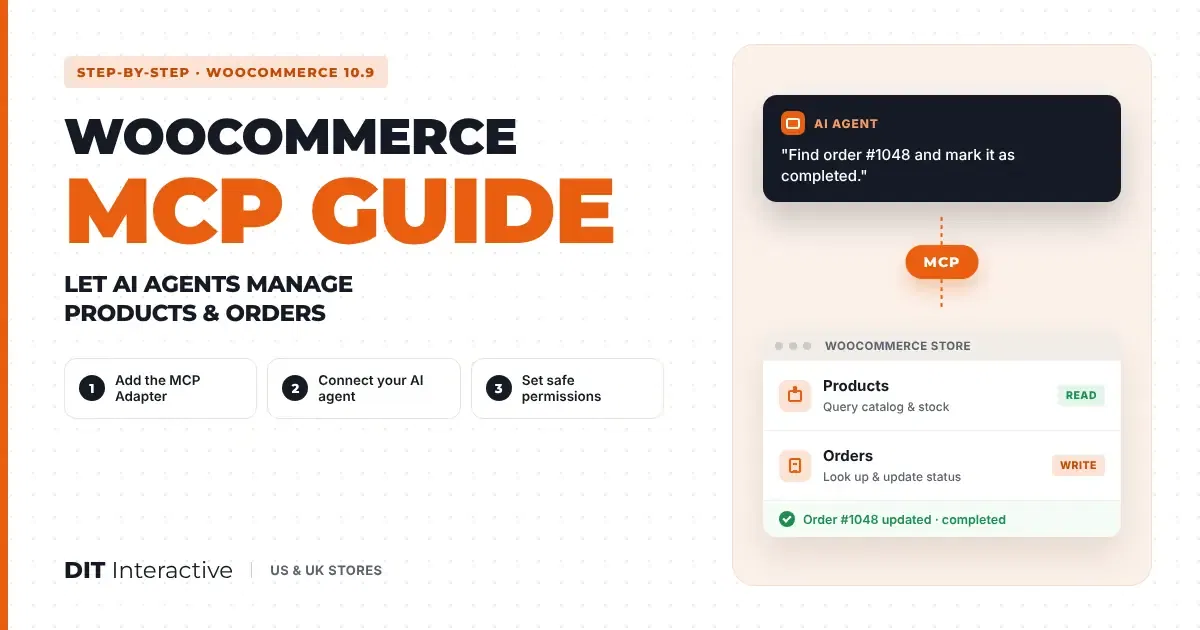
TL;DR: WooCommerce MCP lets AI clients such as Claude, Cursor and VS Code query and update a store’s products and orders through the Model Context Protocol. WooCommerce 10.9 introduced seven built-in abilities for this. Since WooCommerce 11.3, you connect them through the free WordPress MCP Adapter plugin and a WordPress application password.
“Show me every processing order from last weekend that hasn’t shipped, and add a note saying we’re on it.” A year ago, that request meant a developer, a REST API script and an afternoon. With WooCommerce MCP, a store manager can type it into an AI assistant and watch it happen.
This guide shows how it works, which seven abilities you get, how to set it up step by step on the current version, and how to keep it safe. One warning first: many tutorials published this summer describe the old WooCommerce MCP endpoint and REST API keys. That method was removed in WooCommerce 11.3, so follow the steps below instead.
What are WooCommerce abilities?
Definition: A WooCommerce ability is a named store action, such as “query orders” or “update a product”, registered with the WordPress Abilities API. Each one has a strict input and output schema and its own permission check. AI clients, admin tools and scripts can discover and run abilities without needing to know WooCommerce’s internal code.
The WooCommerce abilities API is the layer that makes your store “agent-ready”. It works in three parts:
- The WordPress Abilities API, part of WordPress core, keeps a registry of abilities from WordPress and any plugin.
- WooCommerce registers its own product and order abilities in that registry on every request.
- The WordPress MCP Adapter plugin turns those abilities into MCP tools that an AI client can call.
Your AI client never talks to your database directly. It asks the adapter to run an ability, and the ability checks permissions before doing anything.
How has WooCommerce MCP changed from 10.3 to 11.3?
WooCommerce MCP has moved quickly, which is why older guides no longer work. Here is the timeline.
| Version | Date | What changed |
| WooCommerce 10.3 | October 2025 | First MCP integration in beta, using WooCommerce REST API keys and a WooCommerce endpoint |
| WooCommerce 10.9 | 23 June 2026 | Seven canonical product and order abilities introduced; old REST-based abilities deprecated |
| WooCommerce 11.3 | November 2026 | Old /wp-json/woocommerce/mcp endpoint and REST API key method removed; abilities on by default; MCP Adapter plugin required |
WooCommerce still labels MCP a developer preview, so details may change again. WooCommerce 11.3 also requires WordPress 7.0 or later.
Which abilities does WooCommerce MCP include?
WooCommerce ships seven canonical abilities: two that read data and five that change it.
| Ability | What it does | Type |
| woocommerce/products-query | Finds products, with filters and pagination | Read |
| woocommerce/product-create | Creates a product (physical, virtual, digital, affiliate or grouped) | Write |
| woocommerce/product-update | Updates an existing product | Write |
| woocommerce/product-delete | Moves a product to the trash; permanent deletion needs force: true | Write (destructive) |
| woocommerce/orders-query | Finds orders by ID, status, customer, billing email or date; line items only on request | Read |
| woocommerce/order-update-status | Changes an order’s status and can add a note; rejects no-change updates | Write |
| woocommerce/order-add-note | Adds a note to an order without changing its status | Write |
Each ability runs WooCommerce’s existing permission checks, so an AI client can only do what its WordPress user is allowed to do. The developer docs also list a read-only order notes query ability.
There is no built-in ability for customers, coupons or refunds yet. If you need those, the third-party MCP for WooCommerce plugin adds a wider set of tools, or a developer can write custom abilities.
Also read: This guide covers the back office. For the shopper-facing side, see our guide on how to make your WooCommerce store ready for AI shopping agents.
Before you start: what you need
Check these six things before connecting any WooCommerce AI agent:
- A staging site. MCP is a developer preview, so test away from your live store first.
- WooCommerce 11.3 or later, on WordPress 7.0 or later.
- HTTPS on the site, for any remote connection.
- A dedicated WordPress user for the AI client, with only the permissions it needs.
- Node.js and npx on your computer, for remote connections.
- An MCP client, such as Claude Code, Claude Desktop, Cursor or VS Code.
How do you set up WooCommerce MCP? (step by step)
Setting up WooCommerce MCP takes about 20 minutes on a staging site. Follow these seven steps.
Step 1: Update WooCommerce and WordPress
Update to WooCommerce 11.3 or later and WordPress 7.0 or later. From 11.3, the product and order abilities are on by default, so there is no WooCommerce setting to switch on.
Step 2: Install the WordPress MCP Adapter plugin
WooCommerce no longer bundles the adapter. Install it from WordPress.org in Plugins > Add New, or with WP-CLI:
wp plugin install mcp-adapter –activate
Step 3: Create a dedicated user for the AI client
Create a new WordPress user just for the agent. Give it the lowest role that covers the job. A reporting-only agent does not need permission to delete products. Avoid using an administrator account.
Step 4: Create an application password
Log in as that user, go to Users > Profile, scroll to Application Passwords, enter a name such as “Claude MCP” and click Add New Application Password. Copy it straight away, because WordPress shows it only once.
Step 5: Connect your AI client
The adapter’s endpoint is:
https://yourstore.com/wp-json/mcp/mcp-adapter-default-server
For Claude Code on a remote site, run:
claude mcp add \
–env WP_API_URL=https://yourstore.com/wp-json/mcp/mcp-adapter-default-server \
–env WP_API_USERNAME=your-username \
–env WP_API_PASSWORD=‘your-application-password’ \
woocommerce_store \
— npx -y @automattic/mcp-wordpress-remote@latest
Claude Desktop and Cursor use the same details in the mcpServers section of their JSON config. VS Code uses a servers section. For a local development site, you can connect with WP-CLI instead, which needs no application password.
Step 6: Discover the abilities
Ask your client to list what it can do. The adapter exposes three tools: discover abilities, get ability info and execute ability. You should see the seven WooCommerce abilities in the list.
Step 7: Test with read-only requests first
Start with prompts that only read data:
- “List my 10 newest products and their stock levels.”
- “Show orders with status processing from the last 3 days.”
- “Which orders from john@example.com are still on hold?”
Once results look right, try one write action on a test product or order, such as “Add a note to order 1234 saying the parcel was delayed by the carrier.”
Is it safe to let an AI agent manage your WooCommerce store?
It can be, if you limit what the agent can reach. Order and customer data includes names, emails, addresses and payment details, and protecting it is the store owner’s responsibility. Use this security checklist:
- Use a dedicated user with minimum permissions. Never connect an administrator account.
- Use application passwords, not your login password. Revoke any you no longer use.
- Never commit config files containing an application password to Git or shared folders.
- Use HTTPS for every remote connection.
- Revoke old WooCommerce REST API keys that were created for the removed MCP endpoint.
- Start read-only. Add write access only for tasks you have tested.
- Review destructive actions. Product deletion goes to the trash unless force is set, but status changes trigger customer emails, so test them on staging.
- Check your privacy policy covers sending order data to an AI provider, especially for UK and EU customers.
What can you do with WooCommerce MCP today?
The built-in abilities cover everyday catalog and order work. Here are practical uses for a WooCommerce AI agent:
| Task | Example prompt | Abilities used |
| Daily order triage | “Summarize today’s processing orders by shipping country.” | orders-query |
| Customer service notes | “Add a note to order 5821: refund approved, awaiting bank.” | order-add-note |
| Status updates | “Mark orders 5810 to 5815 as completed.” | order-update-status |
| Catalog cleanup | “Find products with no description and list them.” | products-query |
| Bulk price edits | “Set the sale price of all products in the Winter category to 20% off.” | products-query, product-update |
| New listings | “Create a draft product called Wool Beanie, price $24.” | product-create |
For tasks across several systems, such as syncing stock with a warehouse or sending order summaries to Slack, you will need custom abilities or a wider automation. Our AI workflow automation team builds these on top of the WooCommerce abilities API. For the bigger picture of how agents plan and act, read how agentic AI development works.
Want an AI agent working in your WooCommerce store? Book a free call and we will help you choose safe first tasks, set up WooCommerce MCP on staging and plan the permissions. Book a free call
How do you add custom WooCommerce abilities?
Developers can register their own abilities through the WordPress Abilities API. To make one visible to MCP clients, add mcp metadata with public set to true and type set to tool. Each custom ability needs a clear input schema and a permission callback, for example requiring the manage_woocommerce capability. If you don’t have this skill in-house, it is often quicker to hire WooCommerce developers in USA or UK teams who already know the Abilities API.
Extension developers should note that abilities built for the old WooCommerce MCP endpoint do not carry over to 11.3. They must be registered with the new metadata. Projects like this are where custom WooCommerce development in USA and UK teams usually step in, because a badly scoped ability can expose more data than intended.
What are the limits of WooCommerce MCP?
WooCommerce MCP is useful today, but it has clear limits:
- Developer preview: APIs and setup may change in future releases.
- Products and orders only: No built-in customer, coupon, refund or report abilities yet.
- Not for shoppers: These abilities are for store staff. Shopper-facing AI agents need a different setup.
- Generic WordPress MCP tools miss orders: On stores using High-Performance Order Storage (the default for new stores), post-based WordPress tools cannot see orders. Use the WooCommerce abilities.
If you want help planning which tasks to hand to an agent, you can hire WooCommerce developers in USA and UK time zones through our team. To see how custom agents fit into wider operations, read our guide to custom AI agent development: benefits, process and use cases.
Get WooCommerce MCP set up properly From custom WooCommerce development in USA and UK stores to custom abilities and AI workflows, our team connects AI agents to your store safely. Talk to our WooCommerce team · Explore WooCommerce development