
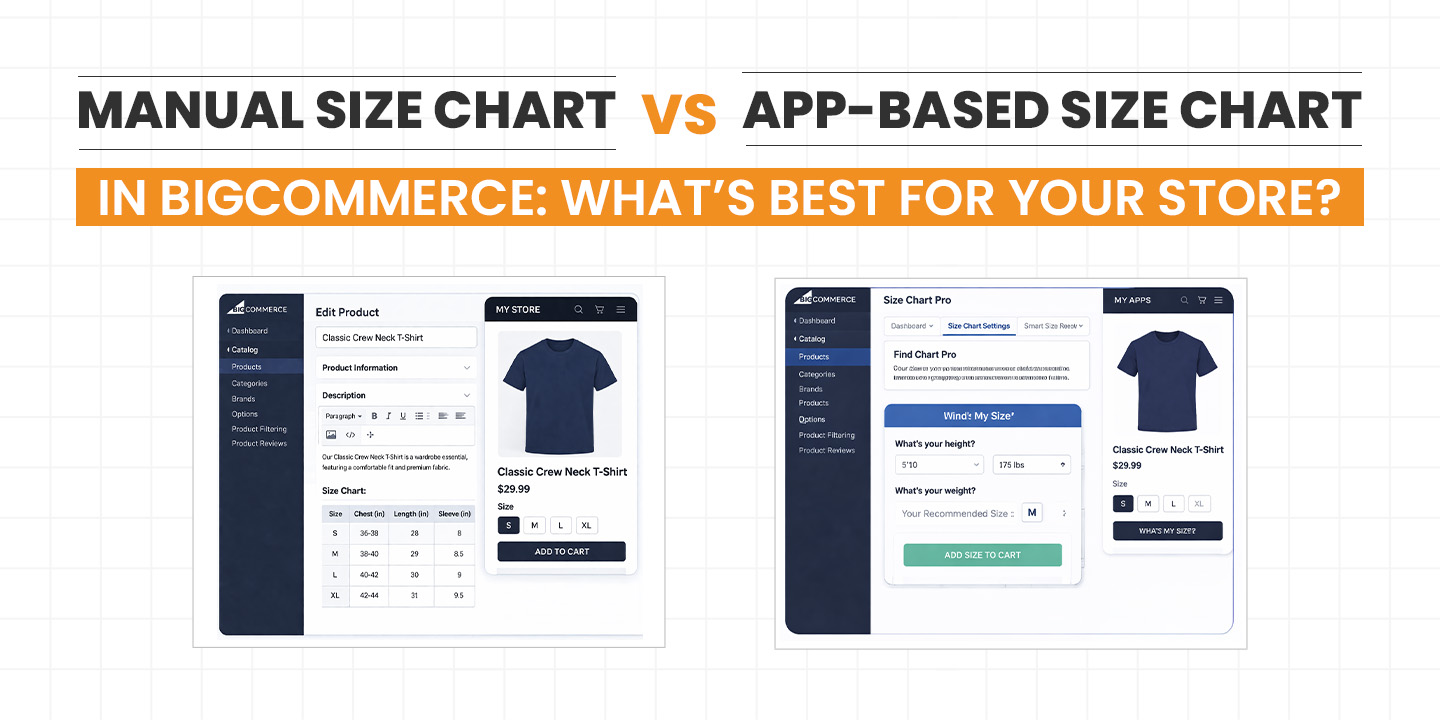
If you’re running an apparel or product-based store on BigCommerce, you already know one thing for sure: sizing can make or break your conversions. Customers hesitate when they’re unsure, and hesitation often leads to abandoned carts.
So the big question is not whether you need a size chart. You definitely do. The real question is how you should implement it.
Should you go with a simple manual size chart added directly to your product pages? Or should you invest in a BigCommerce Size Chart App that automates and improves the experience?
Let’s break this down in a way that actually helps you decide what’s right for your store, not just what sounds good in theory.
Why Size Charts Matter More Than You Think
Before we compare anything, let’s quickly talk about why size charts are such a big deal.
When customers shop online, they don’t have the luxury of trying things on. That means they rely entirely on the information you provide. If your sizing information is unclear, missing, or hard to find, you’re basically asking them to take a risk.
And most people don’t like taking risks with their money.
A clear and easy-to-access size chart helps you:
- Reduce return rates
- Increase customer confidence
- Improve conversion rates
- Build trust with first-time buyers
So yes, adding a size chart is not optional anymore. It’s a necessity.
What is a Manual Size Chart in BigCommerce?
A manual size chart is exactly what it sounds like. You create and add the size chart yourself using product descriptions, custom fields, images, or HTML tables.
Most store owners use one of these methods:
- Adding a table directly in the product description
- Uploading a size chart image
- Creating a separate size guide page and linking it
This is the traditional way to Add Size Chart to BigCommerce Product Page, and it’s still widely used.
Pros of Manual Size Charts
1. Full Control Over Content
You can design your size chart exactly how you want. No restrictions, no templates, no limitations.
2. No Extra Cost
You don’t need to pay for any app subscription. This is especially helpful if you’re just starting out or working with a tight budget.
3. Simple Setup
If you have basic knowledge of BigCommerce, you can set it up quickly without relying on external tools.
Cons of Manual Size Charts
Now here’s where things start getting tricky.
1. Not User-Friendly
Most manual charts sit inside the product description. Customers have to scroll, search, and sometimes zoom in to read them. That’s not a great experience.
2. No Popup Option
You can’t easily create a Size chart popup BigCommerce experience without custom coding. And let’s be honest, not everyone wants to get into that.
3. Hard to Manage at Scale
If you have 50 or 100 products, updating size charts manually becomes a headache. One small change means editing multiple pages.
4. Not Mobile Optimized
Tables and images don’t always look good on mobile devices. And a large chunk of your traffic is probably coming from mobile.
What is a BigCommerce Size Chart App?
A BigCommerce Size Chart App is a tool that lets you create, manage, and display size charts in a much smarter way.
Instead of manually adding charts to each product, you can:
- Create reusable size chart templates
- Assign them to multiple products
- Display them as popups or tabs
- Customize the look and feel
Some apps are built specifically for clothing stores, often referred to as a BigCommerce Apparel Size Chart App, but they can also be used for other product categories.
Pros of Using a Size Chart App
1. Better User Experience
This is probably the biggest advantage.
Instead of cluttering your product page, you can show a clean button like “View Size Chart.” When clicked, it opens a Size chart popup BigCommerce style window.
It feels smooth, modern, and easy to use.
2. Easy to Manage Multiple Products
Let’s say you sell t-shirts, jeans, and jackets. With an app, you can create different charts and assign them to product categories.
No need to manually update each product.
3. Mobile-Friendly Design
Most apps are built with mobile users in mind. The charts adjust automatically to different screen sizes.
That means better readability and fewer frustrated customers.
4. Saves Time in the Long Run
Yes, it might take a little time to set up initially. But once done, managing size charts becomes effortless.
5. Advanced Features
Many apps come with features like:
- Measurement unit switching
- Custom styling
- Conditional display
- Integration with product variants
These are things you simply can’t achieve easily with manual methods.
Cons of Using a Size Chart App
Let’s keep it real. Apps are not perfect.
1. Additional Cost
Most apps come with a monthly fee. It may not be huge, but it’s still an extra expense.
2. Learning Curve
You’ll need to spend some time understanding how the app works. It’s not difficult, but it’s not instant either.
3. Dependency on Third-Party Tools
You’re relying on an external app. If the app has issues or gets discontinued, you may need to find an alternative.
Manual vs App-Based Size Chart: A Side-by-Side Comparison
Let’s simplify things.
Manual Size Chart works best if:
- You have a small product catalog
- You don’t update size charts frequently
- You want a zero-cost solution
- You’re okay with a basic user experience
App-Based Size Chart works best if:
- You have multiple products or categories
- You want a clean and modern UI
- You care about mobile experience
- You want to reduce manual work
- You’re serious about scaling your store
Real Talk: What Actually Works Better?
If you’re just testing your store or selling a handful of products, a manual size chart is fine. No need to overcomplicate things.
But if you’re running a serious ecommerce business, especially in fashion or apparel, manual methods start to feel outdated very quickly.
Customers today expect a smooth experience. They don’t want to scroll through long descriptions or struggle with poorly formatted tables.
This is where a BigCommerce Apparel Size Chart App really shines.
It doesn’t just show information. It improves how customers interact with your store.
How Size Charts Impact Conversions
Let’s connect this to business outcomes.
When customers clearly understand sizing:
- They are more likely to buy
- They feel more confident
- They trust your brand more
On the flip side, unclear sizing leads to:
- Cart abandonment
- Higher return rates
- Negative reviews
A well-placed Size chart popup BigCommerce setup removes friction from the buying process. And less friction usually means more sales.
When Should You Upgrade to an App?
Here are some clear signs that it’s time to move from manual to app-based size charts:
- You’re adding new products regularly
- Customers are asking about sizing
- You’re getting returns due to wrong sizes
- Your product pages feel cluttered
- You want to improve mobile experience
If you’re ticking even two or three of these, it’s worth considering a BigCommerce Size Chart App.
Tips to Get the Most Out of Your Size Chart
Whether you go manual or app-based, these tips will help you do it right:
Keep It Simple
Avoid overloading your chart with too much data. Focus on what customers actually need.
Be Consistent
Use the same format across all products. Consistency builds trust.
Add Measurement Instructions
Tell customers how to measure themselves. A simple guide can make a big difference.
Use Clear Labels
Avoid confusing terms. Keep everything easy to understand.
Test on Mobile
Always check how your size chart looks on mobile devices.
Final Verdict: Which One Should You Choose?
If we’re being honest, both options have their place.
Manual size charts are great for simplicity and cost-saving. But they come with limitations that become more obvious as your store grows.
On the other hand, a BigCommerce Size Chart App gives you flexibility, scalability, and a much better user experience. It’s not just a feature upgrade, it’s a usability upgrade.
So here’s the straightforward answer:
- Go manual if you’re just starting out
- Go with an app if you’re planning to grow
Closing Thoughts
At the end of the day, your goal is to make shopping as easy as possible for your customers.
If they can quickly find the right size, they’re more likely to buy. It’s that simple.
So don’t treat size charts as a small detail. It’s one of those things that quietly impacts your sales more than you realize.
Whether you choose to Add Size Chart to BigCommerce Product Page manually or through a BigCommerce Apparel Size Chart App, just make sure it’s clear, accessible, and user-friendly.
Because in ecommerce, even small improvements can lead to big results.